







Question: what numbers go into the CUMIMPT function? Step Instructions Points 17 Next you want to enter the due dates. 5 In cell A8, insert the
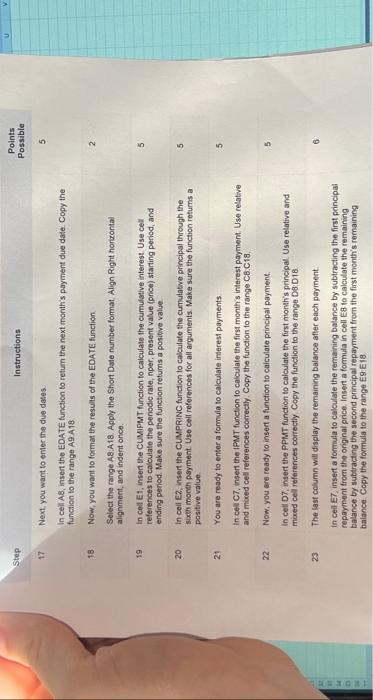
Step Instructions Points 17 Next you want to enter the due dates. 5 In cell A8, insert the EDATE function to retum the next month's payment due date. Copy the function to the range A9A18. 18. Now, you want to format the results of the EDATE function. 2 Select the range A8.A18. Apply the Short Dale number format, Align Right horzontal alignment, and indent once. 19 In cel Et, insert the CUMiPMT function to calculate the cumulative interest Use cell references to calculate the penodic rate, nper, present value (price) starting period, and ending period. Make sure the function retums a positive value. 20 In cell E2, insert the CUMPRINC function to calculate the cumulative principal through the sixth month psyment. Use cell references for all arguments. Make sure the function returns a positive value. 21 You are ready to enter a formula to calculate interest payments 5 in celt C7, insert the IPMT function to calculate the first month's intecest payment. Use relative and mired cell references correctly. Copy the function to the range CB.C18. 22 Now, you are ready to insert a function to calculate principal payment 5 In cell D7, insert the PPMT function to calculate the first month's principal Use relative and mixed cell references correctly. Copy the function to the range D:D18. 23 The last column will display the remaining balance after each payment: 6 In ceil ET, insert a formula to calculate the remaining balance by subtracting the first principa: repayment from the orginal price. Insert a fomula in cell E8 to cakculate the remaining balance by subtracting the second principal repayment from the first month's remaining balance. Copy the formula to the range E9.E18
Step by Step Solution
There are 3 Steps involved in it

Get step-by-step solutions from verified subject matter experts
 Study Help