







Question: when i do what it tells me to my computer only copys the headings into the new range. not data, please help. step 4. X
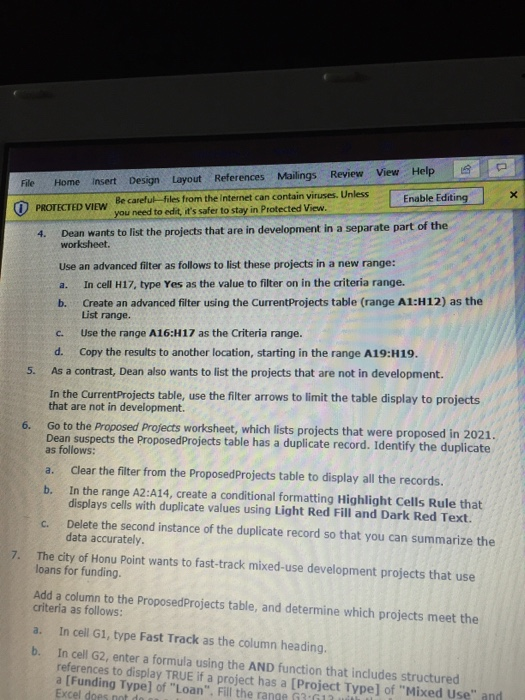
X File Home Insert Design Layout References Mailings Review View Help Be careful files from the Internet can contain viruses. Unless PROTECTED VIEW Enable Editing you need to edit, it's safer to stay in Protected View 4. Dean wants to list the projects that are in development in a separate part of the worksheet. Use an advanced filter as follows to list these projects in a new range: a. In cell H17, type Yes as the value to filter on in the criteria range. b. Create an advanced filter using the CurrentProjects table (range A1:H12) as the List range. c. Use the range A16:H17 as the Criteria range. d. Copy the results to another location, starting in the range A19:H19. As a contrast, Dean also wants to list the projects that are not in development. In the CurrentProjects table, use the filter arrows to limit the table display to projects that are not in development. 5. Go to the Proposed Projects worksheet, which lists projects that were proposed in 2021. Dean suspects the Proposed Projects table has a duplicate record. Identify the duplicate as follows: a. clear the filter from the Proposed Projects table to display all the records. b. In the range A2:A14, create a conditional formatting Highlight Cells Rule that displays cells with duplicate values using Light Red Fill and Dark Red Text. c. Delete the second instance of the duplicate record so that you can summarize the data accurately. 7. The city of Honu Point wants to fast-track mixed-use development projects that use loans for funding. Add a column to the Proposed Projects table, and determine which projects meet the criteria as follows: a. In cell G1, type Fast Track as the column heading. In cell G2, enter a formula using the AND function that includes structured references to display TRUE if a project has a (Project Type) of "Mixed Use" and a [Funding Type) of "Loan". Fill the range G3612 Excel does not do X File Home Insert Design Layout References Mailings Review View Help Be careful files from the Internet can contain viruses. Unless PROTECTED VIEW Enable Editing you need to edit, it's safer to stay in Protected View 4. Dean wants to list the projects that are in development in a separate part of the worksheet. Use an advanced filter as follows to list these projects in a new range: a. In cell H17, type Yes as the value to filter on in the criteria range. b. Create an advanced filter using the CurrentProjects table (range A1:H12) as the List range. c. Use the range A16:H17 as the Criteria range. d. Copy the results to another location, starting in the range A19:H19. As a contrast, Dean also wants to list the projects that are not in development. In the CurrentProjects table, use the filter arrows to limit the table display to projects that are not in development. 5. Go to the Proposed Projects worksheet, which lists projects that were proposed in 2021. Dean suspects the Proposed Projects table has a duplicate record. Identify the duplicate as follows: a. clear the filter from the Proposed Projects table to display all the records. b. In the range A2:A14, create a conditional formatting Highlight Cells Rule that displays cells with duplicate values using Light Red Fill and Dark Red Text. c. Delete the second instance of the duplicate record so that you can summarize the data accurately. 7. The city of Honu Point wants to fast-track mixed-use development projects that use loans for funding. Add a column to the Proposed Projects table, and determine which projects meet the criteria as follows: a. In cell G1, type Fast Track as the column heading. In cell G2, enter a formula using the AND function that includes structured references to display TRUE if a project has a (Project Type) of "Mixed Use" and a [Funding Type) of "Loan". Fill the range G3612 Excel does not do
Step by Step Solution
There are 3 Steps involved in it

Get step-by-step solutions from verified subject matter experts
 Study Help