







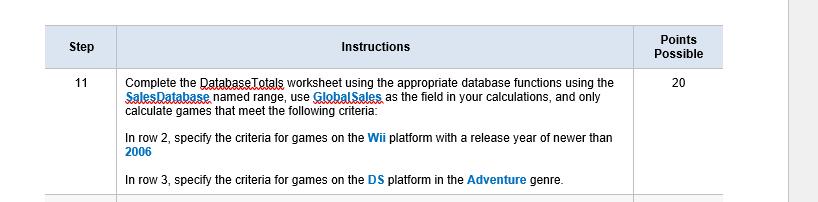
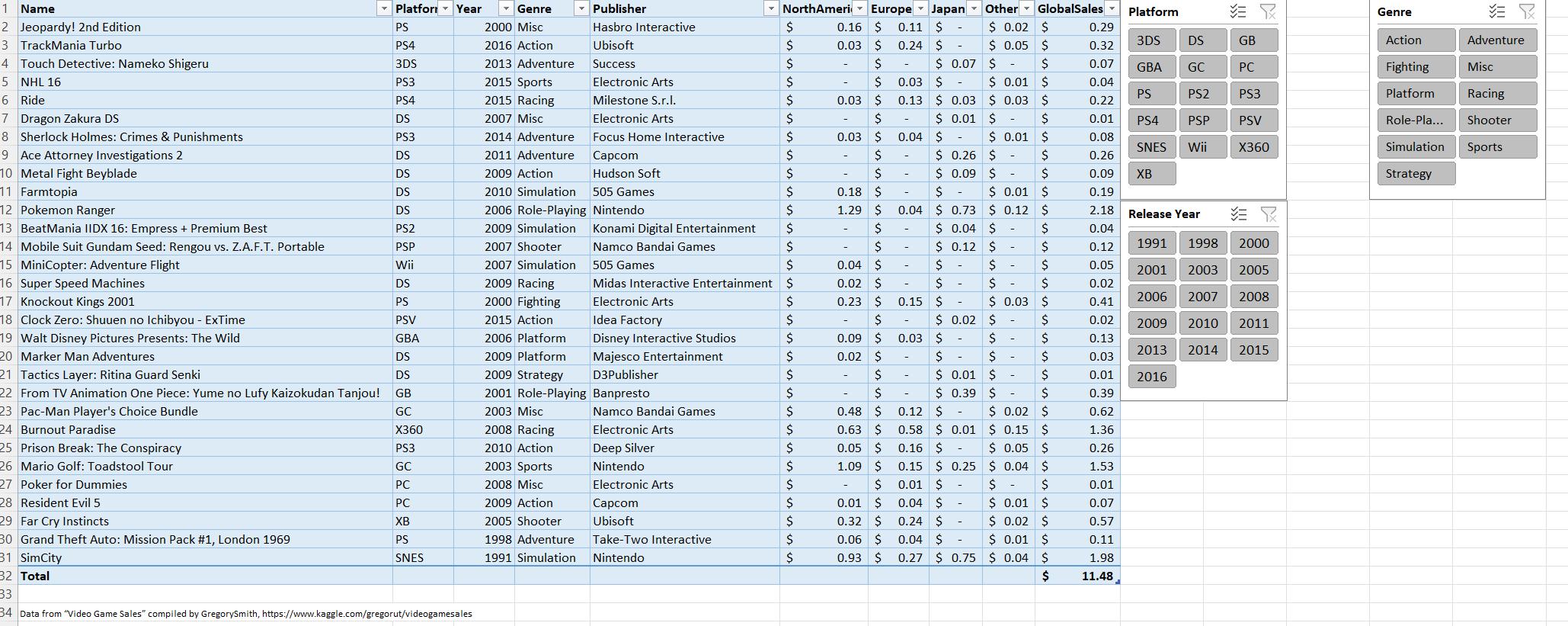
Question: When I type the formula on step 11 I ge t #VALUE! I am not sure what I am doing wrong AutoSave Off File Home
When I type the formula on step 11 I ge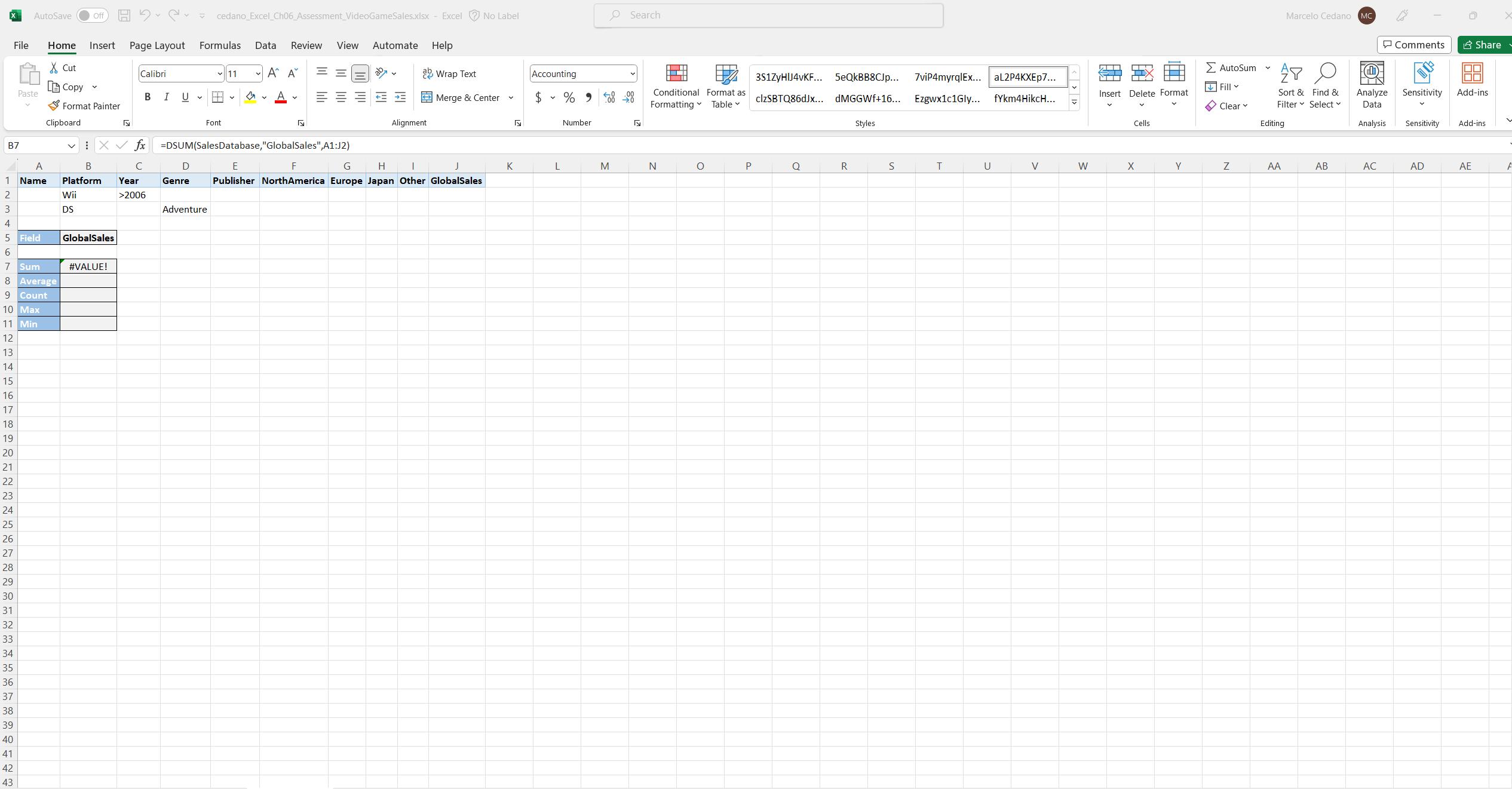
 t #VALUE! I am not sure what I am doing wrong
AutoSave Off File Home Insert Page Layout X Cut Copy Paste Format Painter Clipboard V cedano_Excel_Ch06 Assessment VideoGameSales.xlsx Excel No Label Formulas Data Review View Automate Help Search Accounting % 900-00 Calibri 11 == ab Wrap Text B I U A < < Merge & Center v $ Font Alignment B Xfx =DSUM(Sales Database, "GlobalSales", A1:J2) Platform Year 234569 B7 A 1 Name Wii DS 5 Field GlobalSales 7 Sum #VALUE! F G H I Publisher North America Europe Japan Other GlobalSales C D Genre E >2006 Adventure 8 Average 9 Count 10 Max 11 Min 12 13 14 15 16 17 18 19 20 21 22 23 24 25 26 27 28 29 30 31 32 33 34 35 36 37 38 39 40 41 42 43 Number Marcelo Cedano MC Comments Share AutoSum 3S1ZYHIJ4vKF... 5eQkBB8CJp... 7viP4myrqlEx... aL2P4KXEp7... Conditional Format as Formatting Table Fill clzSBTQ86dJx... dMGGWf+16... Ezgwx1c1Gly... fYkm4HikcH... Insert Delete Format Clear Sort & Find & Filter Select Analyze Data Sensitivity Add-ins Styles Cells Editing Analysis Sensitivity Add-ins K L M N P O R S T U V W X Y Z AA B AB AC AD AE A
Step by Step Solution
There are 3 Steps involved in it

Get step-by-step solutions from verified subject matter experts
 Study Help