







Question: when using Microsoft Excel spreadsheets, the pivot table is best described as: 1) an interactive table that automatically organizes & summarizes referenced data 2) a
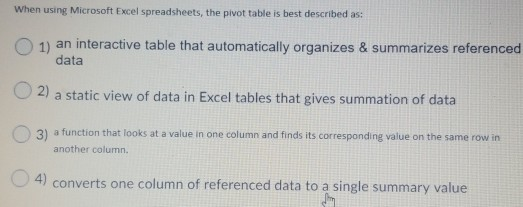

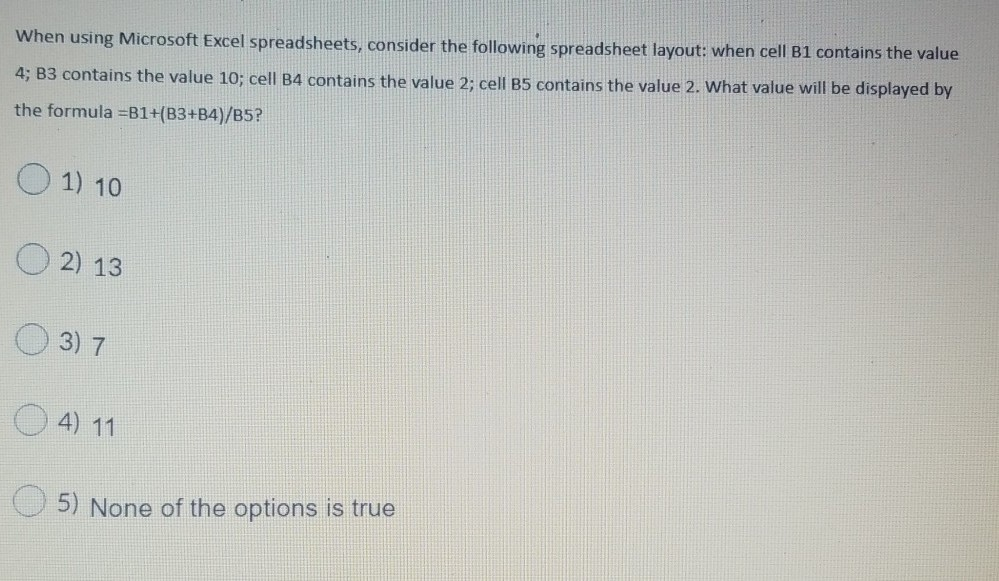
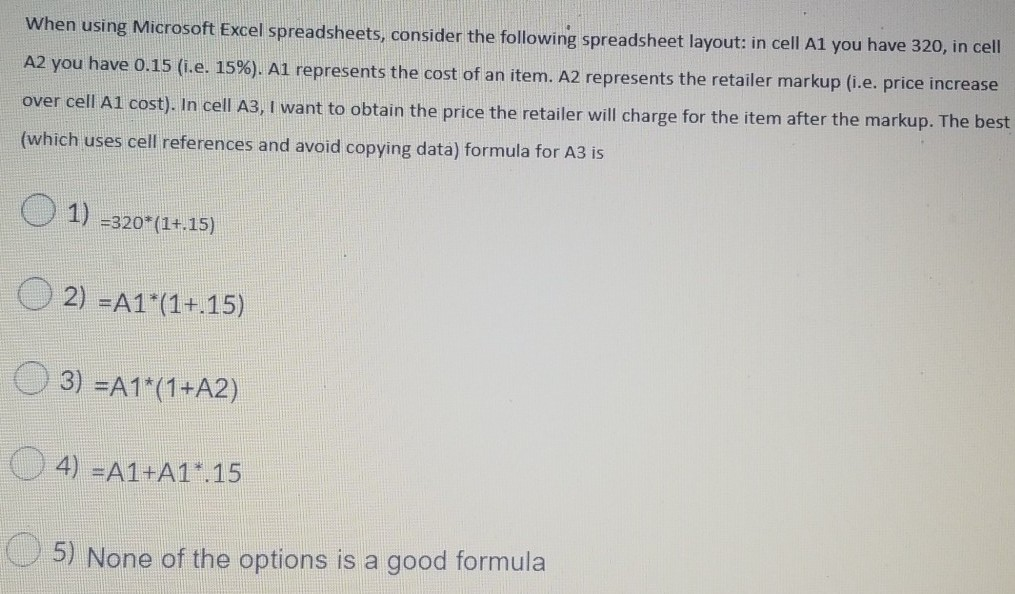
when using Microsoft Excel spreadsheets, the pivot table is best described as: 1) an interactive table that automatically organizes & summarizes referenced data 2) a static view of data in Excel tables that gives summation of data 3) a function that looks at a value in one column and finds its corresponding value on the same row in another column 4) converts one column of referenced data to a single summary value When using Microsoft Excel spreadsheets, copying the formula =A1*B1 from cell C1 to cell F1 would yield which of the following formulas in cell F1? 1) =A2*B2 O2) =F1*B1 O3) =D1*E1 O4) =F2*B2 When using Microsoft Excel spreadsheets, consider the following spreadsheet layout: when cell B1 contains the value 4; B3 contains the value 10; cell B4 contains the value 2; cell B5 contains the value 2. What value will be displayed by the formula =B1+(B3+B4/B5? O 1) 10 O2) 13 3) 7 O 4) 11 5) None of the options is true When using Microsoft Excel spreadsheets, consider the following spreadsheet layout: in cell A1 you have 320, in cell A2 you have 0.15 (i.e. 15%). A1 represents the cost of an item. A2 represents the retailer markup (i.e. price increase over cell Al cost). In cell A3, I want to obtain the price the retailer will charge for the item after the markup. The best (which uses cell references and avoid copying data) formula for A3 is O 1) -320*(1+.15) O2) =A1*(1+.15) O 3) =A1*(1+A2) O 4) =A1+A1*.15 5) None of the options is a good formula
Step by Step Solution
There are 3 Steps involved in it
1 Expert Approved Answer
Step: 1 Unlock

Question Has Been Solved by an Expert!
Get step-by-step solutions from verified subject matter experts
Step: 2 Unlock
Step: 3 Unlock
 Study Help