







Question: why am I only getting one line or output instead of the remaining 500+ lines? 5s. Chdir (the desktop) #changes the directory With open('alert_data.csv','w') as
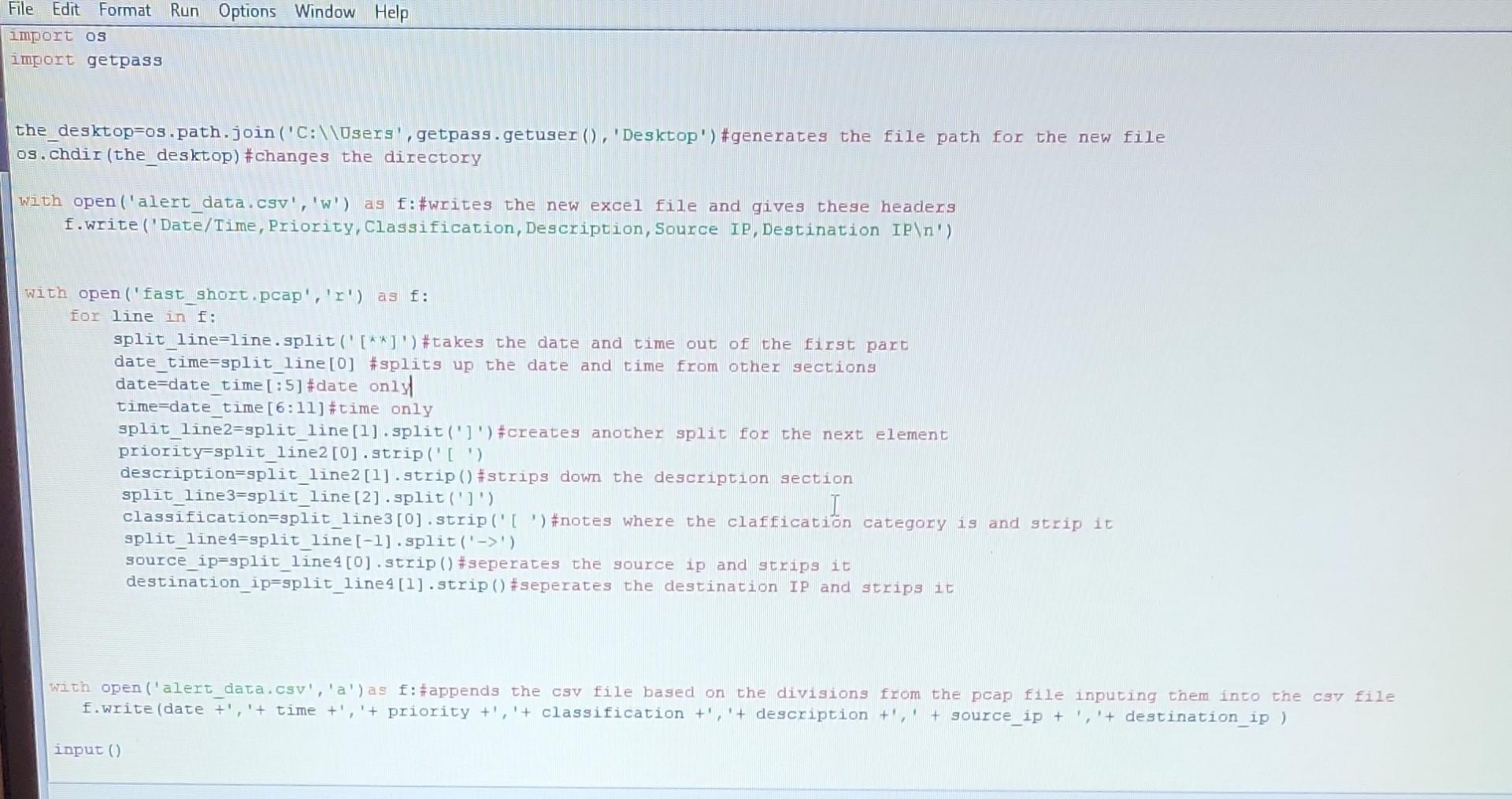
why am I only getting one line or output instead of the remaining 500+ lines?
5s. Chdir (the desktop) \#changes the directory With open('alert_data.csv','w') as f : \#writes the new excel file and gives these headers f.Write ('Date/Time, Priority, Classification, Description, Source IP, Destination IP \ ') With open ('fast_short.pcap','r') as f: for line in f : split line=line.split('[*k ') \#takes the date and time out of the first part date time=split_line[0] \#splits up the date and time from other sections date=date_time [:5]# date only time=date time [6:11]# time only split_line2=split_line[1].split(']') \#creates another split for the next element priority=split line2[0].strip(' [ ') description=split line2[1].strip()\#strips down the description section split_line3=split_line [2].split(']') classification=split line3[0].strip('[ ') \#notes where the claffication category is and strip it split_line4=split_line [1].split () source_ip=split_lines[0].strip()\#seperates the source ip and strips it destination_ip=split_lines[1].strip()\#seperates the destination Ip and strips it With open('alert data.csv','a') as f:\#appends the csv file based on the divisions from the pcap file inputing them int
Step by Step Solution
There are 3 Steps involved in it

Get step-by-step solutions from verified subject matter experts
 Study Help