







Question: Why won't my code turn an image to grayscale in python? mage gray py (3.6.4) image gray py-C/Users/lehib ile Edit Format Run Options Window Help
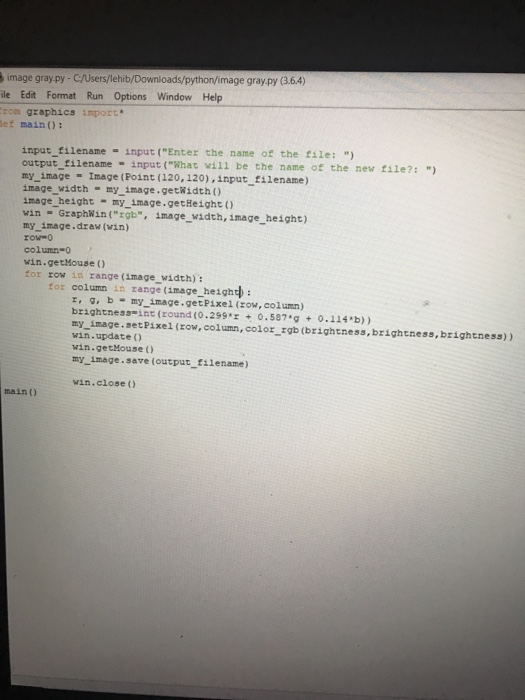
mage gray py (3.6.4) image gray py-C/Users/lehib ile Edit Format Run Options Window Help zom graphics ipozt ef main): input-filename-input ("Enter the name of the file: ") output filename input ("What will be the name of the new file?: ") my image Image (Point (120, 120), input filename) image_width my image.getWidth ) image height my image.getHeight ) win GzaphWin ("rgb", image_width, image height) my image.draw (win) row-o column-0 win.getHouse () for row in range (image width): for column in zange (image heighth: r, gb my image.getPixel (row, column) brightness-int (round (0.299* 0.587g 0.114 b)) my_image.setPixel (row, column, color_rgb (brightness, brightness,brightness)) win.update ) win.getMouse () my image.save (output filename) win.close () main ()
Step by Step Solution
There are 3 Steps involved in it

Get step-by-step solutions from verified subject matter experts
 Study Help