







Question: Wind chill (dot operator) O solutions submitted (max: 10) The temperatures at half-hour intervals throughout the afternoon and the wind velocities at corresponding times are
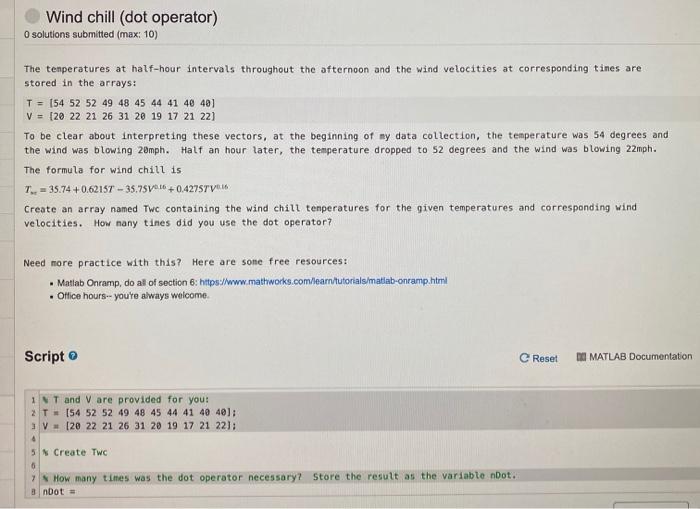
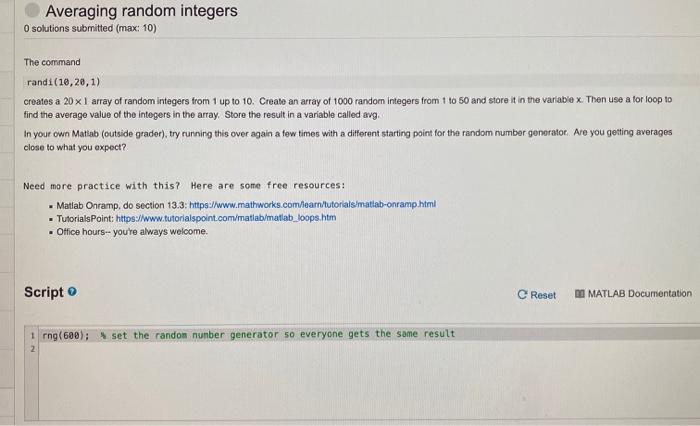
Wind chill (dot operator) O solutions submitted (max: 10) The temperatures at half-hour intervals throughout the afternoon and the wind velocities at corresponding times are stored in the arrays: T = 154 52 52 49 48 45 44 41 40 40) V = [20 22 21 26 31 20 19 17 21 22) To be clear about interpreting these vectors, at the beginning of my data collection, the temperature was 54 degrees and the wind was blowing 20mph. Half an hour later, the temperature dropped to 52 degrees and the wind was blowing 22mph. The formula for wind chill is 7 = 35.74 +0.6215T - 35.75V6 +0.4275TV1.16 Create an array named Twc containing the wind chill tenperatures for the given temperatures and corresponding wind velocities. How nany tines did you use the dot operator? Need more practice with this? Here are sone free resources: . Matlab Onramp, do al of section 6: https://www.mathworks.com/learn/tutorials/matlab-onramp.html Office hours--youre always welcome. Script e Reset DI MATLAB Documentation IT and V are provided for you: 2 T = 154 52 52 49 48 45 44 41 40 40): 20 22 21 26 31 20 19 17 21 22); 4 5 Create TWC 6 ? How many times was the dot operator necessary? Store the result as the variable not. 8 nbot Averaging random integers O solutions submitted (max: 10) The command randi (10,20,1) creates a 20 x I array of random integers from 1 up to 10. Create an array of 1000 random Integers from 1 to 50 and store it in the variable x. Then use a for loop to find the average value of the integers in the array, Store the result in a variable called avg, In your own Matlab (outside grader), try running this over again a few times with a different starting point for the random number generator. Are you getting averages close to what you expect? Need more practice with this? Here are some free resources: - Matlab Onramp, do section 13.3: https://www.mathworks.com/learn/tutorials matlab-onramp.html TutorialsPoint: https://www.tutorialspoint.com/matlab/matlab_loops.htm Office hours-- you're always welcome. Script e Reset DI MATLAB Documentation 1 rng(600); set the randon number generator so everyone gets the same result 2
Step by Step Solution
There are 3 Steps involved in it

Get step-by-step solutions from verified subject matter experts
 Study Help