







Question: Windows to copy the Sun Solution folder from the ClearlyVB20121Chap06 folder to the ClearlyVB20121Chap08 folder. Open the Sun Solution (Sun Solution.sln) file contained in the
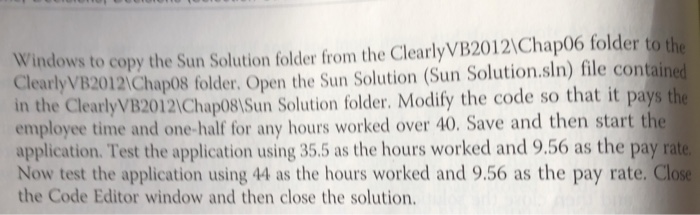
Windows to copy the Sun Solution folder from the ClearlyVB20121Chap06 folder to the ClearlyVB20121Chap08 folder. Open the Sun Solution (Sun Solution.sln) file contained in the ClearlyVB20121Chap081Sun Solution folder. Modify the code so that it pays the employee time and one-half for any hours worked over 40. Save and then start the application. Test the application using 35.5 as the hours worked and 9.56 as the pay ra Now test the application using 44 as the hours worked and 9.56 as the pay rate. Close the Code Editor window and then close the solution. Windows to copy the Sun Solution folder from the ClearlyVB20121Chap06 folder to the ClearlyVB20121Chap08 folder. Open the Sun Solution (Sun Solution.sln) file contained in the ClearlyVB20121Chap081Sun Solution folder. Modify the code so that it pays the employee time and one-half for any hours worked over 40. Save and then start the application. Test the application using 35.5 as the hours worked and 9.56 as the pay ra Now test the application using 44 as the hours worked and 9.56 as the pay rate. Close the Code Editor window and then close the solution
Step by Step Solution
There are 3 Steps involved in it

Get step-by-step solutions from verified subject matter experts
 Study Help