







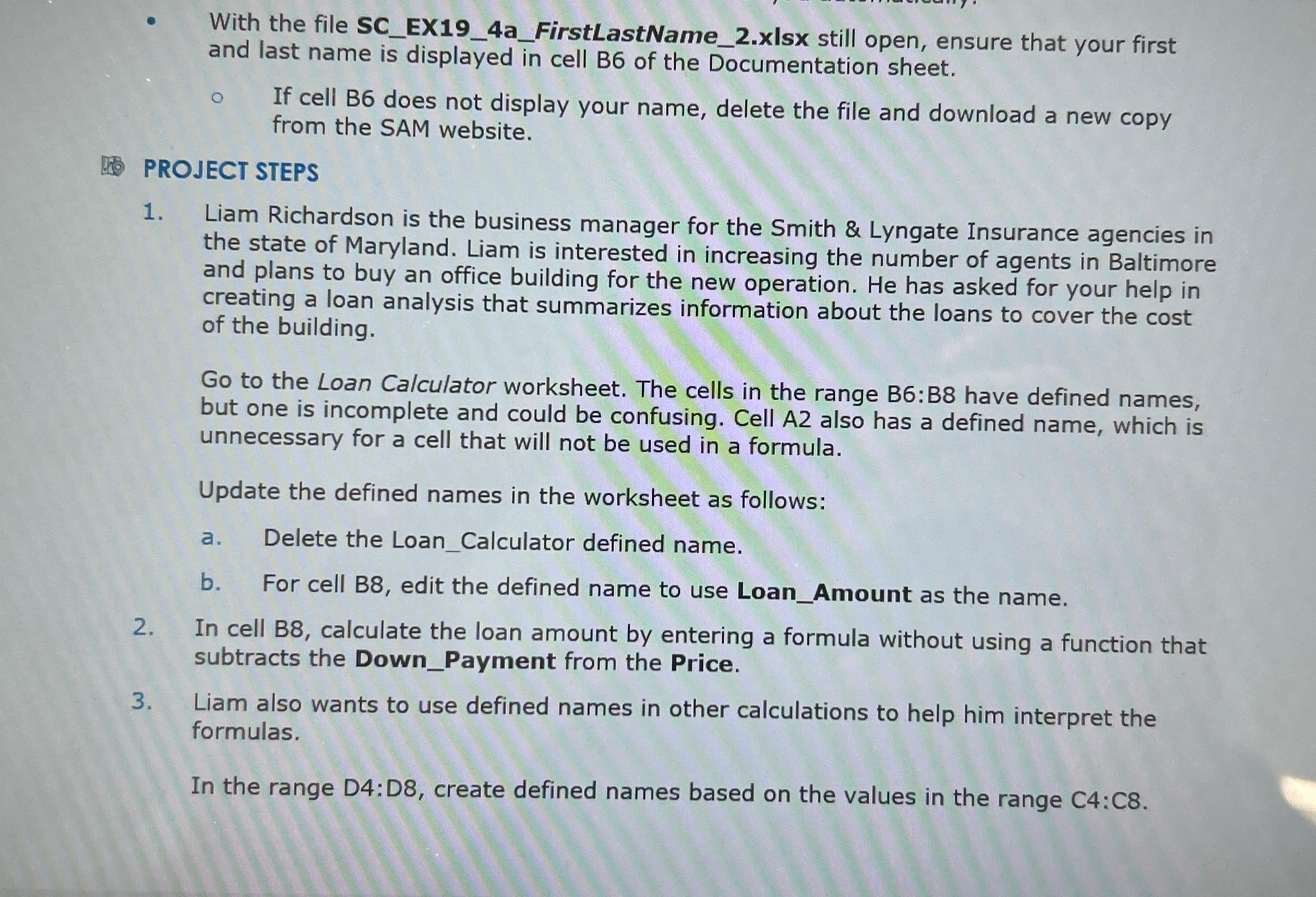
Question: With the file SC _ EX 1 9 _ 4 a _ FirstLastName _ 2 . xIsx still open, ensure that your first and last
With the file SCEXaFirstLastNamexIsx still open, ensure that your first and last name is displayed in cell B of the Documentation sheet.
If cell B does not display your name, delete the file and download a new copy from the SAM website.
BOJECT STEPS
Liam Richardson is the business manager for the Smith & Lyngate Insurance agencies in the state of Maryland. Liam is interested in increasing the number of agents in Baltimore and plans to buy an office building for the new operation. He has asked for your help in creating a loan analysis that summarizes information about the loans to cover the cost of the building.
Go to the Loan Calculator worksheet. The cells in the range B:B have defined names, but one is incomplete and could be confusing. Cell A also has a defined name, which is unnecessary for a cell that will not be used in a formula.
Update the defined names in the worksheet as follows:
a Delete the LoanCalculator defined name.
b For cell B edit the defined name to use LoanAmount as the name.
In cell calculate the loan amount by entering a formula without using a function that subtracts the DownPayment from the Price.
Liam also wants to use defined names in other calculations to help him interpret the formulas.
In the range : create defined names based on the values in the range :
Step by Step Solution
There are 3 Steps involved in it
1 Expert Approved Answer
Step: 1 Unlock

Question Has Been Solved by an Expert!
Get step-by-step solutions from verified subject matter experts
Step: 2 Unlock
Step: 3 Unlock
 Study Help