







Question: Working code needs a bit of tweeking please help! Below is the code that i have been working with for a while. There are no
Working code needs a bit of tweeking please help!
Below is the code that i have been working with for a while. There are no errors, but it is not performing the methods that are called. What am i doing wrong?
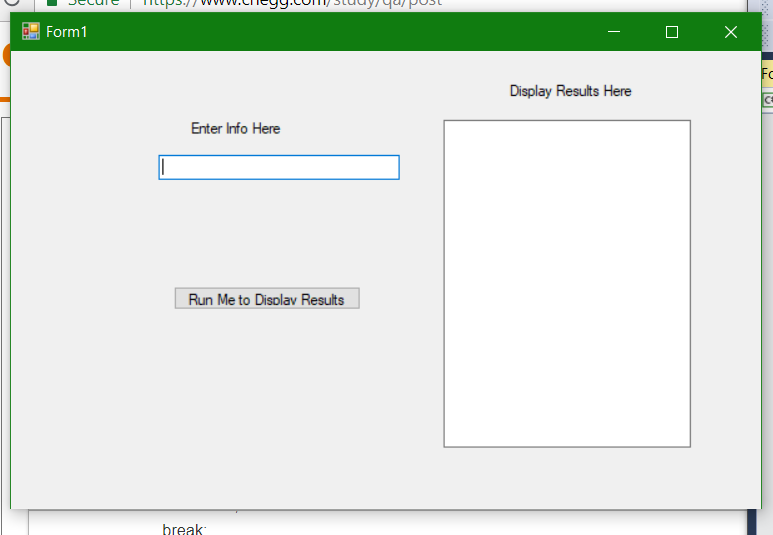
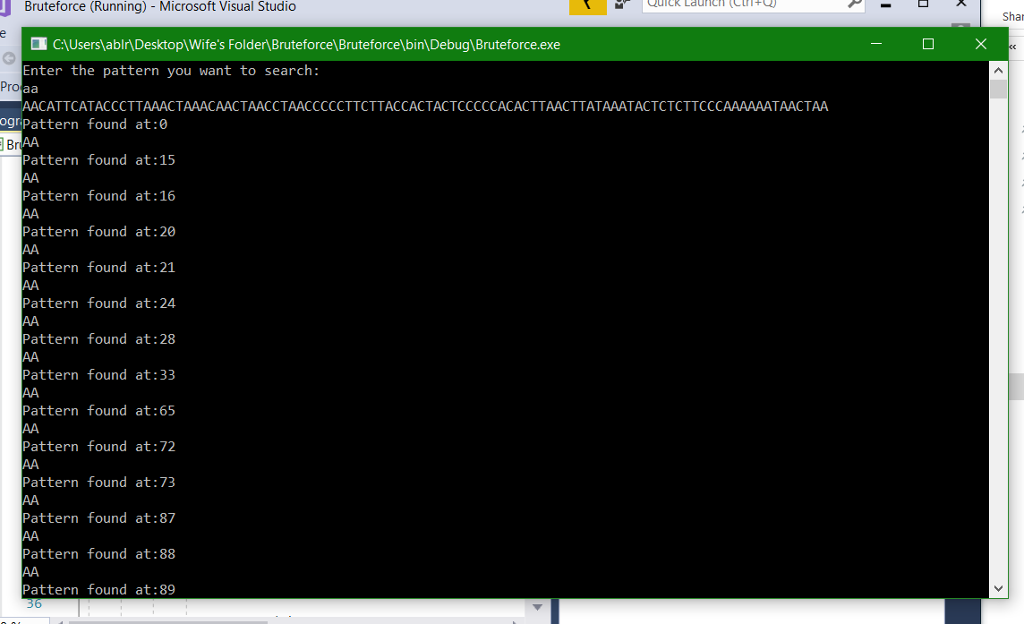
The logic behind the code is: enter a pattern, have the random generator generate 100 characters of code, have it searched with the algorithm, and then have the results displayed back to the screen with the line item. The code below just puts whatever is inputted int the enter line text on the display screen. The screen shot below is what i would like to exemplify the results but not in a console application but in a windows form.
using System; using System.Collections.Generic; using System.ComponentModel; using System.Data; using System.Drawing; using System.Linq; using System.Text; using System.Threading.Tasks; using System.Windows.Forms;
namespace trial1 { public partial class Form1 : Form { private String s; private string pattern; private String screenValue;
public Form1() { InitializeComponent();
//display.InputPattern(); //mydisplay1.Text = display.ReturnScreenValue(); }
private void Button1_Click(object sender, EventArgs e) { //store the entered text into a string //getter to get the enter text is enter1.Text pattern = enter1.Text; RandomGenerator(); Bruteforce();
mydisplay1.Text = ReturnScreenValue(); }
public void RandomGenerator() { Random geneSequence = new Random(); // The random number sequence
for (int i = 0; i
switch (x) { case 1: s = s + 'C'; break;
case 2: s = s + 'T'; break;
case 3: s = s + 'A'; break;
case 4: s = s + 'G'; break; }
} }
public void Bruteforce() // s is string sequence, pattern is what is inputted from user {
//brute force algorithm is executed here int n; n = s.Length;
int m; m = pattern.Length;
int i; int j; for (i = 0; i
screenValue = ("Pattern found at:{0}" + i).ToString(); screenValue = (pattern); }
} }
public String ReturnScreenValue() { return screenValue; }
} }
?Form1 Display Results Here Enter Info Here Run Me to Disolav Results break
Step by Step Solution
There are 3 Steps involved in it

Get step-by-step solutions from verified subject matter experts
 Study Help