





Question: Worksheet: Photoshop Basics - Using Layers Application Program Required objective To revlow bye Instructions Fill out the werkehost. Rafter to the sectionbeing boyers to the
Worksheet: Photoshop Basics - Using Layers
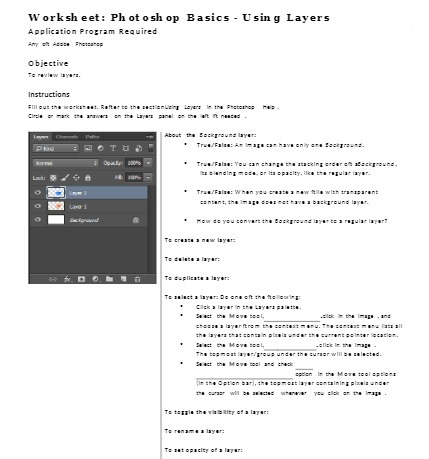
Worksheet: Photoshop Basics - Using Layers Application Program Required objective To revlow bye Instructions Fill out the werkehost. Rafter to the sectionbeing boyers to the Preterite; Help. thele or mos the arawars on the hayes panel ex the but It needed About the Background boyor: BOOTOn Truw/ Folow: An mapa eu have only end BeckTree-:. Trow/Folan: You can change the stacking endur e aBackground. E: Blonding mean, or No appcity. In the regular layer. Lick: Tron/Folan: When you create a new fills with tropicarant content, the Inopo dont met have a background layer. How do you convent the Background layer to a regular layer? To cristo . now boyon: To duplicate a boyon To collect a boyon: Do and of the fellowbp: Trust the Move toal, .old In the Image , and shopme a layar from the canton: manu. The combust many late all the boys the: soncon plaold onbor the count peter locutler. Fruit the Move Beal, wellek In the Image The tepmost layer/poup under the curver will be molested. Select the Move toel and chuck 1 In to Mewn tool options In the Option bor), the tep meet layer containing planis under To topple the wability of a layor: To rome byon To out opoclay of a layer

Step by Step Solution

There are 3 Steps involved in it

1 Expert Approved Answer
Step: 1 Unlock blur-text-image

Question Has Been Solved by an Expert!

Get step-by-step solutions from verified subject matter experts

Step: 2 Unlock
Step: 3 Unlock

Students Have Also Explored These Related Mathematics Questions!