





Question: WPS Office QX + Go Premium Menu Home Insert Comment Edit Page Protect Tools & Hand Tool 100% PIE abc Select Tool Edit Text Edit
 WPS Office QX + Go Premium Menu Home Insert Comment EditPage Protect Tools & Hand Tool 100% PIE abc Select Tool EditText Edit Picture PDF to Office PDF to Picture Annotate 11=1 Oo

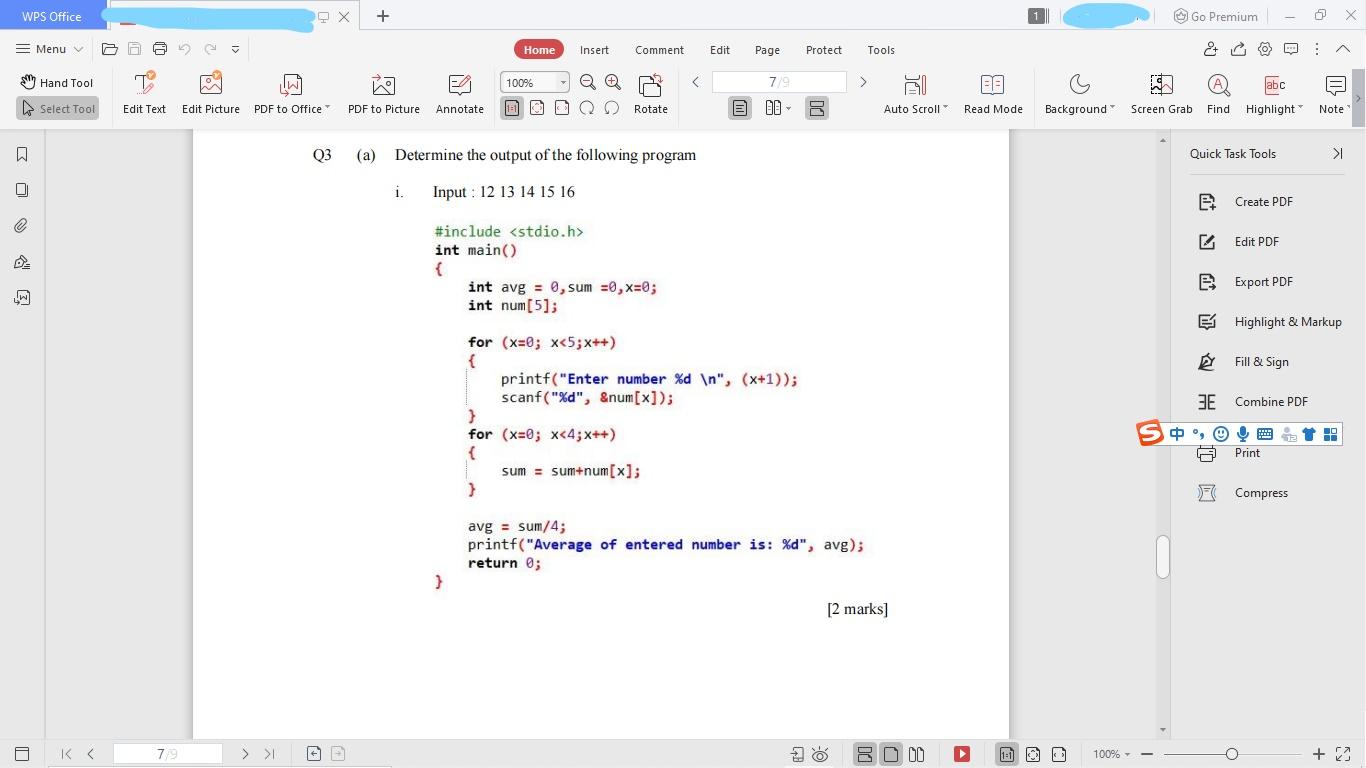
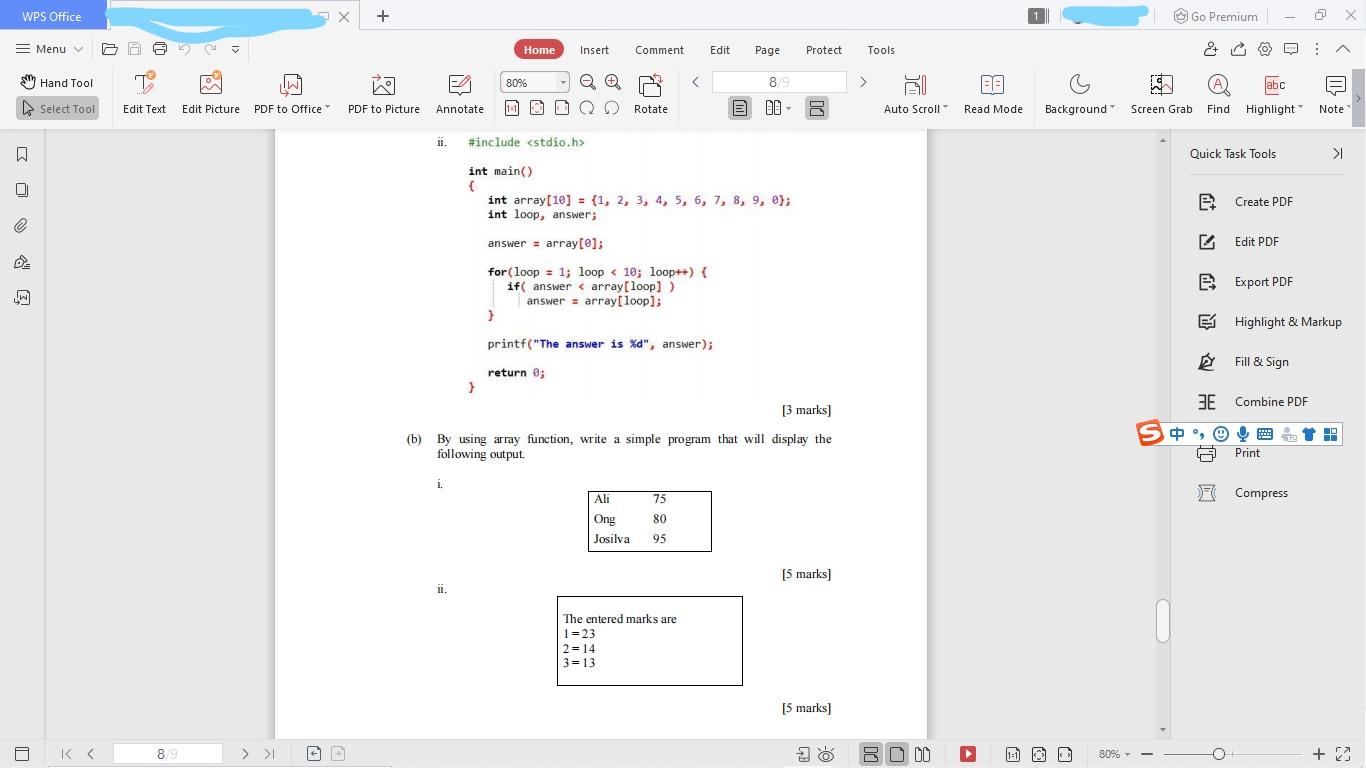
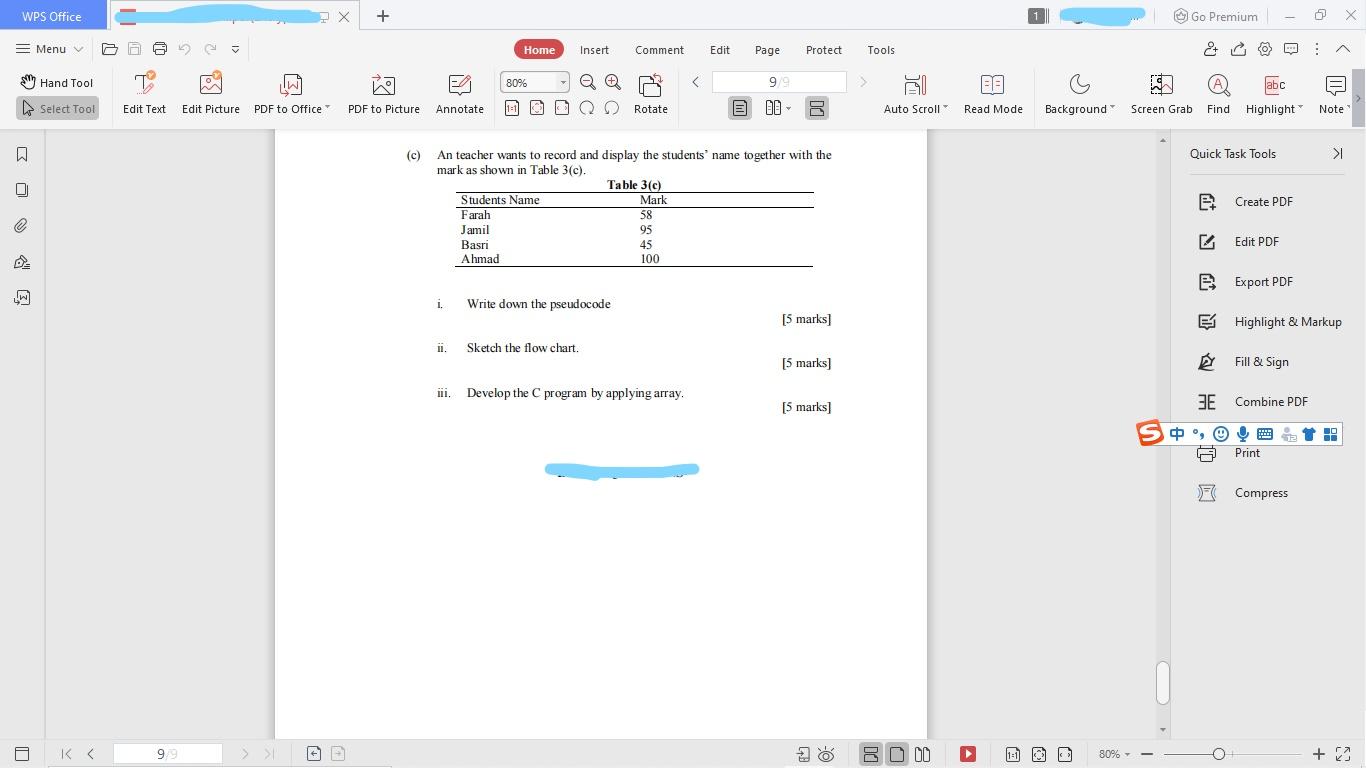
WPS Office QX + Go Premium Menu Home Insert Comment Edit Page Protect Tools & Hand Tool 100% PIE abc Select Tool Edit Text Edit Picture PDF to Office PDF to Picture Annotate 11=1 Oo Rotate OD pa Auto Scroll Read Mode Background" Screen Grab Find Highlight Note 03 (a) Determine the output of the following program Quick Task Tools >I i. Input : 12 13 14 15 16 B7 Create PDF @ Edit PDF e #include int main() { int avg = 0, sum =0, x=0; int num[5]; B Export PDF Highlight & Markup Fill & Sign E Combine PDF for (x=0; x > R DU 100% +2 WPS Office + Go Premium = Menu Home Insert Comment Edit Page Protect Tools & Hand Tool W 80% PIE abc Highlight Select Tool Edit Text Edit Picture PDF to Office PDF to Picture Annotate 1=1 Q Rotate E OD Auto Scroll Read Mode Background" Screen Grab Find Note ii. #include Quick Task Tools >I int main() { int array[10] = {1, 2, 3, 4, 5, 6, 7, 8, 9, @}; int loop, answer; Bt Create PDF e answer = array[@]; Edit PDF e B Export PDF for(loop = 1; loop > O 00 (1=1 80% +2 WPS Office + Go Premium Menu Home Insert Comment Edit Page Protect Tools & Hand Tool he 80% I An teacher wants to record and display the students' name together with the mark as shown in Table 3(c). Table 3(c) Students Name Mark Farah 58 Jamil 95 Basri 45 Ahmad 100 Bt Create PDF e Edit PDF e B Export PDF i. Write down the pseudocode (5 marks] Highlight & Markup i. Sketch the flow chart. (5 marks] Fill & Sign Develop the program by applying array [5 marks] E Combine PDF S 0 4 , 9) 9 Em 12 A Print Compress K > E O DO (1=1 80% +2
Step by Step Solution

There are 3 Steps involved in it

1 Expert Approved Answer
Step: 1 Unlock blur-text-image
Question Has Been Solved by an Expert!

Get step-by-step solutions from verified subject matter experts

Step: 2 Unlock
Step: 3 Unlock

Students Have Also Explored These Related Databases Questions!