







Question: Write a bash script accepting an arbitrary number of arguments specifying a subcommand and its arguments (similar to what is required for task6). The script
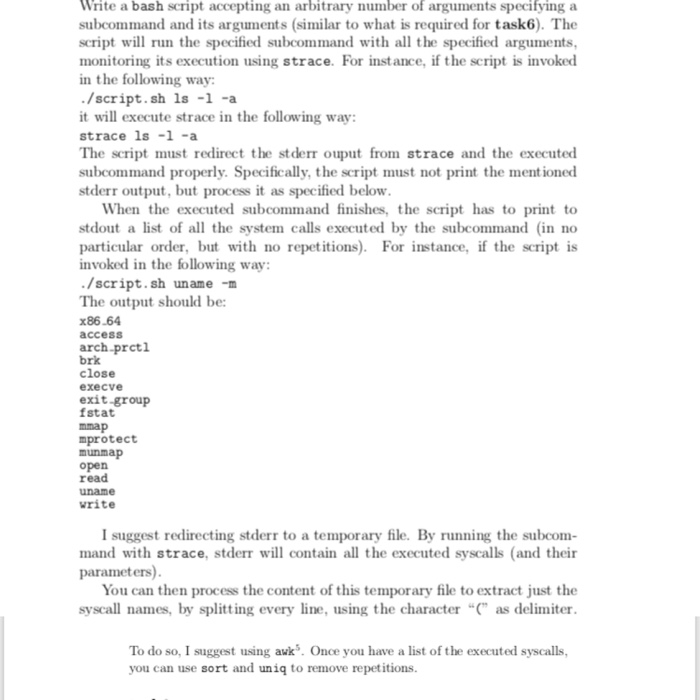
Write a bash script accepting an arbitrary number of arguments specifying a subcommand and its arguments (similar to what is required for task6). The script will run the specified subcommand with all the specified arguments, monitoring its execution using strace. For instance, if the script is invoked in the following way /script.sh 1s -1 -a it will execute strace in the following way: strace 1s -1-a The script must redirect the stderr ouput from strace and the executed subcommand properly. Specifically, the script must not print the mentioned stderr output, but process it as specified below When the executed subcommand finishes, the script has to print to stdout a list of al the system calls executed by the subcommand (in no particular order, but with no repetitions For instance, if the script is invoked in the following way . /script, sh uname -n The output should be: x86.64 accesS arch-prcti brk close execve exit-group fstat nmap mprotect munmap open read uname rite I suggest redirecting stderr to a temporary file. By running the subcom mand with strace, stderr will contain all the executed syscalls (and their parameters) You can then process the content of this temporary file to extract just the syscall names, by splitting every line, using the character " as delimiter To do so, I suggest using avk. Once you have a list of the executed syscalls you can use sort and uniq to remove repetitions
Step by Step Solution
There are 3 Steps involved in it

Get step-by-step solutions from verified subject matter experts
 Study Help