







Question: Write a BASH shell script to create a mailing label. Your script must accomplish all of the following objectives to be awarded full points. The
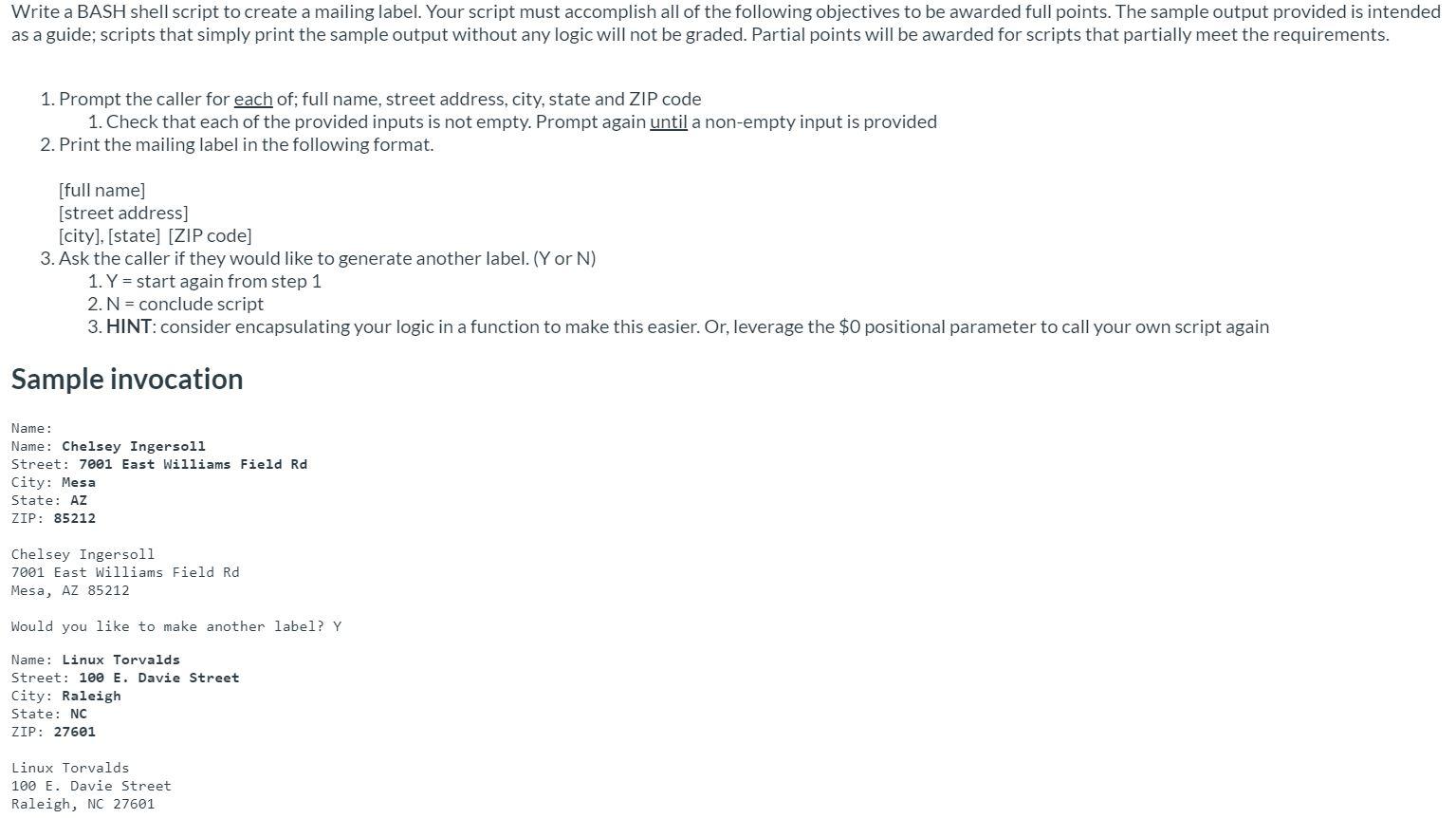
Write a BASH shell script to create a mailing label. Your script must accomplish all of the following objectives to be awarded full points. The sample output provided is intended as a guide; scripts that simply print the sample output without any logic will not be graded. Partial points will be awarded for scripts that partially meet the requirements. 1. Prompt the caller for each of; full name, street address, city, state and ZIP code 1. Check that each of the provided inputs is not empty. Prompt again until a non-empty input is provided 2. Print the mailing label in the following format. [full name] (street address] [city], [state] [ZIP code] 3. Ask the caller if they would like to generate another label. (Y or N) 1. Y = start again from step 1 2. N = conclude script 3. HINT: consider encapsulating your logic in a function to make this easier. Or, leverage the $0 positional parameter to call your own script again Sample invocation Name: Name: Chelsey Ingersoll Street: 7001 East Williams Field Rd City: Mesa State: AZ ZIP: 85212 Chelsey Ingersoll 7001 East Williams Field Rd Mesa, AZ 85212 Would you like to make another label? Y Name: Linux Torvalds Street: 100 E. Davie Street City: Raleigh State: NC ZIP: 27601 Linux Torvalds 100 E. Davie Street Raleigh, NC 27601 Write a BASH shell script to create a mailing label. Your script must accomplish all of the following objectives to be awarded full points. The sample output provided is intended as a guide; scripts that simply print the sample output without any logic will not be graded. Partial points will be awarded for scripts that partially meet the requirements. 1. Prompt the caller for each of; full name, street address, city, state and ZIP code 1. Check that each of the provided inputs is not empty. Prompt again until a non-empty input is provided 2. Print the mailing label in the following format. [full name] (street address] [city], [state] [ZIP code] 3. Ask the caller if they would like to generate another label. (Y or N) 1. Y = start again from step 1 2. N = conclude script 3. HINT: consider encapsulating your logic in a function to make this easier. Or, leverage the $0 positional parameter to call your own script again Sample invocation Name: Name: Chelsey Ingersoll Street: 7001 East Williams Field Rd City: Mesa State: AZ ZIP: 85212 Chelsey Ingersoll 7001 East Williams Field Rd Mesa, AZ 85212 Would you like to make another label? Y Name: Linux Torvalds Street: 100 E. Davie Street City: Raleigh State: NC ZIP: 27601 Linux Torvalds 100 E. Davie Street Raleigh, NC 27601
Step by Step Solution
There are 3 Steps involved in it

Get step-by-step solutions from verified subject matter experts
 Study Help