







Question: Write a C Program in Eclipse after reading the following steps. Please include your codes and implemented result in the lab report. Step 1: Launch
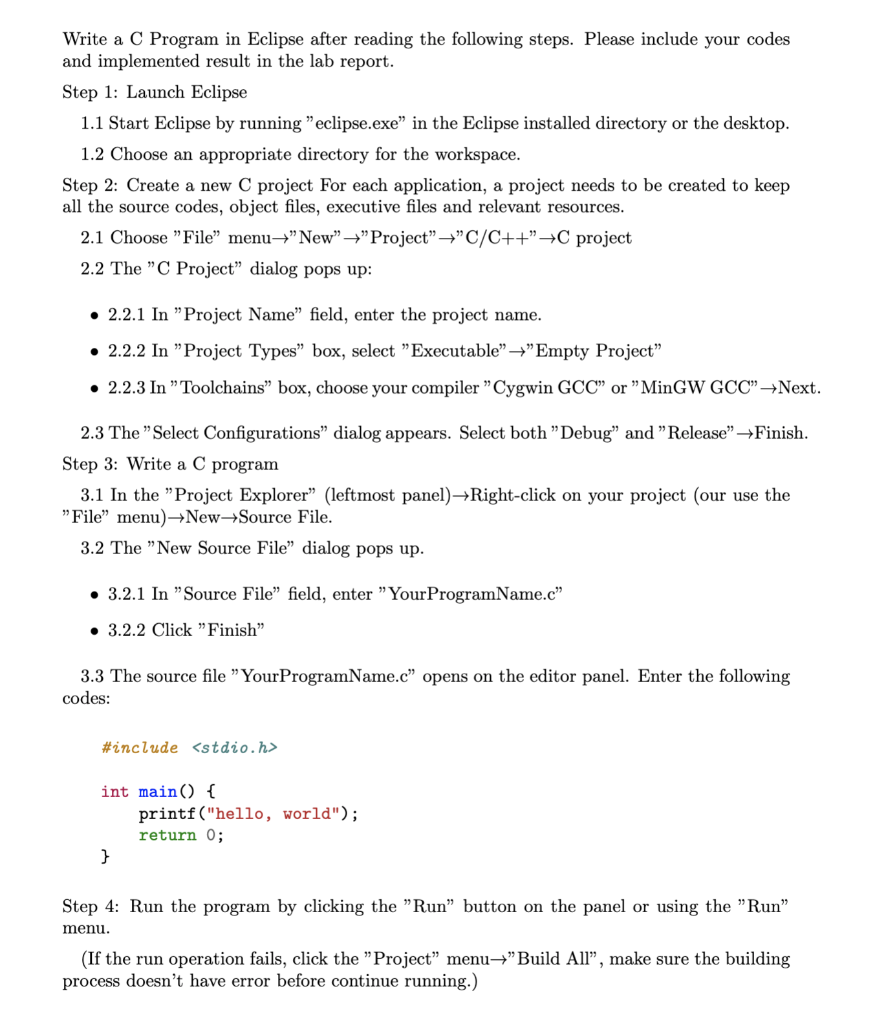
Write a C Program in Eclipse after reading the following steps. Please include your codes and implemented result in the lab report. Step 1: Launch Eclipse 1.1 Start Eclipse by running "eclipse.exe" in the Eclipse installed directory or the desktop. 1.2 Choose an appropriate directory for the workspace. Step 2: Create a new project for each application, a project needs to be created to keep all the source codes, object files, executive files and relevant resources. 2.1 Choose "File menu+"New" +"Project+C/C++C project 2.2 The "C Project" dialog pops up: 2.2.1 In "Project Name field, enter the project name. 2.2.2 In Project Types box, select "Executable+Empty Project 2.2.3 In "Toolchains" box, choose your compiler "Cygwin GCC" or "MinGW GCC" +Next. 2.3 The Select Configurations dialog appears. Select both "Debug" and "Release" Finish. Step 3: Write a C program 3.1 In the "Project Explorer (leftmost panel) +Right click on your project (our use the "File" menu)+New+Source File. 3.2 The "New Source File" dialog pops up. 3.2.1 In "Source File field, enter "Your ProgramName.c" 3.2.2 Click "Finish" 3.3 The source file "Your ProgramName.c opens on the editor panel. Enter the following codes: #include
Step by Step Solution
There are 3 Steps involved in it

Get step-by-step solutions from verified subject matter experts
 Study Help