







Question: Write a code in Arduino using info bellow. The program should generate a random integer between 0000 and 9999. Each position of the generated number
Write a code in Arduino using info bellow.
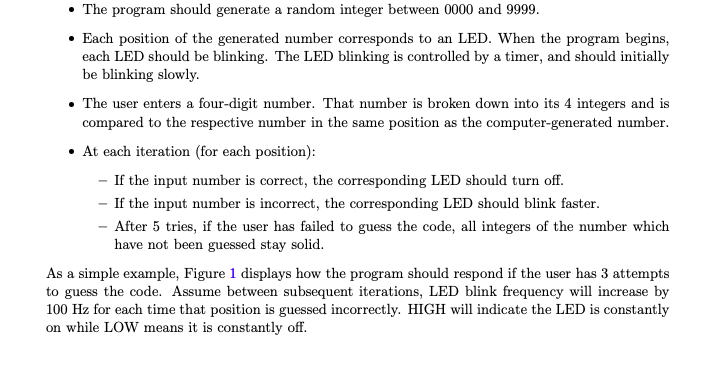
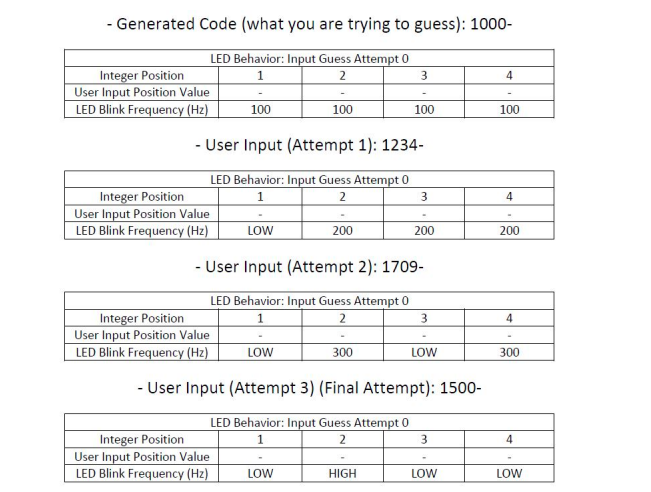
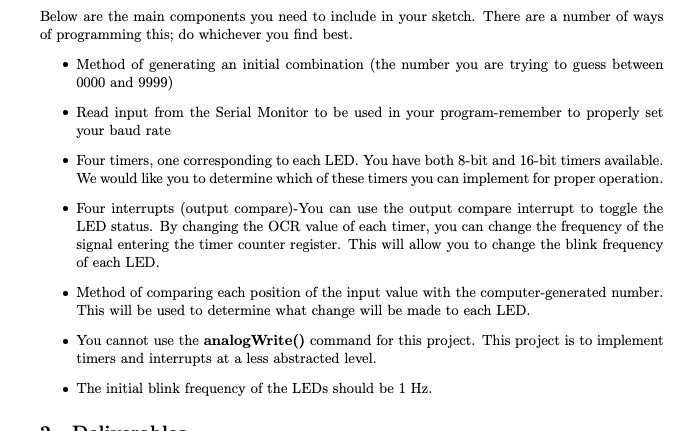
The program should generate a random integer between 0000 and 9999. Each position of the generated number corresponds to an LED. When the program begins, each LED should be blinking. The LED blinking is controlled by a timer, and should initially be blinking slowly. The user enters a four-digit number. That number is broken down into its 4 integers and is compared to the respective number in the same position as the computer-generated number. At each iteration (for each position): - If the input number is correct, the corresponding LED should turn off. - If the input number is incorrect, the corresponding LED should blink faster. - After 5 tries, if the user has failed to guess the code, all integers of the number which have not been guessed stay solid. As a simple example, Figure 1 displays how the program should respond if the user has 3 attempts to guess the code. Assume between subsequent iterations, LED blink frequency will increase by 100 Hz for each time that position is guessed incorrectly. HIGH will indicate the LED is constantly on while LOW means it is constantly off. - Generated Code (what you are trying to guess): 1000- 4 LED Behavior: Input Guess Attempt 0 Integer Position 1 2 3 User Input Position Value LED Blink Frequency (Hz) 100 100 100 100 - User Input (Attempt 1): 1234- 4 LED Behavior: Input Guess Attempt 0 Integer Position 1 2 3 User Input Position Value LED Blink Frequency (Hz) LOW 200 200 200 - User Input (Attempt 2): 1709- 4 LED Behavior: Input Guess Attempt 0 Integer Position 1 2 3 User Input Position Value LED Blink Frequency (Hz) LOW 300 LOW 300 - User Input (Attempt 3) (Final Attempt): 1500- 4 LED Behavior: Input Guess Attempt 0 Integer Position 1 2 3 User Input Position Value LED Blink Frequency (Hz) LOW HIGH LOW LOW Below are the main components you need to include in your sketch. There are a number of ways of programming this; do whichever you find best. Method of generating an initial combination (the number you are trying to guess between 0000 and 9999) Read input from the Serial Monitor to be used in your program-remember to properly set your baud rate Four timers, one corresponding to each LED. You have both 8-bit and 16-bit timers available. We would like you to determine which of these timers you can implement for proper operation. Four interrupts (output compare)-You can use the output compare interrupt to toggle the LED status. By changing the OCR value of each timer, you can change the frequency of the signal entering the timer counter register. This will allow you to change the blink frequency of each LED. Method of comparing each position of the input value with the computer-generated number. This will be used to determine what change will be made to each LED. You cannot use the analogWrite() command for this project. This project is to implement timers and interrupts at a less abstracted level. The initial blink frequency of the LEDs should be 1 Hz. TH
Step by Step Solution
There are 3 Steps involved in it

Get step-by-step solutions from verified subject matter experts
 Study Help