







Question: write a coding software to do any thing that you often di with your hands: you could drawing, animation or create an images A video
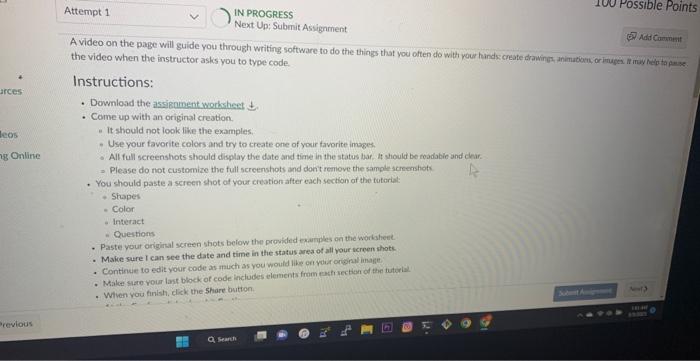
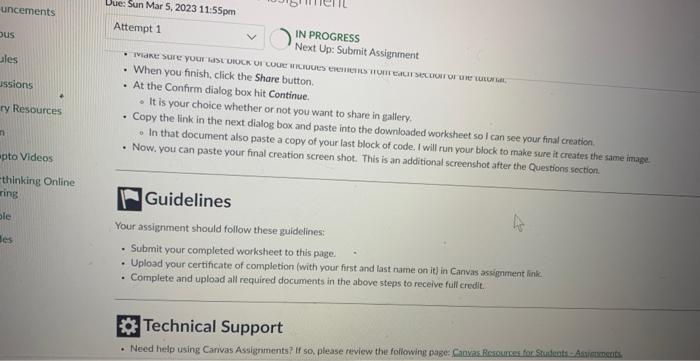
A video on the page will guide you through writing software to do the things that you often do with vour hinds create drawing animabians arinuges it may negpta pess the video when the instructor asks you to type code. Instructions: - Download the assignment worksheet t. - Come up with an original creation. - It should not look like the examples: - Use your favorite colors and try to create one of youir tavorite imoges. - All full screenshots should display the date and time in the status bar 4 vhould be madabie and char. - Please do not customize the full screenshots and dont remove the sampleschenshoh. - You should paste a screen shot of your creation after each section of the tutoriat: - Siapes - Color - Interact - Questions - Paste your original screen shots below the provided exariples on the worbtient. - Maice sure I can see the date and time in the status ares of all your icreen shots. - Continue to edit your code as much as you would like on yoir orional inage. - Make sare vour last block of code includes elements from eachise tion of the nut ial. - Wiven you tinish, dick the share bution. Attempt 1 IN PROGRESS Next Up: Submit Assignment - When you finish, click the Share button. - At the Confirm dialog box hit Continue. - It is your choice whether or not you want to share in gatlery. - Copy the link in the next dialog box and paste into the downloaded worksheet so I can see your fina creation. - In that document also paste a copy of your last block of code. I will run your block to make sure it creater the same inase. - Now. you can paste your final creation screen shot. This is an additional screenshot after the Questions section. thinking Online - Guing Guidines Your assignment should follow these guidelines: - Submit your completed worksheet to this page. - Upload your certificate of completion (with your first and last name on it) in Canvas assigmment link. - Complete arid upload all required documents in the above steps to receive full credit. Technical Support A video on the page will guide you through writing software to do the things that you often do with vour hinds create drawing animabians arinuges it may negpta pess the video when the instructor asks you to type code. Instructions: - Download the assignment worksheet t. - Come up with an original creation. - It should not look like the examples: - Use your favorite colors and try to create one of youir tavorite imoges. - All full screenshots should display the date and time in the status bar 4 vhould be madabie and char. - Please do not customize the full screenshots and dont remove the sampleschenshoh. - You should paste a screen shot of your creation after each section of the tutoriat: - Siapes - Color - Interact - Questions - Paste your original screen shots below the provided exariples on the worbtient. - Maice sure I can see the date and time in the status ares of all your icreen shots. - Continue to edit your code as much as you would like on yoir orional inage. - Make sare vour last block of code includes elements from eachise tion of the nut ial. - Wiven you tinish, dick the share bution. Attempt 1 IN PROGRESS Next Up: Submit Assignment - When you finish, click the Share button. - At the Confirm dialog box hit Continue. - It is your choice whether or not you want to share in gatlery. - Copy the link in the next dialog box and paste into the downloaded worksheet so I can see your fina creation. - In that document also paste a copy of your last block of code. I will run your block to make sure it creater the same inase. - Now. you can paste your final creation screen shot. This is an additional screenshot after the Questions section. thinking Online - Guing Guidines Your assignment should follow these guidelines: - Submit your completed worksheet to this page. - Upload your certificate of completion (with your first and last name on it) in Canvas assigmment link. - Complete arid upload all required documents in the above steps to receive full credit. Technical Support
Step by Step Solution
There are 3 Steps involved in it

Get step-by-step solutions from verified subject matter experts
 Study Help