







Question: write a function time sort in Matlab based on the following pseudocode 3. Write a function timesort in Matlab based on the following pseudocode. timesort
 write a function time sort in Matlab based on the following pseudocode
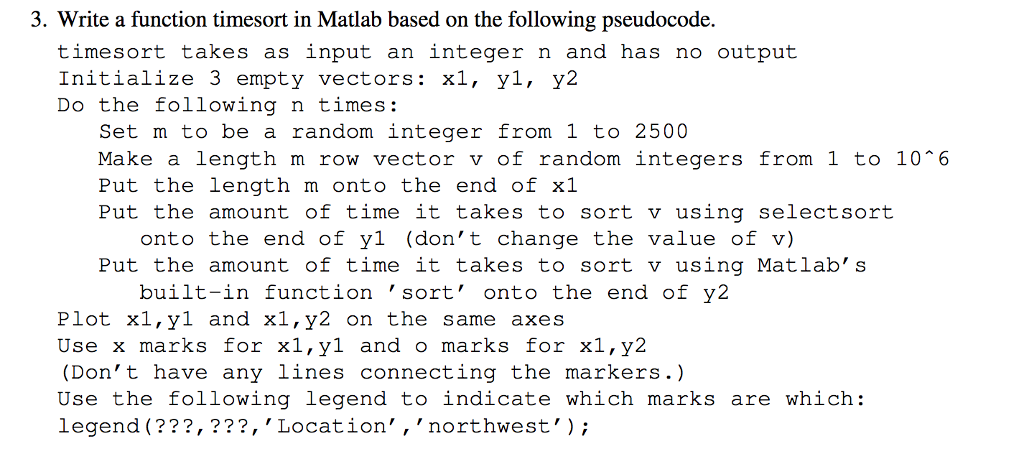
3. Write a function timesort in Matlab based on the following pseudocode. timesort takes as input an integer n and has no output Initialize 3 empty vectors: xl, yl, y2 Do the following n times: Set m to be a random integer from 1 to 2500 Make a length m row vector v of random integers from 1 to 10 6 Put the length m onto the end of xl Put the amount of time it takes to sort v using selectsort onto the end of yl (don't change the value of v) Put the amount of time it takes to sort v using Matlab's built-in function 'sort' onto the end of y2 Plot xl,yl and x1,y2 on the same axes Use x marks for xl,yl and o marks for x1,y2 (Don't have any lines connecting the markers.) Use the following legend to indicate which marks are which: legend (???,???, 'Location', 'northwest'; 721 3. Write a function timesort in Matlab based on the following pseudocode. timesort takes as input an integer n and has no output Initialize 3 empty vectors: xl, yl, y2 Do the following n times: Set m to be a random integer from 1 to 2500 Make a length m row vector v of random integers from 1 to 10 6 Put the length m onto the end of xl Put the amount of time it takes to sort v using selectsort onto the end of yl (don't change the value of v) Put the amount of time it takes to sort v using Matlab's built-in function 'sort' onto the end of y2 Plot xl,yl and x1,y2 on the same axes Use x marks for xl,yl and o marks for x1,y2 (Don't have any lines connecting the markers.) Use the following legend to indicate which marks are which: legend (???,???, 'Location', 'northwest'; 721
Step by Step Solution
There are 3 Steps involved in it

Get step-by-step solutions from verified subject matter experts
 Study Help