







Question: Write a graphical program that provides a GUI that enables the user to control various aspects of drawing from a J Combo Box and dimensions
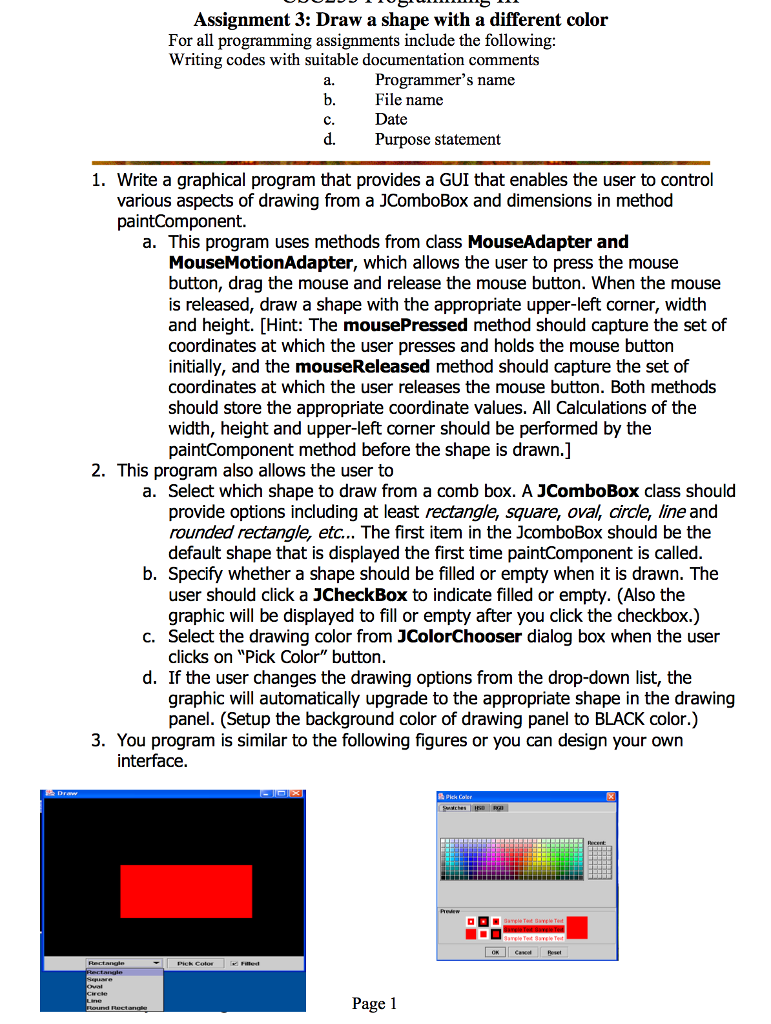
Write a graphical program that provides a GUI that enables the user to control various aspects of drawing from a J Combo Box and dimensions in method paint Component. This program uses methods from class Mouse Adapter and Mouse Motion Adapter, which allows the user to press the mouse button, drag the mouse and release the mouse button. When the mouse is released, draw a shape with the appropriate upper-left corner, width, and height. This program also allows the user to Select which shape to draw from a comb box. A J Combo Box class should provide options including at least rectangle, square, oval, circle, line, and rounded rectangle, etc... the first item in the J Combo Box should be the default shape that is displayed the first time paint Component is called. Specify whether a shape should be filled or empty when it is drawn. the user should click a J Check Box to indicate filled or empty. (Also, the graphic will be displayed to fill or empty after you click the checkbox.) Select the drawing color from J Color Chooser dialog box when the user clicks on "Pick Color" button. If the user changes the drawing options from the drop-down list, the graphic will automatically upgrade to the appropriate shape in the drawing panel. (Setup the background color of drawing panel to BLACK color.) You program is similar to the following figures or you can design your own interface
Step by Step Solution
There are 3 Steps involved in it

Get step-by-step solutions from verified subject matter experts
 Study Help