







Question: Write a GUI application that displays a password based on user input into 2 TextFields. Note: We are updating the FahrenheitConverter.java code from Chapter 4.
Write a GUI application that displays a password based on user input into 2 TextFields.
| Note: We are updating the FahrenheitConverter.java code from Chapter 4. Start by getting this code from the book to work first before making updates. |
Your program will contain 2 classes: A) A class called PassWordCreator inside a file named PassWordCreator.java This class contains the main() method that creates and displays the 'window' for the program.This is the driver program.
B) A class called PassWordPane that instantiates 4 Labels and 2 TextFields. It also contains the 'handlers' that 'listen' and respond when a user types into the TextFields and presses
The password is displayed by the 4th Label and uses this algorithm (this is NOT the algorithm for the program as a whole): I first 2 letters of name II plus a period III plus a 1-2 digit positive random number IV plus last 4 digits of date
Note: The first label must display your own name(s).
IMPORTANT: Substitute this line in FahrenheitPane.java: fahrenheit.setPrefWidth(50); //this method does not work on TextFields with fahrenheit.setPrefColumnCount(5); //this is correct method for TextFields The display of the TextField will now be OK
2) To compile the program, type this (at system prompt): javac PassWordCreator.java Our application will be called PassWordCreator.class
3) To run the program, type this (at system prompt): java PassWordCreator Output will appear in a separate window 4) To see all the .class files that constitute the executable program: ls Pass*.class //on Mac or Linux dir Pass*.class //on Windows
Input
Input comes from the user entering a name into the first TextField (followed by 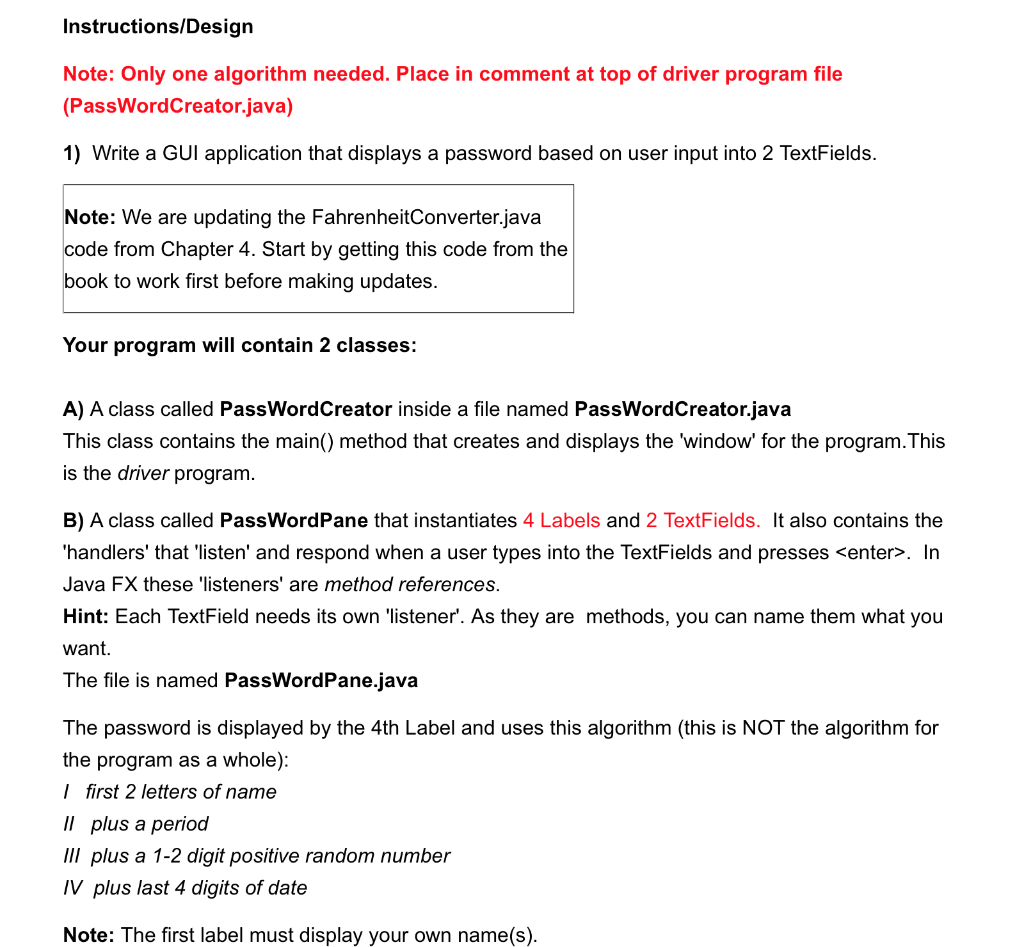
Instructions/Design Note: Only one algorithm needed. Place in comment at top of driver program file (PassWordCreator.java) 1) Write a GUI application that displays a password based on user input into 2 TextFields. Note: We are updating the FahrenheitConverter.java code from Chapter 4. Start by getting this code from the book to work first before making updates. Your program will contain 2 classes: A) A class called PassWordCreator inside a file named PassWordCreator.java This class contains the main() method that creates and displays the 'window' for the program.This is the driver program B) A class called PassWordPane that instantiates 4 Labels and 2 TextFields. It also contains the 'handlers' that 'listen' and respond when a user types into the TextFields and presses
Step by Step Solution
There are 3 Steps involved in it

Get step-by-step solutions from verified subject matter experts
 Study Help