







Question: write a java program that animates 3 bouncing stars and balls- collison check(4walls) (as show in figure), with random size/color/ speed, zoom in/out, and not
write a java program that animates 3 bouncing stars and balls- collison check(4walls) (as show in figure), with random size/color/ speed, zoom in/out, and not accepts using ArrayList!!
import java.awt.Color;
import java.awt.Graphics;
import javax.swing.JFrame;
import java.util.*;
public class ballstars extends JFrame {
static int width = 800;
static int height = 600;
static int R, G, B;
static int x1, y1, size1, speedX1, speedY1;
static Color color1;
public cs210gr6() {
super("Your Title");
setBounds(100, 100, width, height); 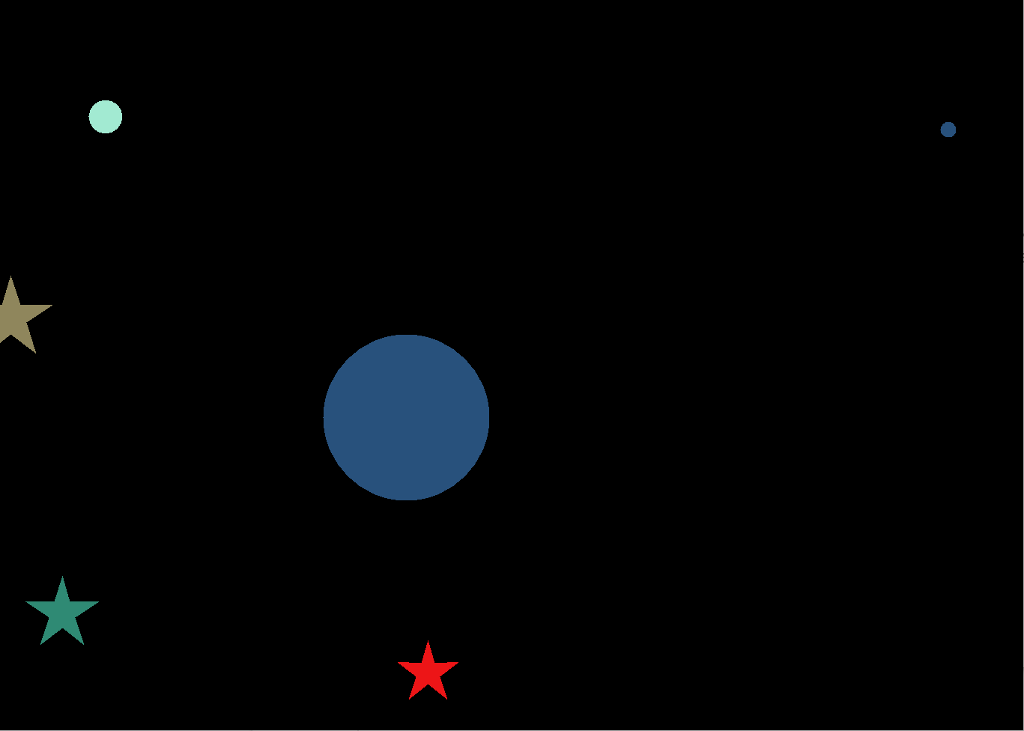
setResizable(false);
setVisible(true);
setDefaultCloseOperation(EXIT_ON_CLOSE);
}
public static void createBall(){
Random rand = new Random();
R = rand.nextInt(256);
G = rand.nextInt(256);
B = rand.nextInt(256);
color1 = new Color(R, G, B);
x1 = rand.nextInt(width);
y1 = rand.nextInt(height);
size1 = rand.nextInt(90)+20;
speedX1 = rand.nextInt(2)+1;
speedY1 = rand.nextInt(2)+1;
}
public void paint(Graphics g) {
drawMovingObject(g);
try{
Thread.sleep(10);
} catch (Exception exc){}
repaint();
}
public void drawMovingObject(Graphics g){
g.setColor(Color.BLACK);
g.fillRect(0, 0, getWidth(), getHeight());
g.setColor(color1);
x1+=speedX1;
y1+=speedY1;
g.fillOval(x1, y1, size1, size1);
}
public static void main(String[] args) {
createBall();
new ballstar();
}
}
Step by Step Solution
There are 3 Steps involved in it

Get step-by-step solutions from verified subject matter experts
 Study Help