







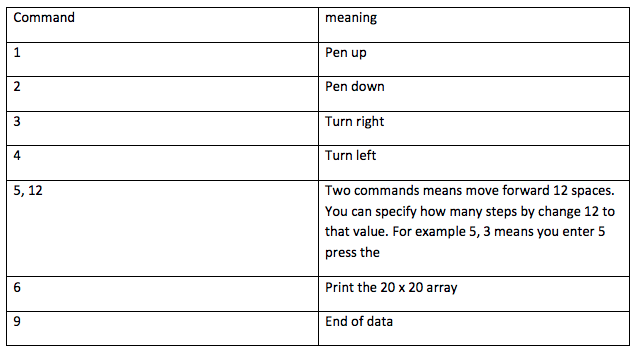
Question: Write a JavaScript program which will simulate turtle graphics. You will use two dimensional array to represent a floor of 20 x 20. The commands
Write a JavaScript program which will simulate turtle graphics. You will use two dimensional array to represent a floor of 20 x 20. The commands that you can give to the turtle is
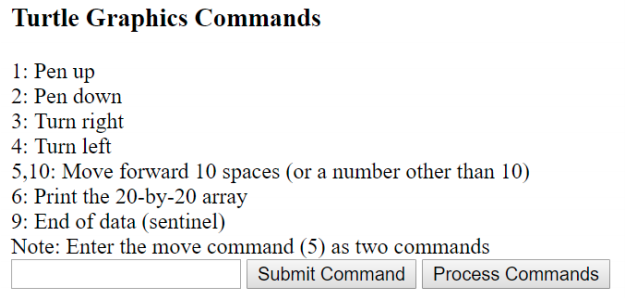
Your program will list the commands and their meaning. There are one textbox for user to enter command number, two buttons: one for send command, the other one for process the commands sent. The following shows the screen shot
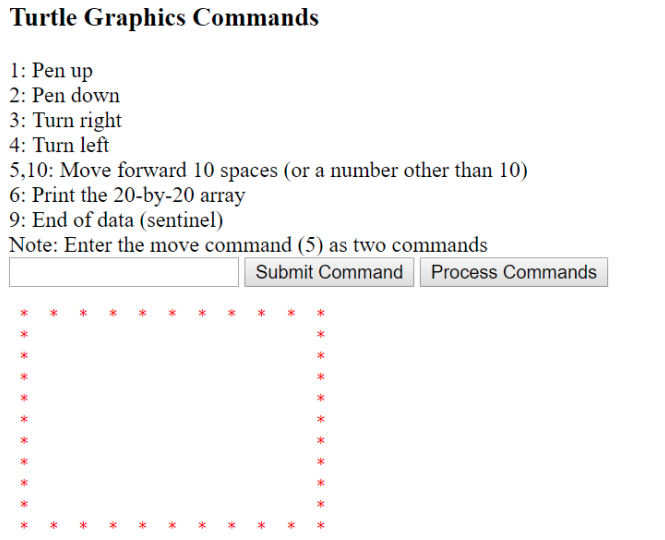
Assume the turtle will starts from (0, 0). When pen down, it will start to draw. You can draw any character of your choice. Here we will use *. When turtle hit the wall, it will wrap around. For example. If it hit floor[3][19] and intend to go to floor[3][20]. Because there are 20 in y so it will become floor[3][0]. The following commands 2, 5, 10, 3, 5, 10, 3, 5, 10, 3, 5, 10, 1, 6, 9 (note each time you enter a number, you press the Submit Command. After you enter 9, you will press Process Commands. The output of the above sequence will generate the following on your web page.
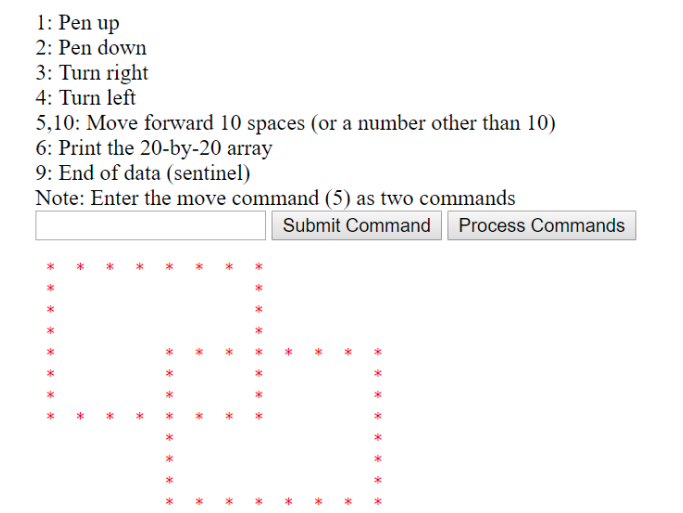
The following sequence
2, 5, 7, 3, 5, 7, 3, 5, 7, 3, 5, 7, 1,// draw 1st square
3, 5, 4, 3, 5, 4, 4, // reposition turtle
2, 5, 7, 3, 5, 7, 3, 5, 7, 3, 5, 7, 1, // draw 2nd square
6, 9 ]; // end
Will display two squares as the following
meaning Pen up Pen down Command Turn right 4 Turn left Two commands means move forward 12 spaces. You can specify how many steps by change 12 to that value. For example 5, 3 means you enter 5 press the 5, 12 6 Print the 20 x 20 array End of data
Step by Step Solution
There are 3 Steps involved in it

Get step-by-step solutions from verified subject matter experts
 Study Help