







Question: Write a matlab code that performs the following operations in order. 1. Read the image in the file named test.tif from the disk and assign
Write a matlab code that performs the following operations in order.
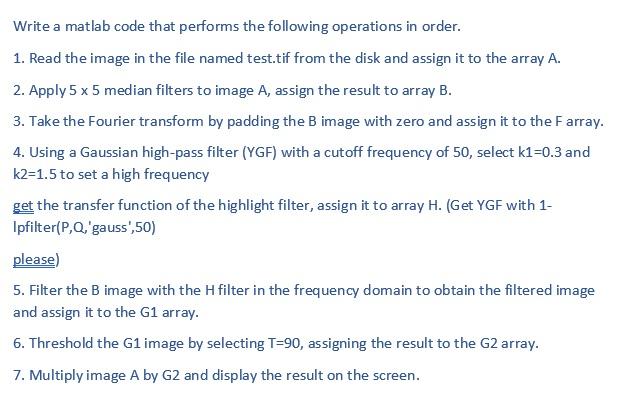
1. Read the image in the file named test.tif from the disk and assign it to the array A.
2. Apply 5 x 5 median filters to image A, assign the result to array B.
3. Take the Fourier transform by padding the B image with zero and assign it to the F array.
4. Using a Gaussian high-pass filter (YGF) with a cutoff frequency of 50, select k1=0.3 and k2=1.5 to set a high frequency
get the transfer function of the highlight filter, assign it to array H. (Get YGF with 1-lpfilter(P,Q,'gauss',50)
please)
5. Filter the B image with the H filter in the frequency domain to obtain the filtered image and assign it to the G1 array.
6. Threshold the G1 image by selecting T=90, assigning the result to the G2 array.
7. Multiply image A by G2 and display the result on the screen.
Write a matlab code that performs the following operations in order. 1. Read the image in the file named test.tif from the disk and assign it to the array A. 2. Apply 5 x 5 median filters to image A, assign the result to array B. 3. Take the Fourier transform by padding the B image with zero and assign it to the Farray. 4. Using a Gaussian high-pass filter (YGF) with a cutoff frequency of 50, select k1=0.3 and k2=1.5 to set a high frequency get the transfer function of the highlight filter, assign it to array H. (Get YGF with 1- Ipfilter(P,Q,'gauss',50) please) 5. Filter the B image with the H filter in the frequency domain to obtain the filtered image and assign it to the G1 array. 6. Threshold the G1 image by selecting T=90, assigning the result to the G2 array. 7. Multiply image A by G2 and display the result on the screen
Step by Step Solution
There are 3 Steps involved in it

Get step-by-step solutions from verified subject matter experts
 Study Help