







Question: Write a MATLAB function that evaluates a polynomial function ** +++of order for a scalar value x The function should take a ty Nanay Index
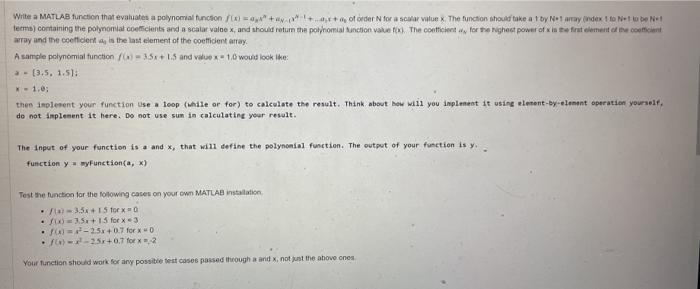
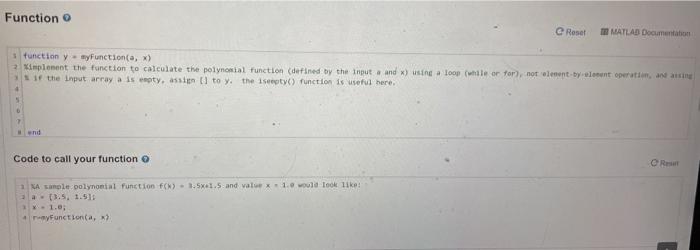
Write a MATLAB function that evaluates a polynomial function ** +++of order for a scalar value x The function should take a ty Nanay Index to No N1 termo) containing the polynomial coefficients and a scala valne x, and should return the polynomial function value to the content for the right power of in the first element of the concent array and the coeficient, le the last element of the coefficient array A sample polynomial function (6 = 35x+1.5 and we x 10 would look like: - (3.5, 1.51: x-1.00 then implement your function use a loop (while or for) to calculate the result. Think about how will you implement it using element-by-element operation yourself do not implement it here. Do not use sum in calculating your result. The input of your function is and that will define the polynomial function. The output of your function is y. function y myFunction(a,x) Test the function for the following cates on your own MATLAB installation . a 3.5+ 1 for xa .) 3.5+ 15 for x = 3 . - 2.5x+0.7 for 0 6-2.52+0.7 for x 2 Your function should work for any possible test cases passed through a and not just the above ones Function e Reset MATLAD Documentation function y Function(a,x) 2 implement the function to calculate the polynomial function (defined by the input and x) using a loop (while or for, not lent-by-aloent operation assing if the input array a is empty. assign 1 to y the sempty() function is useful here. end Code to call your function @R NA sample polynomial function f() - 1.5-1.5 and value - 1. would look like! (3.5, 1.510 - 1.0 yFunction(a
Step by Step Solution
There are 3 Steps involved in it

Get step-by-step solutions from verified subject matter experts
 Study Help