







Question: Write a MATLAB program to simulate the Beat That! game with additional features that can: Use two 6 - sided dice and up to seven
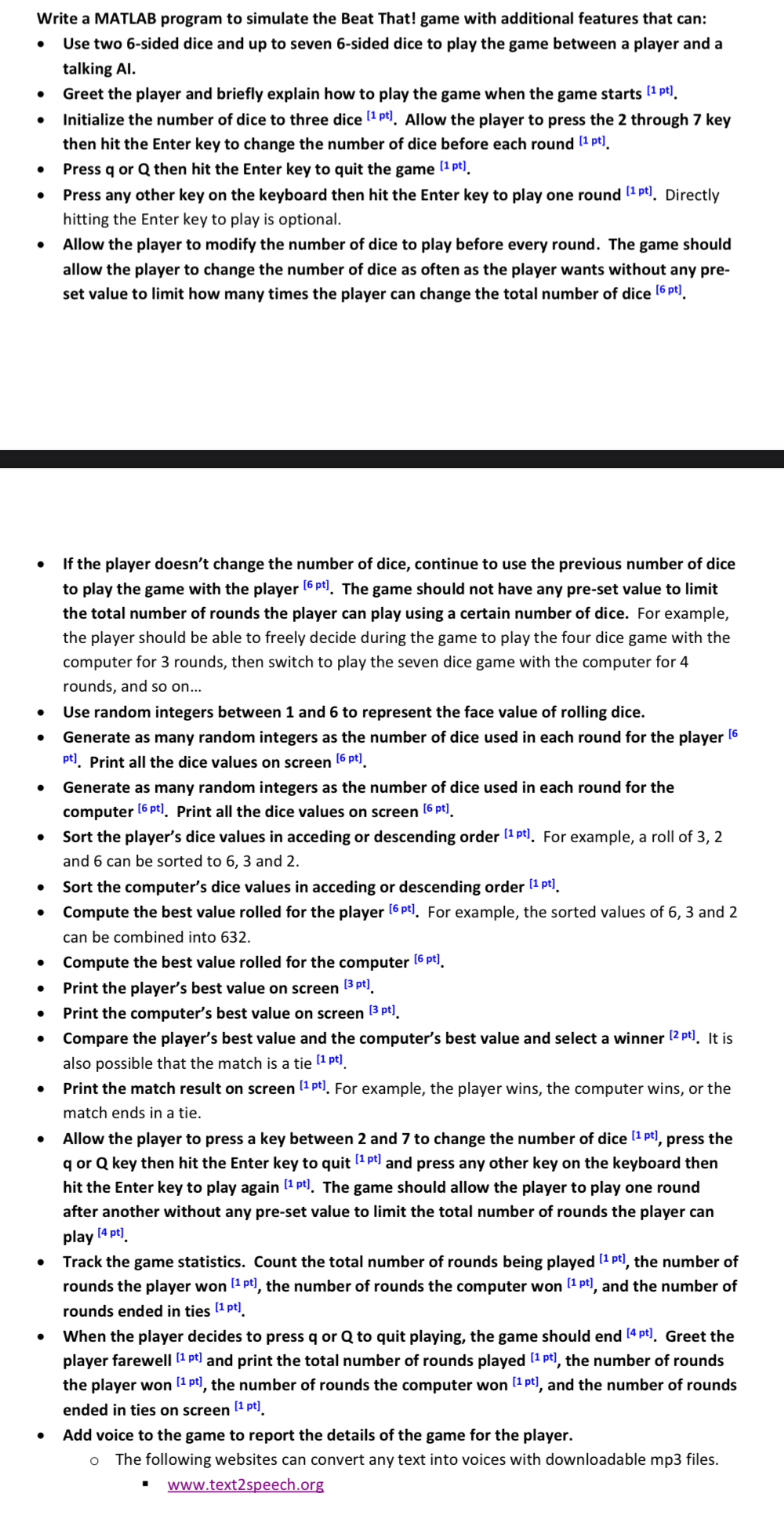
Write a MATLAB program to simulate the Beat That! game with additional features that can:
Use two sided dice and up to seven sided dice to play the game between a player and a talking AI
Greet the player and briefly explain how to play the game when the game starts
Initialize the number of dice to three dice Allow the player to press the through key then hit the Enter key to change the number of dice before each round
Press or then hit the Enter key to quit the game
Press any other key on the keyboard then hit the Enter key to play one round Directly hitting the Enter key to play is optional.
Allow the player to modify the number of dice to play before every round. The game should allow the player to change the number of dice as often as the player wants without any preset value to limit how many times the player can change the total number of dice
If the player doesn't change the number of dice, continue to use the previous number of dice to play the game with the player The game should not have any preset value to limit the total number of rounds the player can play using a certain number of dice. For example, the player should be able to freely decide during the game to play the four dice game with the computer for rounds, then switch to play the seven dice game with the computer for rounds, and so on
Use random integers between and to represent the face value of rolling dice.
Generate as many random integers as the number of dice used in each round for the player pt Print all the dice values on screen
Generate as many random integers as the number of dice used in each round for the computer Print all the dice values on screen
Sort the player's dice values in acceding or descending order For example, a roll of and can be sorted to and
Sort the computer's dice values in acceding or descending order
Compute the best value rolled for the player For example, the sorted values of and can be combined into
Compute the best value rolled for the computer
Print the player's best value on screen
Print the computer's best value on screen
Compare the player's best value and the computer's best value and select a winner It is also possible that the match is a tie
Print the match result on screen For example, the player wins, the computer wins, or the match ends in a tie.
Allow the player to press a key between and to change the number of dice press the or key then hit the Enter key to quit and press any other key on the keyboard then hit the Enter key to play again The game should allow the player to play one round after another without any preset value to limit the total number of rounds the player can play
Track the game statistics. Count the total number of rounds being played the number of rounds the player won the number of rounds the computer won and the number of rounds ended in ties
When the player decides to press or to quit playing, the game should end Greet the player farewell and print the total number of rounds played the number of rounds the player won the number of rounds the computer won and the number of rounds ended in ties on screen
Add voice to the game to report the details of the game for the player.
The following websites can convert any text into voices with downloadable mp files.
wwwtextspeech.org
Step by Step Solution
There are 3 Steps involved in it
1 Expert Approved Answer
Step: 1 Unlock

Question Has Been Solved by an Expert!
Get step-by-step solutions from verified subject matter experts
Step: 2 Unlock
Step: 3 Unlock
 Study Help