







Question: Write a MATLAB script that satisfies the following criteria. Read the MATLAB section at the bottom of page 67, and page 68 in the book
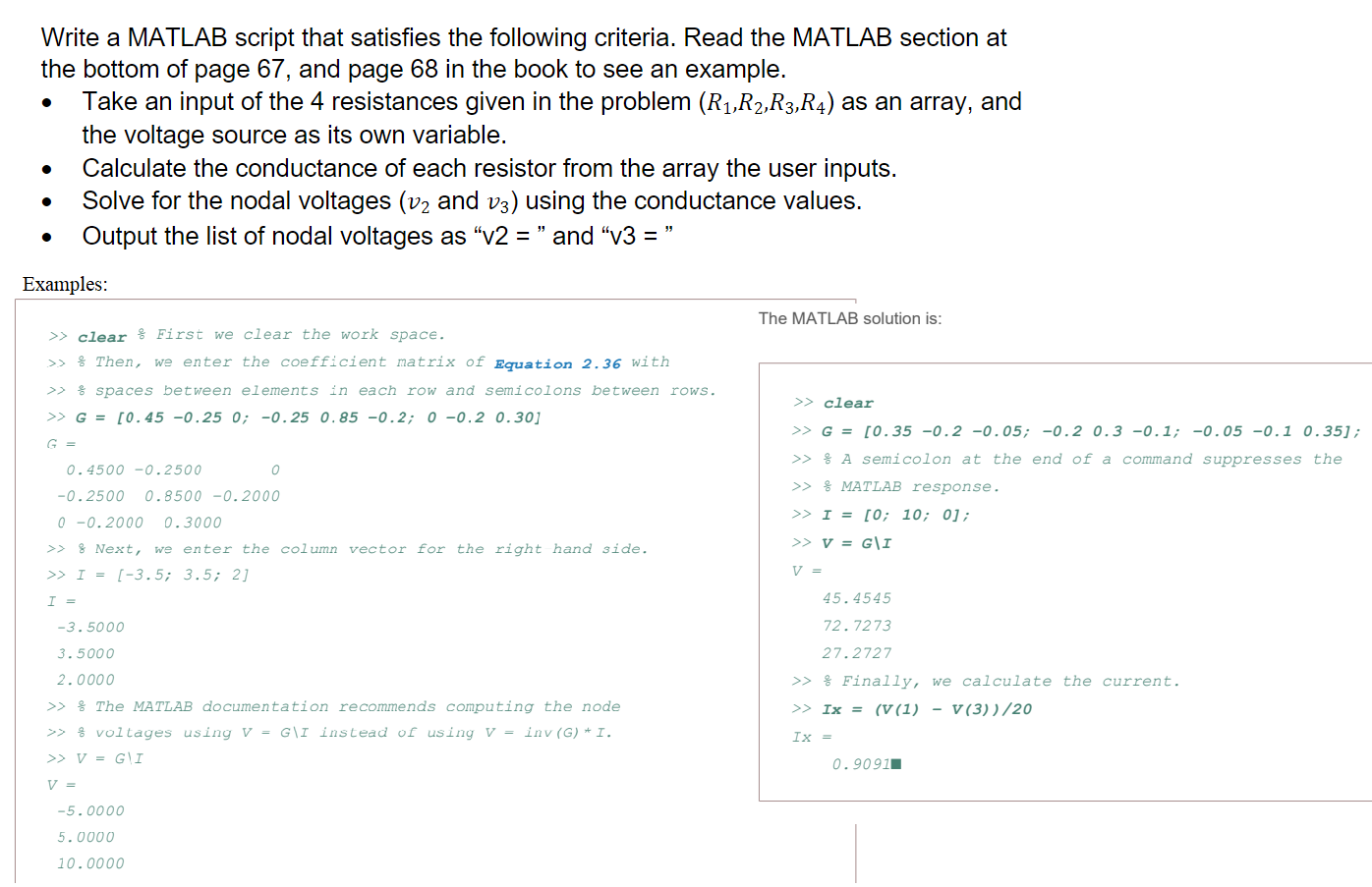
Write a MATLAB script that satisfies the following criteria. Read the MATLAB section at the bottom of page 67, and page 68 in the book to see an example. Take an input of the 4 resistances given in the problem (R1,R2,R3,R4) as an array, and the voltage source as its own variable. Calculate the conductance of each resistor from the array the user inputs. Solve for the nodal voltages (v2 and v3) using the conductance values. Output the list of nodal voltages as "v2 = and v3 = " Examples: The MATLAB solution is: >> clear $ First we clear the work space. >> & Then, we enter the coefficient matrix of Equation 2.36 with >> & spaces between elements in each row and semicolons between rows. >> G = [0.45 -0.25 0; -0.25 0.85 -0.2; 0 -0.2 0.30] 0.4500 -0.2500 0 -0.2500 0.8500 -0.2000 0 -0.2000 0.3000 >> 8 Next, we enter the column vector for the right hand side. >> I = (-3.5; 3.5; 2] I = -3.5000 3.5000 2.0000 >> The MATLAB documentation recommends computing the node >> % voltages using V = G\I instead of using V = inv(G) *I. >> V = GII >> clear >> G = [0.35 -0.2 -0.05; -0.2 0.3 -0.1; -0.05 -0.1 0.35]; >> & A semicolon at the end of a command suppresses the >> & MATLAB response. >> I = [0; 10; 0]; >> V = G\I V = 45.4545 72.7273 27.2727 >> % Finally, we calculate the current. >> Ix = (V(1) - V(3))/20 Ix = 0.90911 V = -5.0000 5.0000 10.0000 Write a MATLAB script that satisfies the following criteria. Read the MATLAB section at the bottom of page 67, and page 68 in the book to see an example. Take an input of the 4 resistances given in the problem (R1,R2,R3,R4) as an array, and the voltage source as its own variable. Calculate the conductance of each resistor from the array the user inputs. Solve for the nodal voltages (v2 and v3) using the conductance values. Output the list of nodal voltages as "v2 = and v3 = " Examples: The MATLAB solution is: >> clear $ First we clear the work space. >> & Then, we enter the coefficient matrix of Equation 2.36 with >> & spaces between elements in each row and semicolons between rows. >> G = [0.45 -0.25 0; -0.25 0.85 -0.2; 0 -0.2 0.30] 0.4500 -0.2500 0 -0.2500 0.8500 -0.2000 0 -0.2000 0.3000 >> 8 Next, we enter the column vector for the right hand side. >> I = (-3.5; 3.5; 2] I = -3.5000 3.5000 2.0000 >> The MATLAB documentation recommends computing the node >> % voltages using V = G\I instead of using V = inv(G) *I. >> V = GII >> clear >> G = [0.35 -0.2 -0.05; -0.2 0.3 -0.1; -0.05 -0.1 0.35]; >> & A semicolon at the end of a command suppresses the >> & MATLAB response. >> I = [0; 10; 0]; >> V = G\I V = 45.4545 72.7273 27.2727 >> % Finally, we calculate the current. >> Ix = (V(1) - V(3))/20 Ix = 0.90911 V = -5.0000 5.0000 10.0000
Step by Step Solution
There are 3 Steps involved in it

Get step-by-step solutions from verified subject matter experts
 Study Help