







Question: Write a program in Arduino to do the following: 1. Create a program so that when the user enters 'b' the green light blinks,
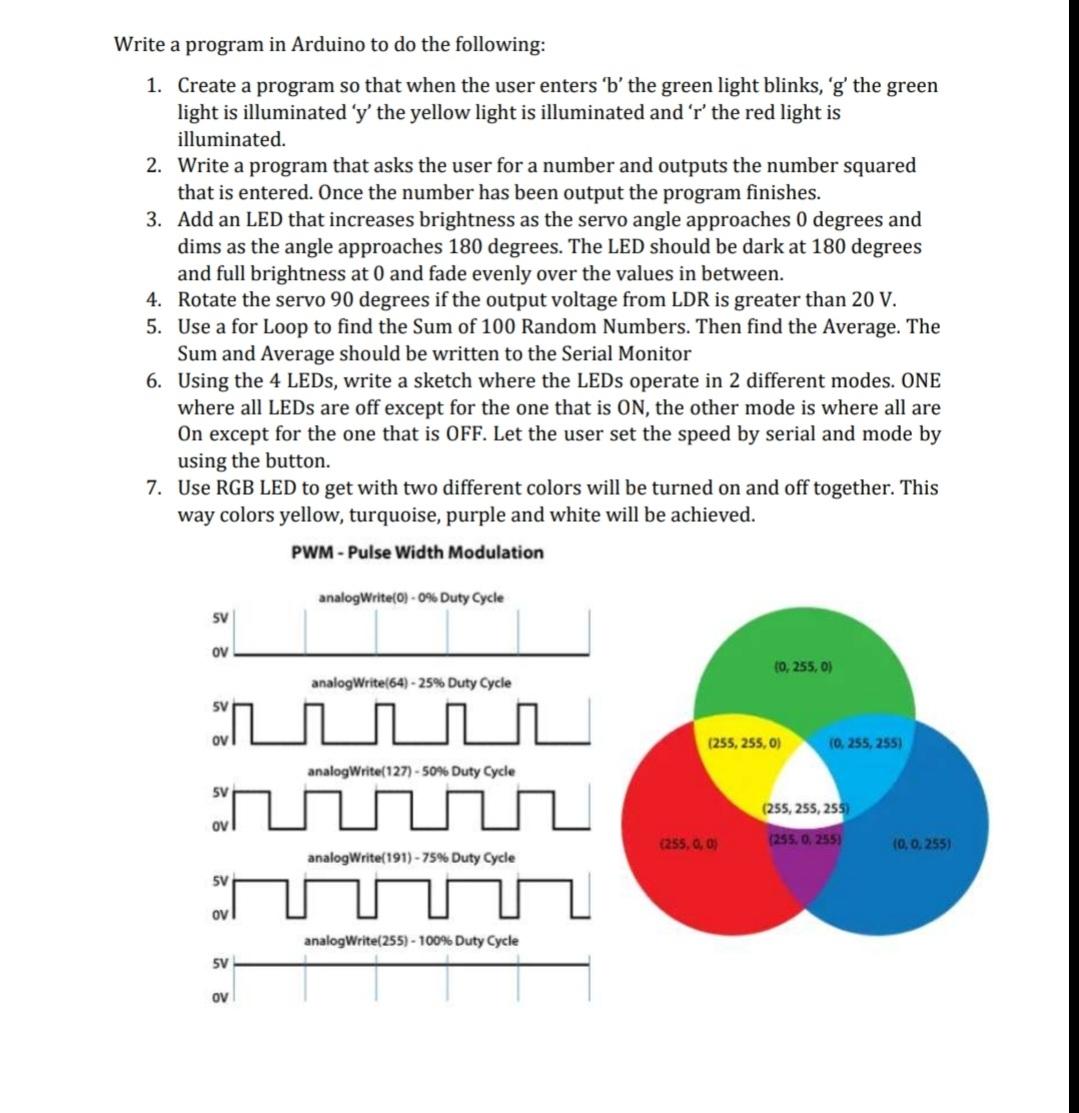
Write a program in Arduino to do the following: 1. Create a program so that when the user enters 'b' the green light blinks, 'g' the green light is illuminated 'y' the yellow light is illuminated and 'r' the red light is illuminated. 2. Write a program that asks the user for a number and outputs the number squared that is entered. Once the number has been output the program finishes. 3. Add an LED that increases brightness as the servo angle approaches 0 degrees and dims as the angle approaches 180 degrees. The LED should be dark at 180 degrees and full brightness at 0 and fade evenly over the values in between. 4. Rotate the servo 90 degrees if the output voltage from LDR is greater than 20 V. 5. Use a for Loop to find the Sum of 100 Random Numbers. Then find the Average. The Sum and Average should be written to the Serial Monitor 6. Using the 4 LEDs, write a sketch where the LEDs operate in 2 different modes. ONE where all LEDs are off except for the one that is ON, the other mode is where all are On except for the one that is OFF. Let the user set the speed by serial and mode by using the button. 7. Use RGB LED to get with two different colors will be turned on and off together. This way colors yellow, turquoise, purple and white will be achieved. PWM-Pulse Width Modulation SV ov analogWrite(64) -25% Duty Cycle SV analogWrite(127) -50% Duty Cycle w analogWrite(191)-75% Duty Cycle SV OV analogWrite(0) -0% Duty Cycle SV OV analogWrite(255) - 100% Duty Cycle (0,255, 0) (255,255, 0) (255, 0, 0) (0, 255, 255) (255, 255, 255) (255, 0, 255) (0, 0, 255)
Step by Step Solution
There are 3 Steps involved in it
This image contains a set of instructions or tasks meant to be programmed using an Arduino microcont... View full answer

Get step-by-step solutions from verified subject matter experts
 Study Help