







Question: Write a subroutine, for VBA Excel, (named LB_KILO) that takes the two weights in cells B7 and B8 in pounds and converts them to a
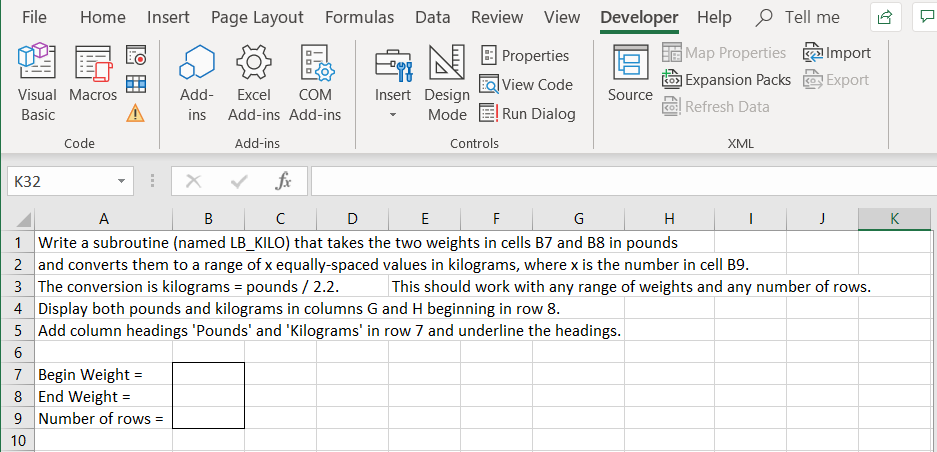
Write a subroutine, for VBA Excel, (named LB_KILO) that takes the two weights in cells B7 and B8 in pounds and converts them to a range of x equally-spaced values in kilograms, where x is the number in cell B9.
The conversion is kilograms = pounds / 2.2.
This should work with any range of weights and any number of rows.
Display both pounds and kilograms in columns G and H beginning in row 8.
Add column headings 'Pounds' and 'Kilograms' in row 7 and underline the headings.
File Home Insert Page Layout Formulas Data Review View a son B Properties Et D Developer Help Tell me & Map Properties Import Expansion Packs @ Export Source ! Refresh Data View Code Visual Macros ID Basic Code Add- ins Excel COM Add-ins Add-ins Add-ins Insert Design Mode E! Run Dialog Controls XML K K32 - X V fx 1 A B C D E F G H I J 1 Write a subroutine (named LB_KILO) that takes the two weights in cells B7 and B8 in pounds | 2 and converts them to a range of x equally spaced values in kilograms, where x is the number in cell 09. 3 The conversion is kilograms = pounds / 2.2. This should work with any range of weights and any number of rows. 4 Display both pounds and kilograms in columns G and H beginning in row 8. 5 Add column headings 'Pounds' and 'Kilograms' in row 7 and underline the headings. 7 Begin Weight = 8 End Weight = 9 Number of rows = 10 File Home Insert Page Layout Formulas Data Review View a son B Properties Et D Developer Help Tell me & Map Properties Import Expansion Packs @ Export Source ! Refresh Data View Code Visual Macros ID Basic Code Add- ins Excel COM Add-ins Add-ins Add-ins Insert Design Mode E! Run Dialog Controls XML K K32 - X V fx 1 A B C D E F G H I J 1 Write a subroutine (named LB_KILO) that takes the two weights in cells B7 and B8 in pounds | 2 and converts them to a range of x equally spaced values in kilograms, where x is the number in cell 09. 3 The conversion is kilograms = pounds / 2.2. This should work with any range of weights and any number of rows. 4 Display both pounds and kilograms in columns G and H beginning in row 8. 5 Add column headings 'Pounds' and 'Kilograms' in row 7 and underline the headings. 7 Begin Weight = 8 End Weight = 9 Number of rows = 10
Step by Step Solution
There are 3 Steps involved in it

Get step-by-step solutions from verified subject matter experts
 Study Help