Question: Write a visual studio program in C++ using DirectX. The program has to be a bomb catcher game and it should look like this (with
Write a visual studio program in C++ using DirectX. The program has to be a bomb catcher game and it should look like this (with both the bomb and the red hat moving):
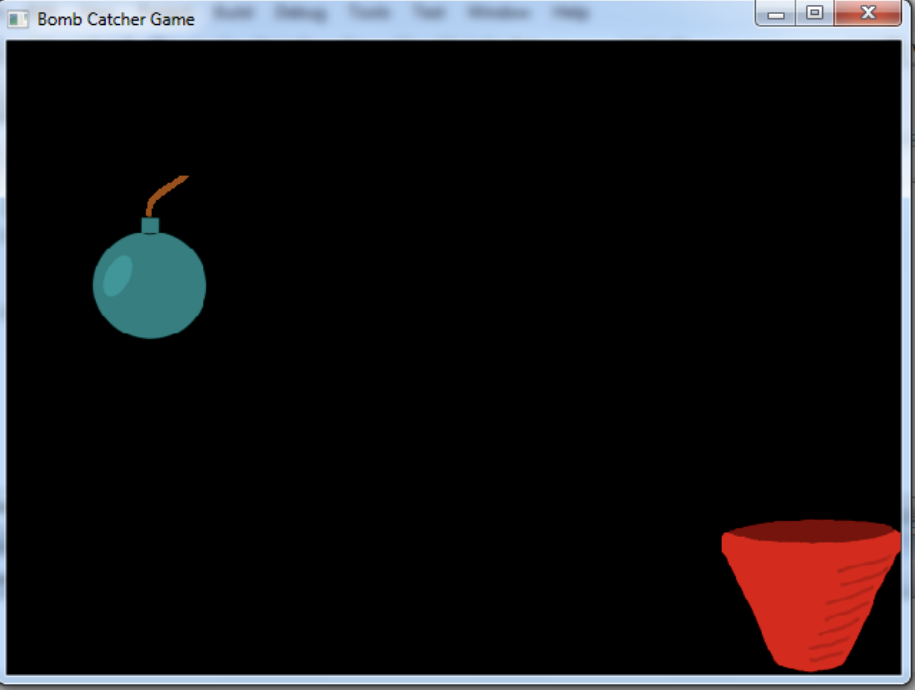
* Start with an empty project and have these files: MyDirectX.h , MyDirectX.cpp, MyWindows.cpp, + MyGame.cpp
* gameInitialize, gameRun and gameEnd can be stored in MyGame.cpp
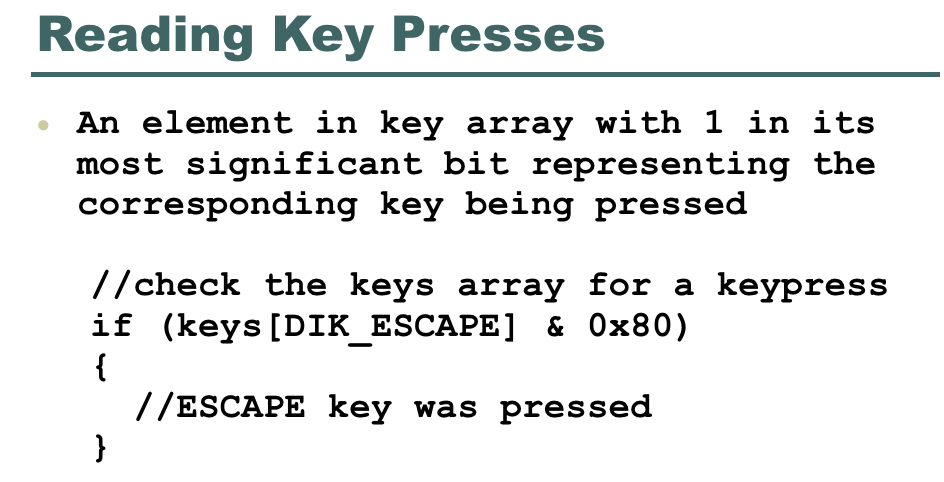
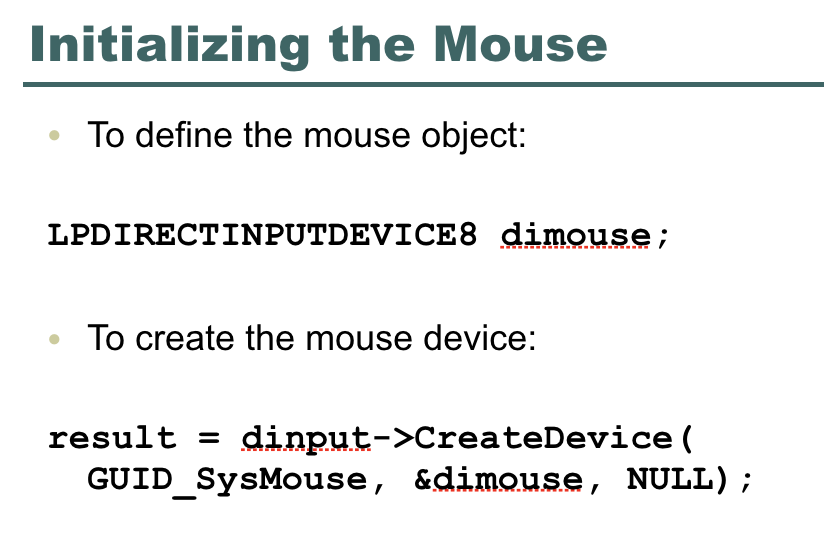
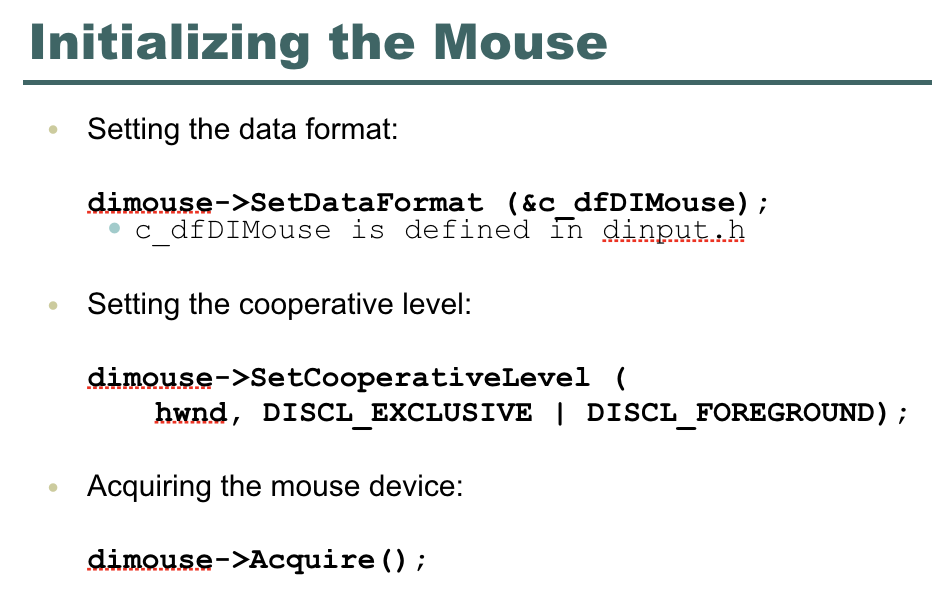
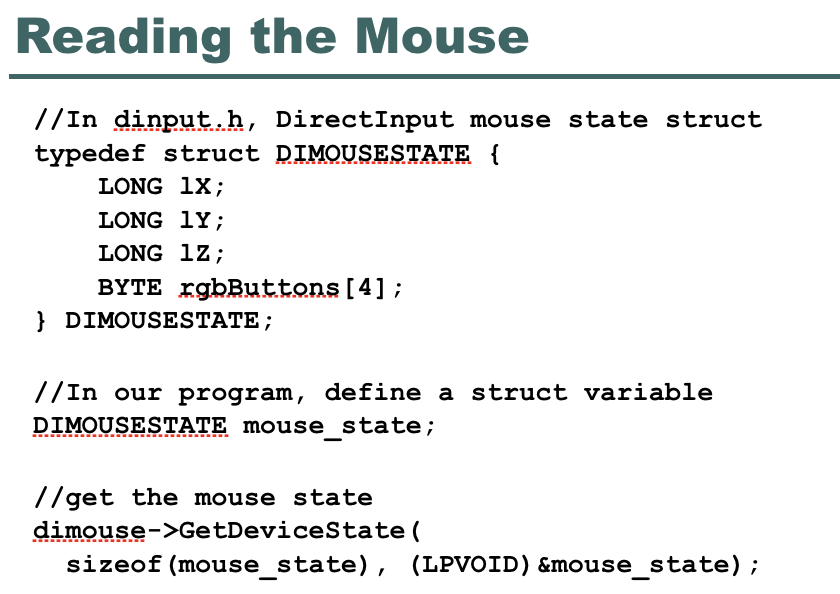
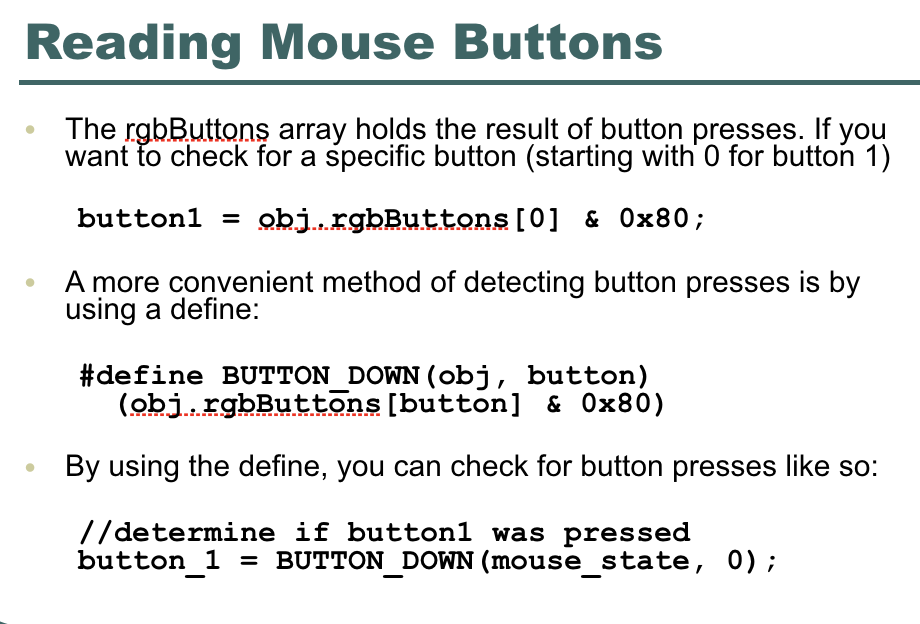
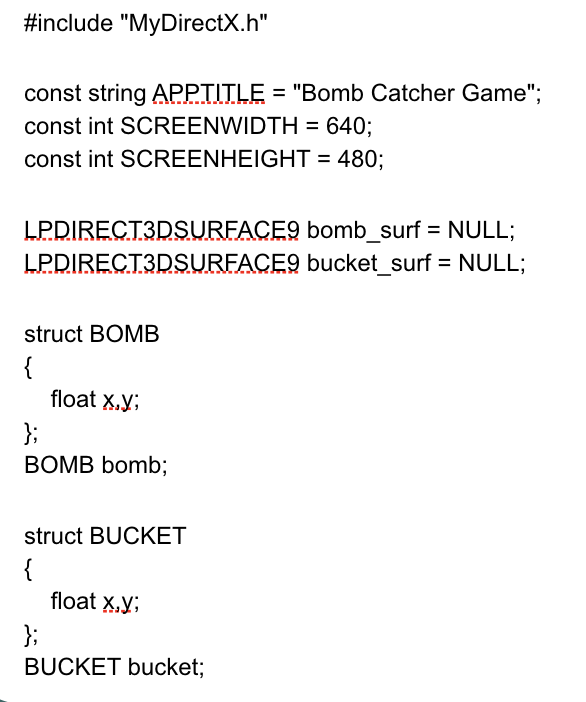
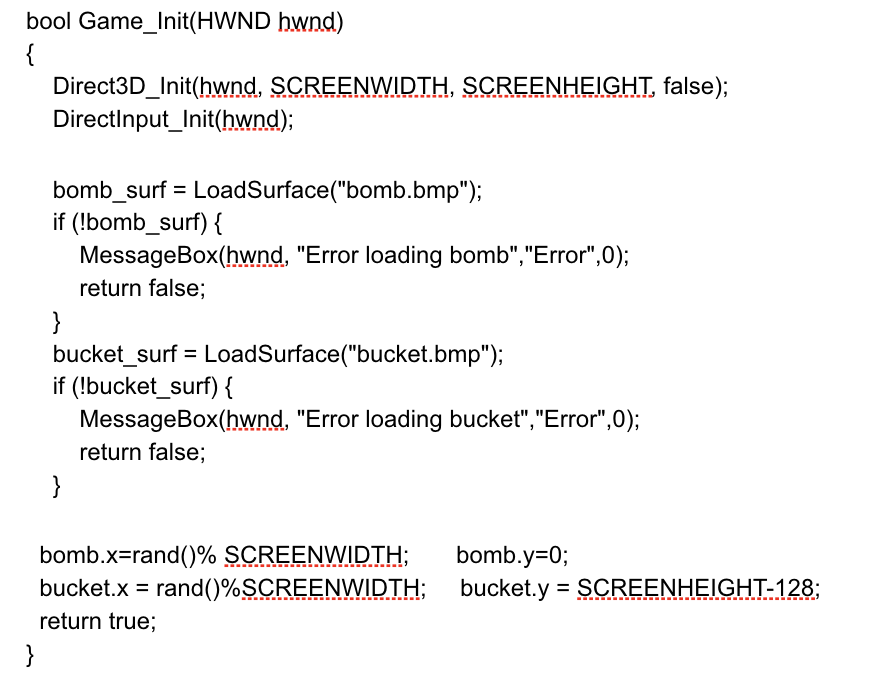
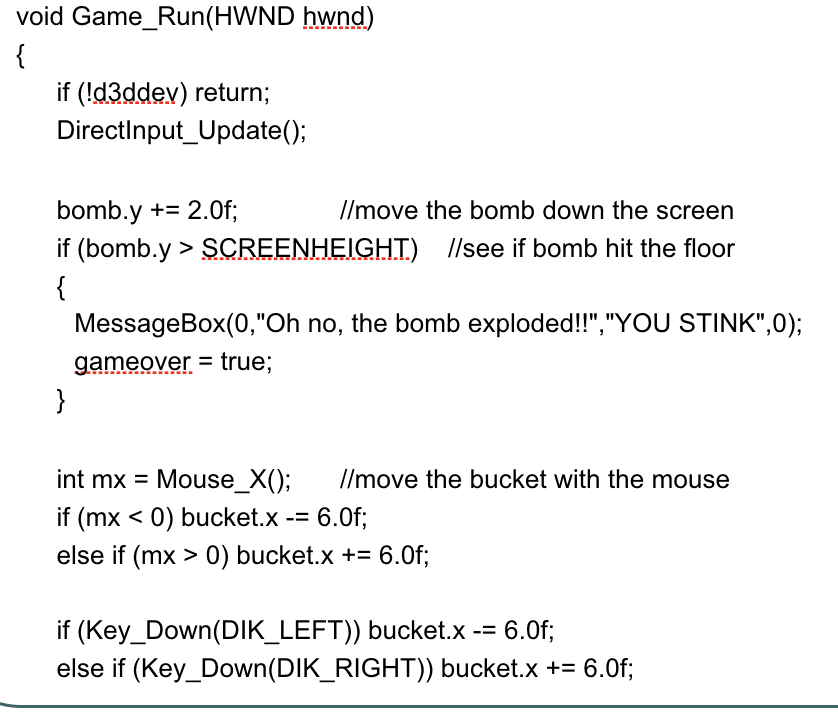
* These are slides that the program should be based on (but these slides are NOT the entire program):
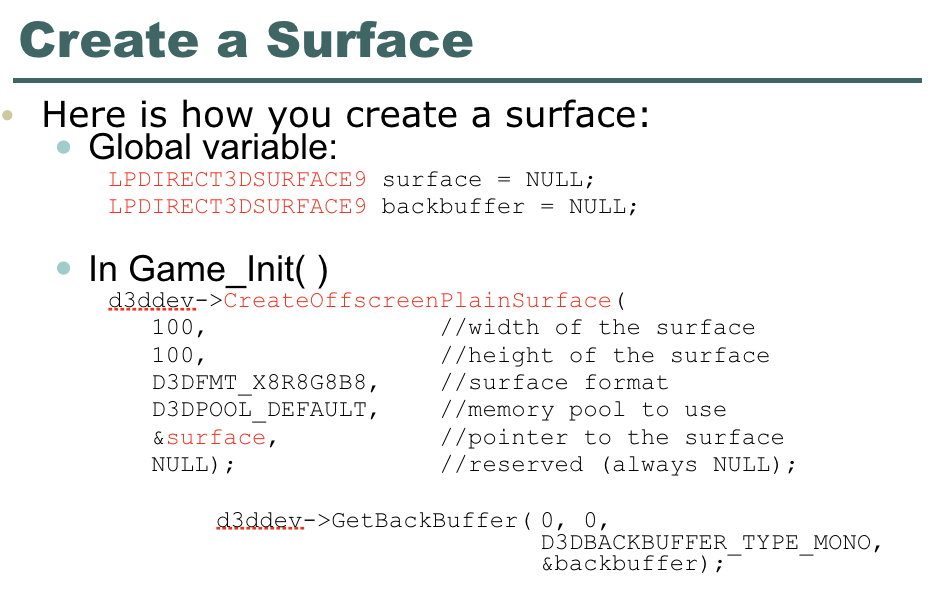
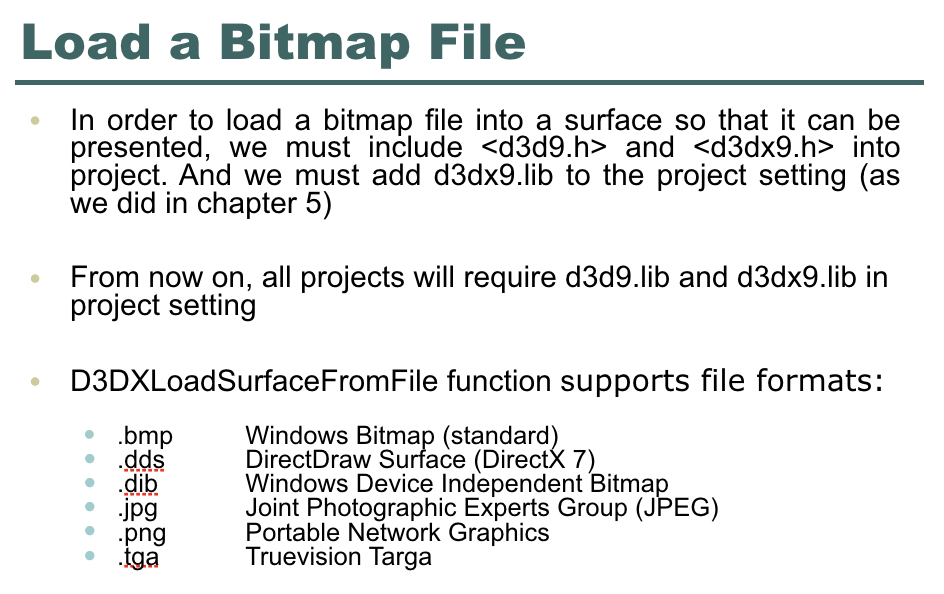
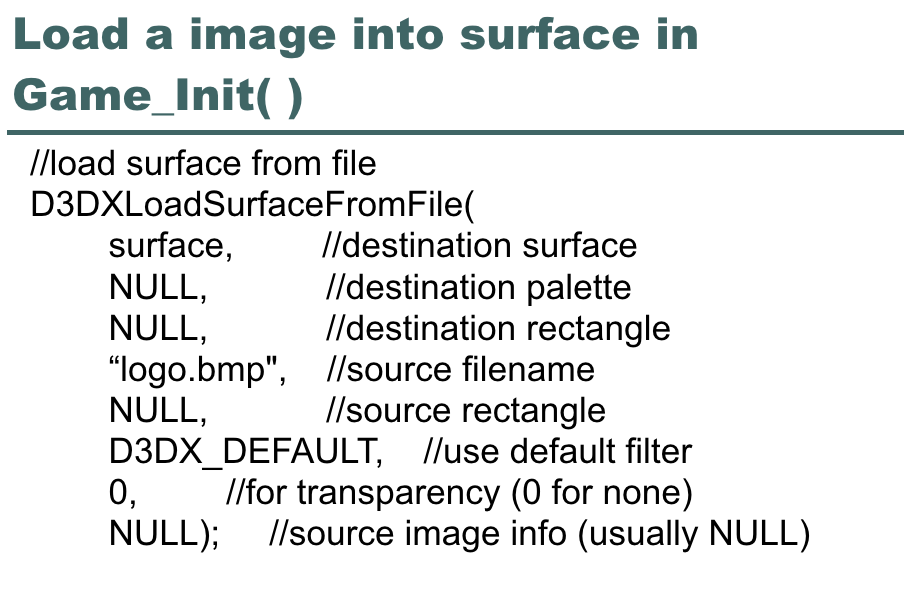
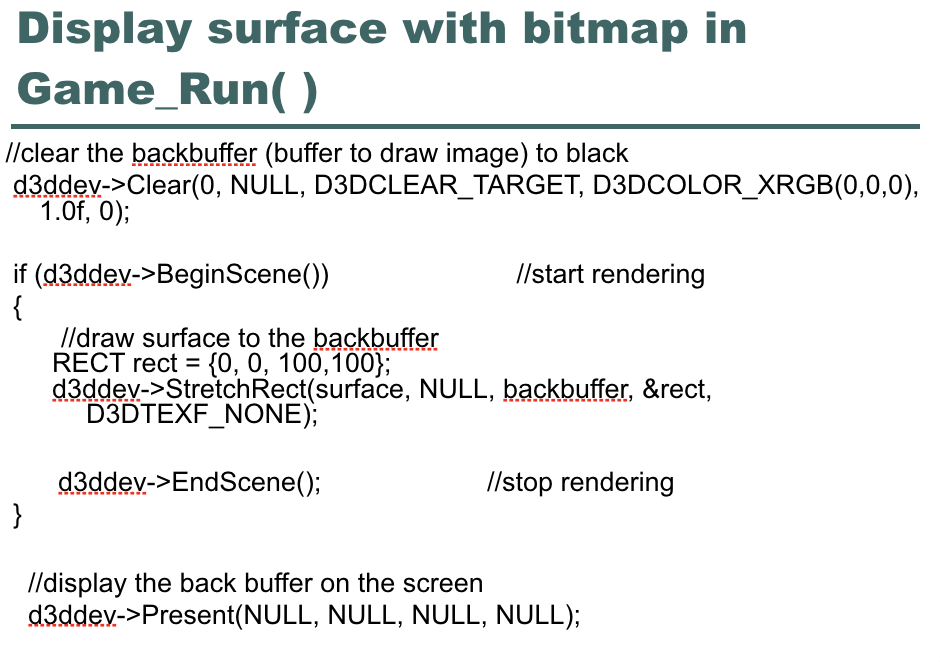
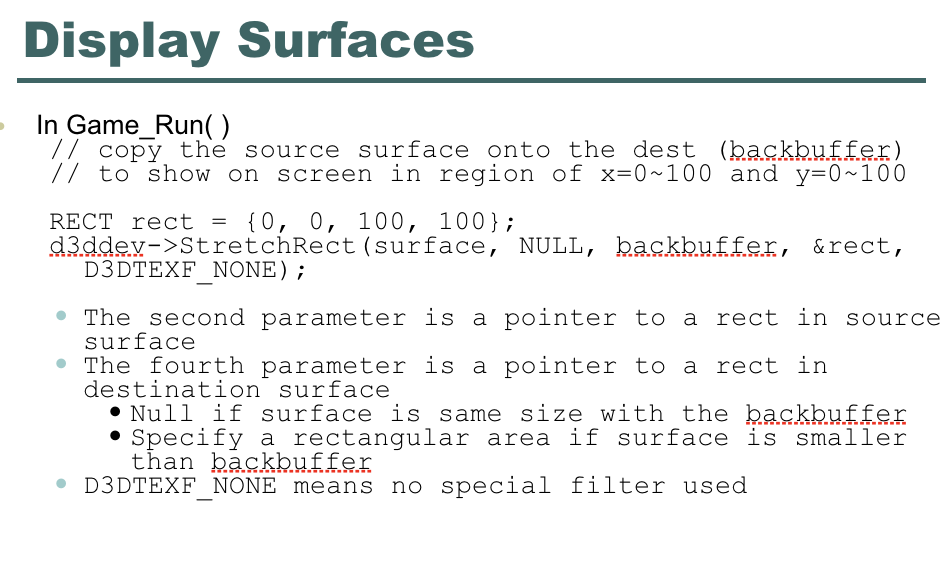
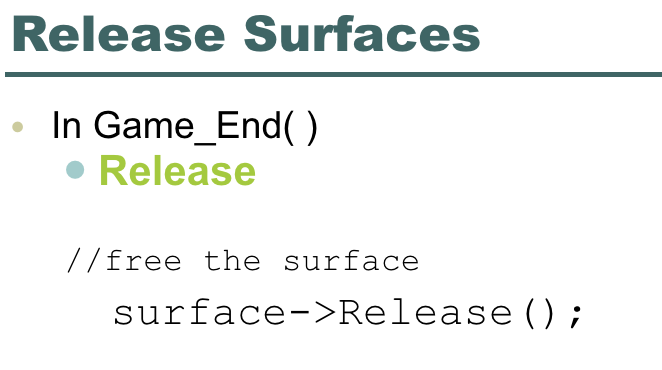
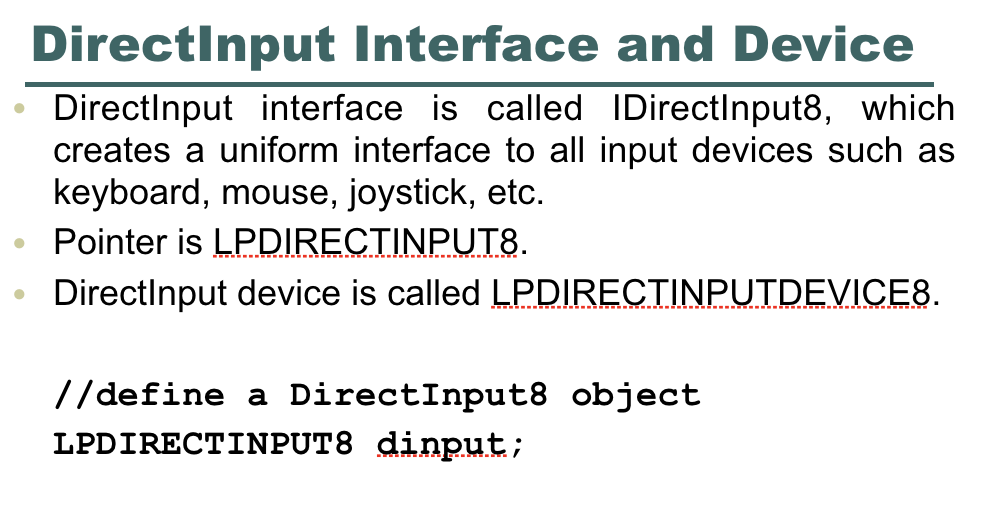
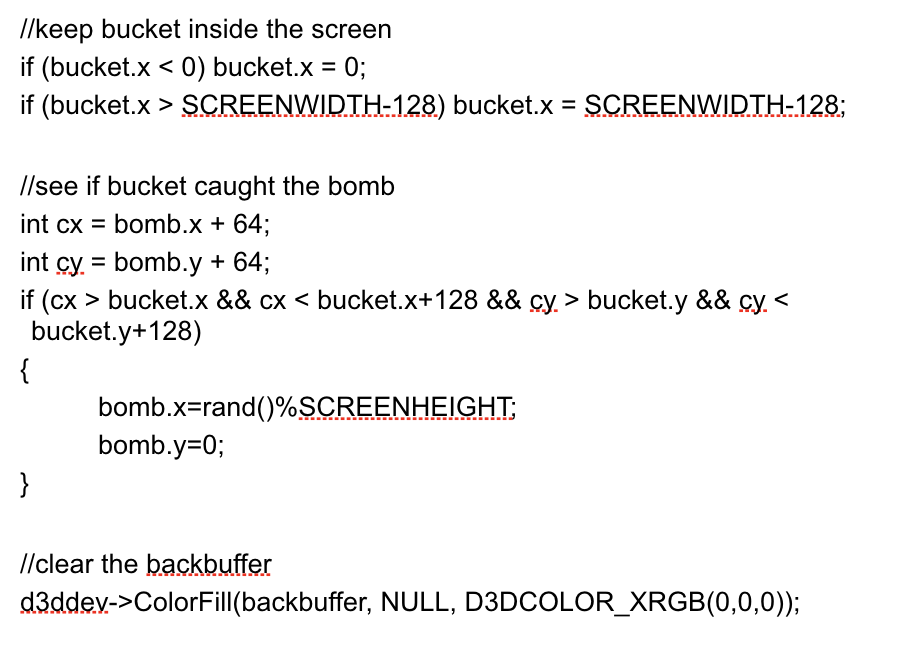
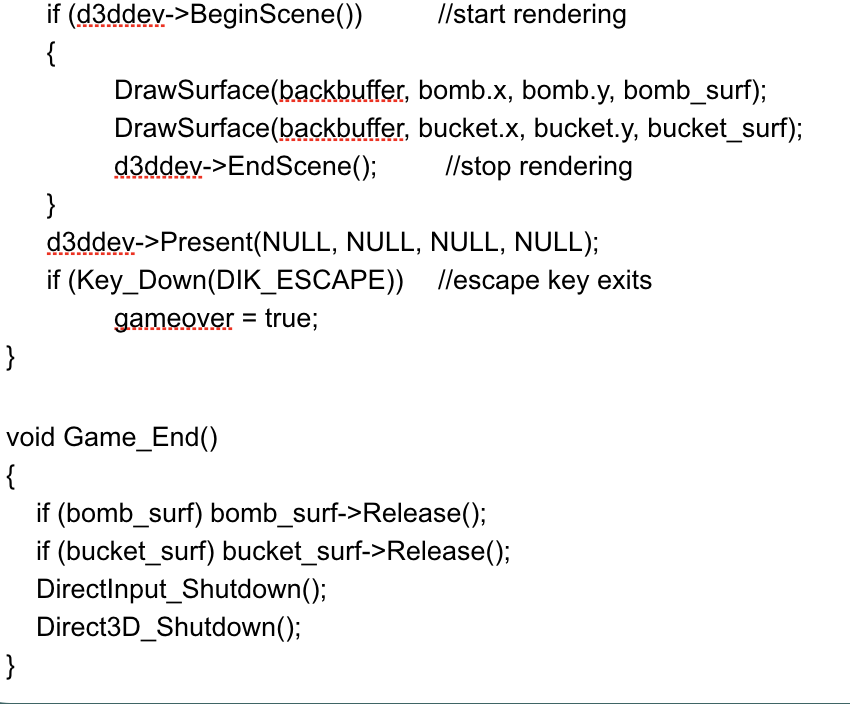
* Thank you in advance for your help.
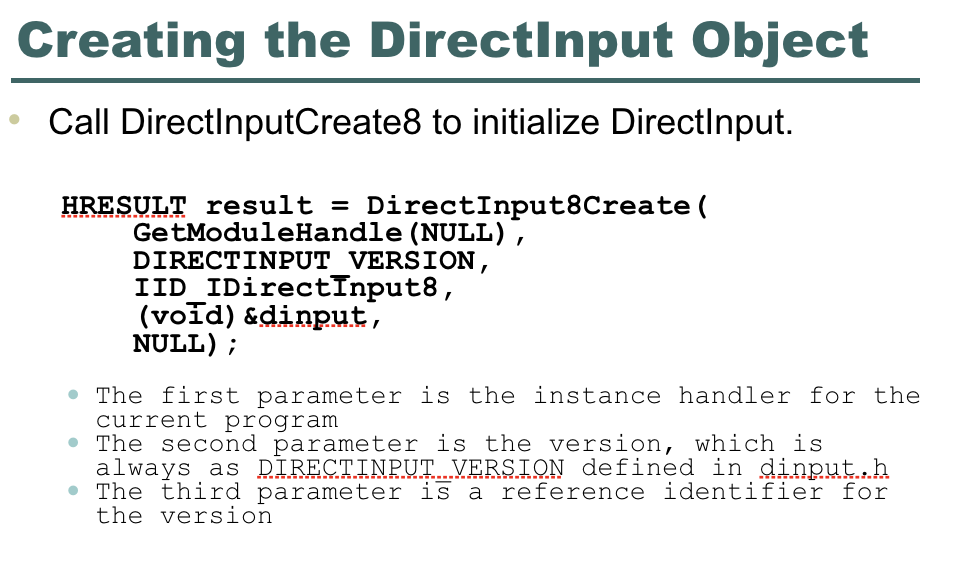
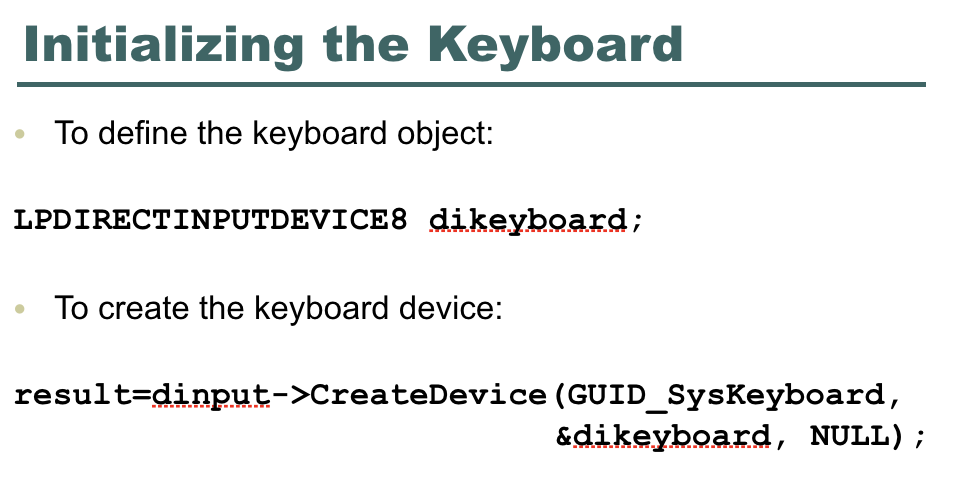
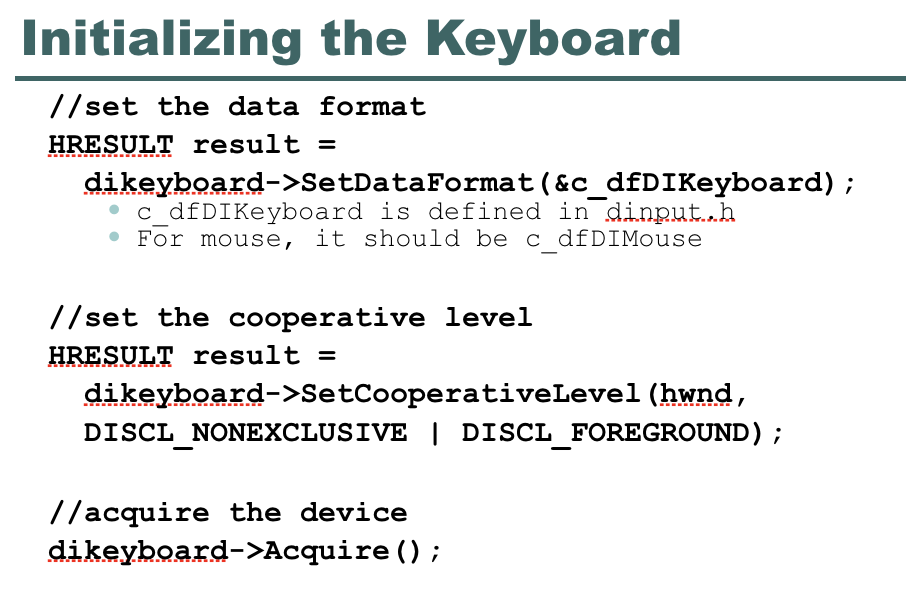
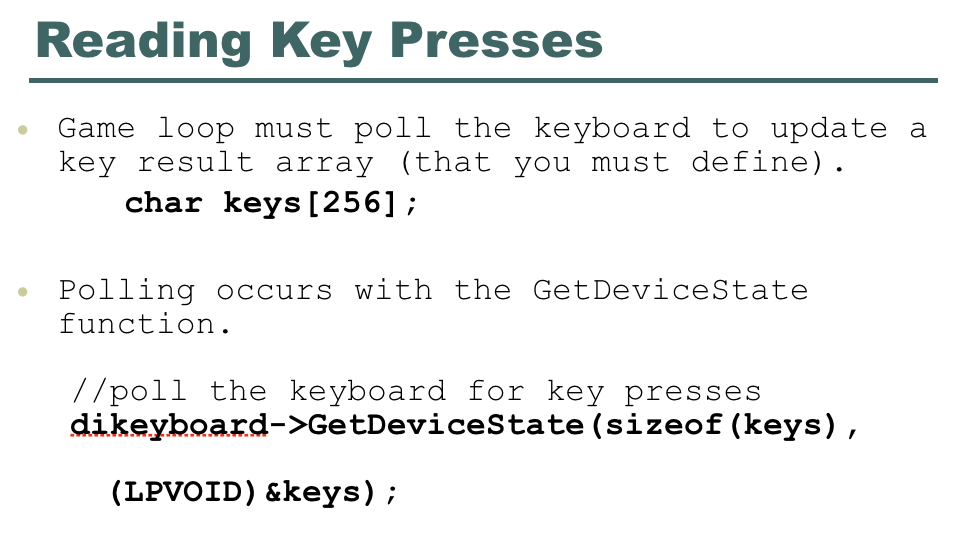
Bomb Catcher Game Create a Surface Here is how you create a surface: Global variable: LPDIRECT3DSURFACE9 surfaceNULL; LPDIRECT3DSURFACE9 backbuffer = NULL; In Game Init() d3ddev.->CreateoffscreenPlainSurface ( 100, 100, D3DFMT X8R8G8B8 D3DPOOL DEFAULT &surface, NULL) //width of the surface //height of the surface //surface format //memory pool to use //pointer to the surface //reserved (always NULL); d3ddev.->GetBackBuffer( 0, 0, D3DBACKBUFFER TYPE MONO &backbuffer); Load a Bitmap File In order to load a bitmap file into a surface so that it can be presented, we must include and into project. And we must add d3dx9.lib to the project setting (as we did in chapter 5) From now on, all projects will require d3d9.lib and d3dx9.lib in project setting D3DXLoadSurfaceFromFile function supports file formats: Windows Bitmap (standard DirectDraw Surface (DirectX 7) Windows Device Independent Bitmap Joint Photographic Experts Group (JPEG) Portable Network Graphics T ruevision Targa dds dib png Load a image into surface in Game_Init( //load surface from file D3DXLoadSurfaceFromFile( surface, NULL, NULL, "logo.bmp", I/source filename NULL, D3DX DEFAULT, //use default filter //destination surface //destination palette //destination rectangle //source rectangle // for transparency (0 for none) NULL); I/source image info (usually NULL) Display surf Game _Run() //clear the backbuffer (buffer to draw image) to black ce with bitmap in d3ddey->Clear(0, NULL, D3DCLEAR_TARGET, D3DCOLOR_XRGB(0,0,0), 1.0f, 0) if (d3ddev->BeginScene() l/start rendering //draw surface to the backbuffer RECT rect- 10, 0, 100,100); d3ddey->StretchRect(surface, NULL, backbuffer, &rect, D3DTEXF_NONE); d3ddev->EndScene); /stop rendering I/display the back buffer on the screen d3ddev->Present(NULL, NULL, NULL, NULL); Display Surfaces In Game_Run() // copy the source surface onto the dest (backbuffer) to show on screen in region of x-0-100 and y-0-100 RECT rect-0, 0, 100, 100) a3ddey-StretchRect(surface, NULL, Rackbuffer, &rect, D3DTEXF_NONE) The second parameter is a pointer to a rect in source surface The fourth parameter is a pointer to a rect in destination surface * Null if surface is same size with the backbuffer .Specify a rectangular area if surface is smaller than hackbuffer D3DTEXF_NONE means no special filter used Release Surfaces In Game_End() Release //free the surface surface->Release () Directinput Interface and Device Directlnput interface is called IDirectlnput8, whiclh creates a uniform interface to all input devices such as keyboard, mouse, joystick, etc. Pointer is LPDIRECTINPUT8 Directlnput device is called LPDIRECTINPUTDEVICE8. //define a DirectInput8 object LPDIRECTINPUT8 dinput; Creating the Directinput Object Call DirectlnputCreate8 to initialize Directlnput. HRESULT resut = Direct!nputBCreate( GetModuleHandle (NULL) DIRECTINPUT VERSION IID IDirectInput8, (vod) &dinput, NULL) -The first parameter is the instance handler for the current program always as RIRECTINPUT VERSLQN defined in dinput..h the version -The second parameter is the version, which is The third parameter is a reference identifier for Initializing the Keyboard To define the keyboard object: LPDIRECTINPUTDEVICE8 dikeyboard; To create the keyboard device: result-dinput->CreateDevice (GUID_SysKeyboard, &dikeyboard, NULL); Initializing the Keyboard //set the data format HRESULT result = dikeyboard->SetDataFormat (&c dfDIKeyboard); c_dfDIKeyboard is defined in dinput.h For mouse, it should be c dfDIMouse //set the cooperative level HRESULT result - dikeyboard->SetCooperativeLevel (hwnd, DISCL NONEXCLUSIVE I DISCL FOREGROUND) ; //acquire the device dikeyboard->Acquire ) Reading Key Presses Game loop must poll the keyboard to update a key result array (that you must define). char keys [256]; Polling occurs with the GetDeviceState function. //poll the keyboard for key presses dikeyboard->GetDeviceState (sizeof (keys), (LPVoID) keys) ; Reading Key Presses An element in key array with 1 in its most significant bit representing the corresponding key being pressed //check the keys array for a keypress if (keys [DIK_ESCAPE] & Ox80) //ESCAPE key was pressed Initializing the Mouse To define the mouse object: LPDIRECTINPUTDEVICE8 dimouse To create the mouse device: result - dinput->CreateDevice ( GUID SysMouse, &dimouse, NULL) Initializing the Mouse Setting the data format: dimause->SetDataFormat (&c dfDIMouse); c_dfDIMouse is defined In dinput..h Setting the cooperative level: dimouse-SetCooperativeLevel hwnd, DISCL EXCLUSIVE I DISCL FoREGROUND) Acquiring the mouse device: dimo use->Acquire); Reading the Mouse //1n dinput..h, DirectInput mouse state struct typedef struct DMOUSESTATE { LONG 1X; LONG 1Y; LONG 1z; BYTE rgbButtons [4]; DIMOUSESTATE; //In our program, define a struct variable DIMOUSESTATE mouse state; //get the mouse state dimouse->GetDeviceState sizeof (mouse state), (LPVOID) &mouse state) Reading Mouse Buttons The rgbButtons array holds the result of button presses. If you want to check for a specific button (starting with 0 for button 1) buttonl - obj..xgbButtons [0] & Ox80; A more convenient method of detecting button presses is by using a define: #de fine BUTTON DOWN (obj, button) (obj..rgbButtons [button] & Ox80) By using the define, you can check for button presses like so: //determine if buttonl was pressed button 1 - BUTTON DOWN (mouse state, 0); #include "MyDirectX.h" const string APPTIILE "Bomb Catcher Game" const int SCREENWIDTH = 640; const int SCREENHEIGHT 480; LPDIRECT3DSUREACE9 bomb_surf NULL; LPDIRECT3DSURFACE9 bucketsurf= NULL; - struct BOMB float x.y BOMB bomb; struct BUCKET float x.y BUCKET bucket; bool Game Init(HWND bwnd) Direct3D_Init(hwnd. SCREENWIDTH, SCREENHEIGHT, false); Directlnput_Init(hwnd); bomb_surf LoadSurface("bomb.bmp"); if (lbomb_surf) t MessageBox(hwnd, "Error loading bomb","Error",0) return false; bucket_surf LoadSurface("bucket.bmp"); if (lbucket_surf) ( MessageBox(hwnd, "Error loading bucket", "Error",0); return false; bomb.x-rand()% SCREENWIDTH; bucket.x= rand()%SCREENWIDTH: return true; bomby-0; bucket.y=SCREENHEIGHT:128; void Game_Run(HWND hwnd) if (!d3ddev) return; Directlnput_Update) bomb.y2.0f; if (bomb.y> SCREENHEIGHI) llsee if bomb hit the floor /Imove the bomb down the screen MessageBox(0, "Oh no, the bomb exploded!", "YOU STINK",0); gameover. - true; int mx Mouse_X(); move the bucket with the mouse if (mx 0) bucket.x +-6.0f if (Key_Down(DIK_LEFT)) bucket.x -- 6.0f; else if (Key_Down(DIK_RIGHT)) bucket.x + 6.0f, /keep bucket inside the screen if (bucket.x SCREENWIDTH 128) bucket.x SCREENWIDTH 128: //see if bucket caught the bomb int cxbomb.x + 64; int cy-bomby + 64; bucket.y+128) bomb.x-rand ()%SCREENHEIGHT bomb.vz0 //clear the backbuffer d3ddev->ColorFill(backbuffer, NULL, D3DCOLOR_XRGB(0,0,0)); if (d3dde->BeginScene)) I/start rendering DrawSurface(backbuffer, bomb.x, bomb.y, bomb_surf); DrawSurface(backbuffer, bucket.x, bucket.y, bucket_surf); d3ddev->EndScene) /stop rendering d3ddev->Present(NULL, NULL, NULL, NULL); if (Key_Down(DIK_ESCAPE)) llescape key exits gameover true; void Game_End() if (bomb_surf) bomb_surf->Release); if (bucket_surf) bucket surf->Release); Directlnput_Shutdown); Direct3D_Shutdown0; Bomb Catcher Game Create a Surface Here is how you create a surface: Global variable: LPDIRECT3DSURFACE9 surfaceNULL; LPDIRECT3DSURFACE9 backbuffer = NULL; In Game Init() d3ddev.->CreateoffscreenPlainSurface ( 100, 100, D3DFMT X8R8G8B8 D3DPOOL DEFAULT &surface, NULL) //width of the surface //height of the surface //surface format //memory pool to use //pointer to the surface //reserved (always NULL); d3ddev.->GetBackBuffer( 0, 0, D3DBACKBUFFER TYPE MONO &backbuffer); Load a Bitmap File In order to load a bitmap file into a surface so that it can be presented, we must include and into project. And we must add d3dx9.lib to the project setting (as we did in chapter 5) From now on, all projects will require d3d9.lib and d3dx9.lib in project setting D3DXLoadSurfaceFromFile function supports file formats: Windows Bitmap (standard DirectDraw Surface (DirectX 7) Windows Device Independent Bitmap Joint Photographic Experts Group (JPEG) Portable Network Graphics T ruevision Targa dds dib png Load a image into surface in Game_Init( //load surface from file D3DXLoadSurfaceFromFile( surface, NULL, NULL, "logo.bmp", I/source filename NULL, D3DX DEFAULT, //use default filter //destination surface //destination palette //destination rectangle //source rectangle // for transparency (0 for none) NULL); I/source image info (usually NULL) Display surf Game _Run() //clear the backbuffer (buffer to draw image) to black ce with bitmap in d3ddey->Clear(0, NULL, D3DCLEAR_TARGET, D3DCOLOR_XRGB(0,0,0), 1.0f, 0) if (d3ddev->BeginScene() l/start rendering //draw surface to the backbuffer RECT rect- 10, 0, 100,100); d3ddey->StretchRect(surface, NULL, backbuffer, &rect, D3DTEXF_NONE); d3ddev->EndScene); /stop rendering I/display the back buffer on the screen d3ddev->Present(NULL, NULL, NULL, NULL); Display Surfaces In Game_Run() // copy the source surface onto the dest (backbuffer) to show on screen in region of x-0-100 and y-0-100 RECT rect-0, 0, 100, 100) a3ddey-StretchRect(surface, NULL, Rackbuffer, &rect, D3DTEXF_NONE) The second parameter is a pointer to a rect in source surface The fourth parameter is a pointer to a rect in destination surface * Null if surface is same size with the backbuffer .Specify a rectangular area if surface is smaller than hackbuffer D3DTEXF_NONE means no special filter used Release Surfaces In Game_End() Release //free the surface surface->Release () Directinput Interface and Device Directlnput interface is called IDirectlnput8, whiclh creates a uniform interface to all input devices such as keyboard, mouse, joystick, etc. Pointer is LPDIRECTINPUT8 Directlnput device is called LPDIRECTINPUTDEVICE8. //define a DirectInput8 object LPDIRECTINPUT8 dinput; Creating the Directinput Object Call DirectlnputCreate8 to initialize Directlnput. HRESULT resut = Direct!nputBCreate( GetModuleHandle (NULL) DIRECTINPUT VERSION IID IDirectInput8, (vod) &dinput, NULL) -The first parameter is the instance handler for the current program always as RIRECTINPUT VERSLQN defined in dinput..h the version -The second parameter is the version, which is The third parameter is a reference identifier for Initializing the Keyboard To define the keyboard object: LPDIRECTINPUTDEVICE8 dikeyboard; To create the keyboard device: result-dinput->CreateDevice (GUID_SysKeyboard, &dikeyboard, NULL); Initializing the Keyboard //set the data format HRESULT result = dikeyboard->SetDataFormat (&c dfDIKeyboard); c_dfDIKeyboard is defined in dinput.h For mouse, it should be c dfDIMouse //set the cooperative level HRESULT result - dikeyboard->SetCooperativeLevel (hwnd, DISCL NONEXCLUSIVE I DISCL FOREGROUND) ; //acquire the device dikeyboard->Acquire ) Reading Key Presses Game loop must poll the keyboard to update a key result array (that you must define). char keys [256]; Polling occurs with the GetDeviceState function. //poll the keyboard for key presses dikeyboard->GetDeviceState (sizeof (keys), (LPVoID) keys) ; Reading Key Presses An element in key array with 1 in its most significant bit representing the corresponding key being pressed //check the keys array for a keypress if (keys [DIK_ESCAPE] & Ox80) //ESCAPE key was pressed Initializing the Mouse To define the mouse object: LPDIRECTINPUTDEVICE8 dimouse To create the mouse device: result - dinput->CreateDevice ( GUID SysMouse, &dimouse, NULL) Initializing the Mouse Setting the data format: dimause->SetDataFormat (&c dfDIMouse); c_dfDIMouse is defined In dinput..h Setting the cooperative level: dimouse-SetCooperativeLevel hwnd, DISCL EXCLUSIVE I DISCL FoREGROUND) Acquiring the mouse device: dimo use->Acquire); Reading the Mouse //1n dinput..h, DirectInput mouse state struct typedef struct DMOUSESTATE { LONG 1X; LONG 1Y; LONG 1z; BYTE rgbButtons [4]; DIMOUSESTATE; //In our program, define a struct variable DIMOUSESTATE mouse state; //get the mouse state dimouse->GetDeviceState sizeof (mouse state), (LPVOID) &mouse state) Reading Mouse Buttons The rgbButtons array holds the result of button presses. If you want to check for a specific button (starting with 0 for button 1) buttonl - obj..xgbButtons [0] & Ox80; A more convenient method of detecting button presses is by using a define: #de fine BUTTON DOWN (obj, button) (obj..rgbButtons [button] & Ox80) By using the define, you can check for button presses like so: //determine if buttonl was pressed button 1 - BUTTON DOWN (mouse state, 0); #include "MyDirectX.h" const string APPTIILE "Bomb Catcher Game" const int SCREENWIDTH = 640; const int SCREENHEIGHT 480; LPDIRECT3DSUREACE9 bomb_surf NULL; LPDIRECT3DSURFACE9 bucketsurf= NULL; - struct BOMB float x.y BOMB bomb; struct BUCKET float x.y BUCKET bucket; bool Game Init(HWND bwnd) Direct3D_Init(hwnd. SCREENWIDTH, SCREENHEIGHT, false); Directlnput_Init(hwnd); bomb_surf LoadSurface("bomb.bmp"); if (lbomb_surf) t MessageBox(hwnd, "Error loading bomb","Error",0) return false; bucket_surf LoadSurface("bucket.bmp"); if (lbucket_surf) ( MessageBox(hwnd, "Error loading bucket", "Error",0); return false; bomb.x-rand()% SCREENWIDTH; bucket.x= rand()%SCREENWIDTH: return true; bomby-0; bucket.y=SCREENHEIGHT:128; void Game_Run(HWND hwnd) if (!d3ddev) return; Directlnput_Update) bomb.y2.0f; if (bomb.y> SCREENHEIGHI) llsee if bomb hit the floor /Imove the bomb down the screen MessageBox(0, "Oh no, the bomb exploded!", "YOU STINK",0); gameover. - true; int mx Mouse_X(); move the bucket with the mouse if (mx 0) bucket.x +-6.0f if (Key_Down(DIK_LEFT)) bucket.x -- 6.0f; else if (Key_Down(DIK_RIGHT)) bucket.x + 6.0f, /keep bucket inside the screen if (bucket.x SCREENWIDTH 128) bucket.x SCREENWIDTH 128: //see if bucket caught the bomb int cxbomb.x + 64; int cy-bomby + 64; bucket.y+128) bomb.x-rand ()%SCREENHEIGHT bomb.vz0 //clear the backbuffer d3ddev->ColorFill(backbuffer, NULL, D3DCOLOR_XRGB(0,0,0)); if (d3dde->BeginScene)) I/start rendering DrawSurface(backbuffer, bomb.x, bomb.y, bomb_surf); DrawSurface(backbuffer, bucket.x, bucket.y, bucket_surf); d3ddev->EndScene) /stop rendering d3ddev->Present(NULL, NULL, NULL, NULL); if (Key_Down(DIK_ESCAPE)) llescape key exits gameover true; void Game_End() if (bomb_surf) bomb_surf->Release); if (bucket_surf) bucket surf->Release); Directlnput_Shutdown); Direct3D_Shutdown0









 Study Help