







Question: Write a Windows application that sorts an array of numbers using the bubble sort we discussed in class. This is a video of what it
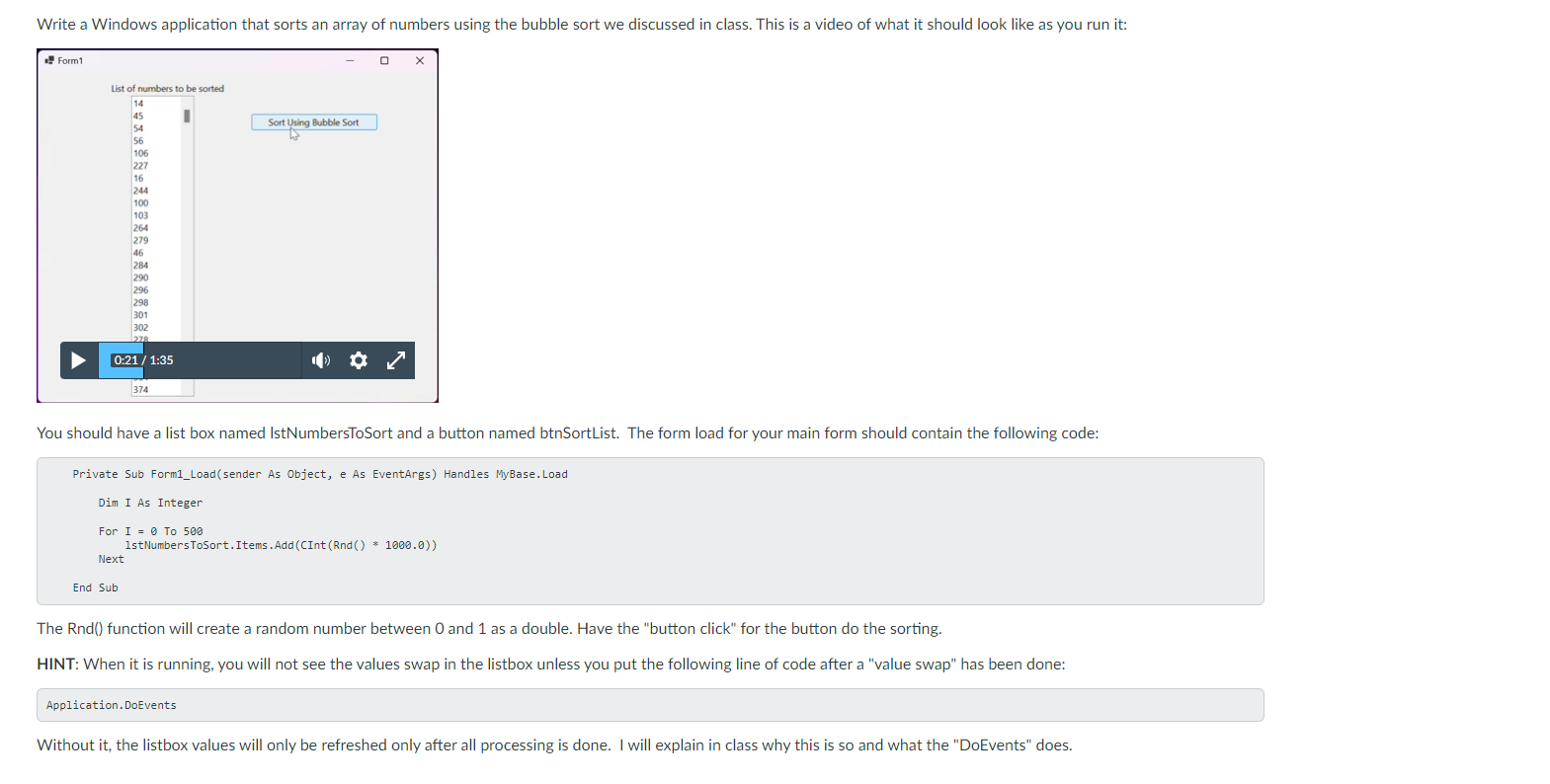
Write a Windows application that sorts an array of numbers using the bubble sort we discussed in class. This is a video of what it should look like as you run it:
You should have a list box named IstNumbersToSort and a button named btnSortList. The form load for your main form should contain the following code:
Private Sub FormLoadsender As Object, e As EventArgs Handles MyBase.Load
Dim I As Integer
For To
lstNumbersToSort. Items.AddCInt Rnd
Next
End Sub
The Rnd function will create a random number between and as a double. Have the "button click" for the button do the sorting.
HINT: When it is running, you will not see the values swap in the listbox unless you put the following line of code after a "value swap" has been done:
Without it the listbox values will only be refreshed only after all processing is done. I will explain in class why this is so and what the "DoEvents" does.
DO THIS IN VISUAL BASICS WINDOWS FORM APP
Step by Step Solution
There are 3 Steps involved in it
1 Expert Approved Answer
Step: 1 Unlock

Question Has Been Solved by an Expert!
Get step-by-step solutions from verified subject matter experts
Step: 2 Unlock
Step: 3 Unlock
 Study Help