







Question: Write an application that will check for login credentials. The program should accept a username and password from the user using Java form. If the
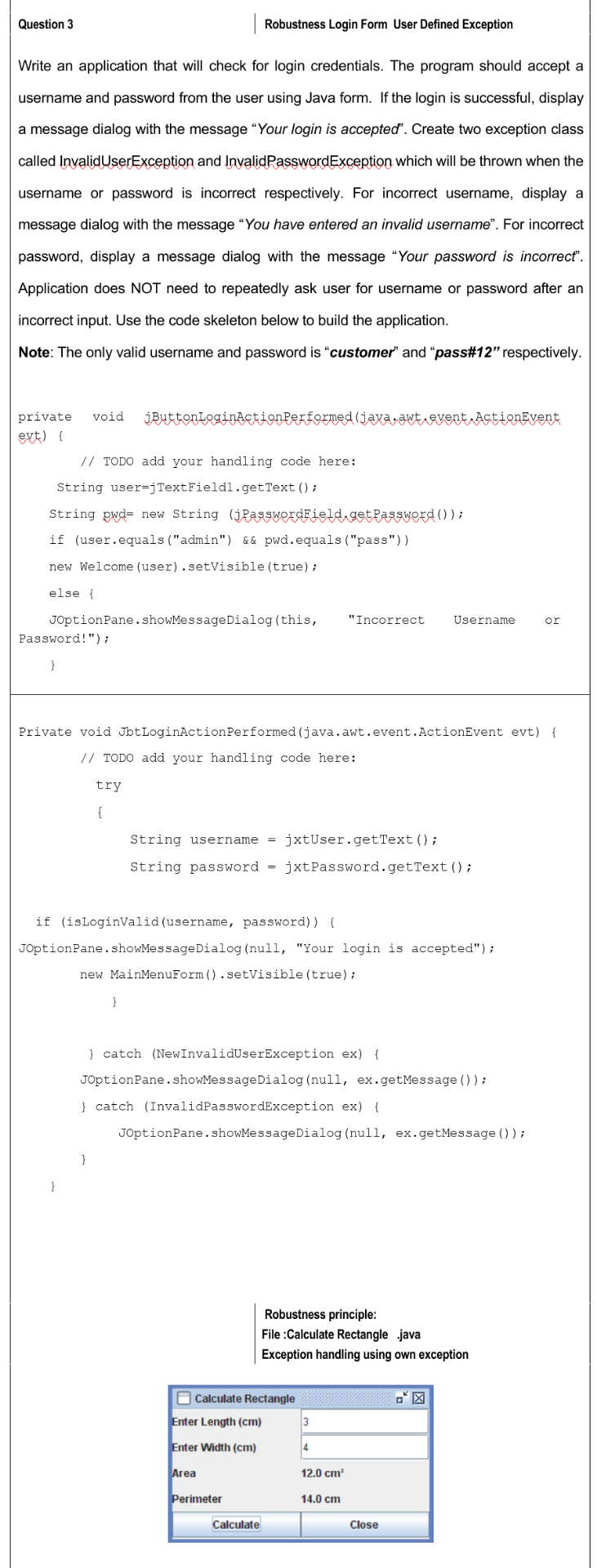
Write an application that will check for login credentials. The program should accept a username and password from the user using Java form. If the login is successful, display a message dialog with the message "Your login is accepted". Create two exception class called InvalidUserException and InvalidPasswordException which will be thrown when the username or password is incorrect respectively. For incorrect username, display a message dialog with the message "You have entered an invalid username". For incorrect password, display a message dialog with the message "Your password is incorrect". Application does NOT need to repeatedly ask user for username or password after an incorrect input. Use the code skeleton below to build the application. Note: The only valid username and password is "customer" and "pass\#12" respectively. private void jButtonloginActionferformed (jaxa,awt, event,Actionevent evt) \{ // TODO add your handling code here: String user=jTextFieldl. getText(); String pwd= new String (jpasswordField,getpassword ()) ; if (user.equals ("admin") \& \& pwd.equals ("pass")) new Welcome (user) . setVisible (true); else \{ JoptionPane.showMessagedialog(this, "Incorrect Username or Password!") ; Private void JbtLoginActionPerformed (java.awt.event.ActionEvent evt) \{ 1/ TODO add your handling code here: try \{ String username = jxtUser.getText () ; String password = jxtPassword.getText () ; if (isloginvalid (username, password)) \{ JoptionPane.showMessageDialog(null, "Your login is accepted"); new MainMenuForm(). setVisible (true); \} \} catch (NewInvalidUserException ex) \{ JoptionPane. showMessagedialog (null, ex.getMessage ()); \} catch (InvalidPasswordException ex) \{ JoptionPane.showMessagedialog(null, ex.getMessage ()); \} \} Robustness principle: File :Calculate Rectangle .java Exception handling using own exception
Step by Step Solution
There are 3 Steps involved in it

Get step-by-step solutions from verified subject matter experts
 Study Help