







Question: Write an interactive OpenGL program that will allow you to create and edit 2D triangles, which can be connected by shared vertices. When you first
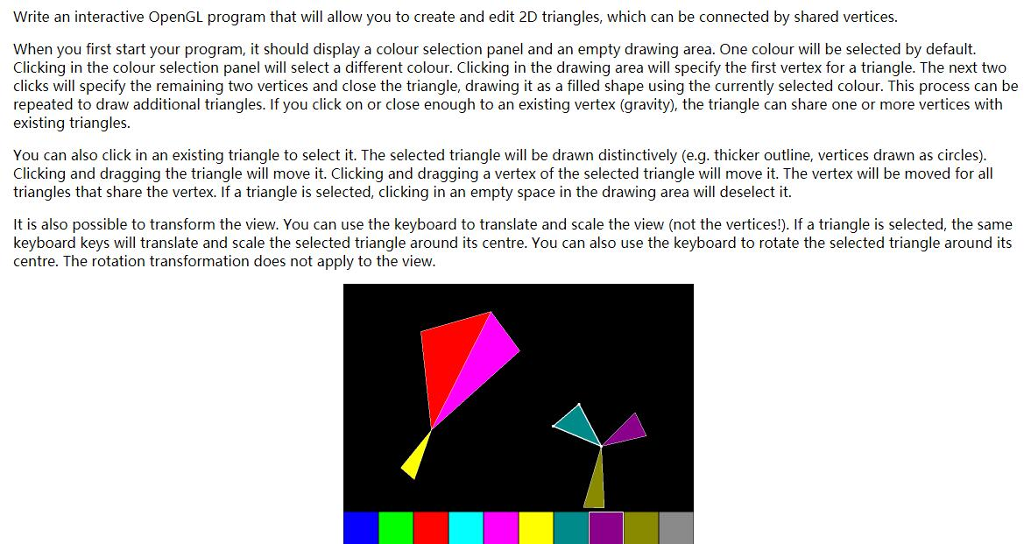
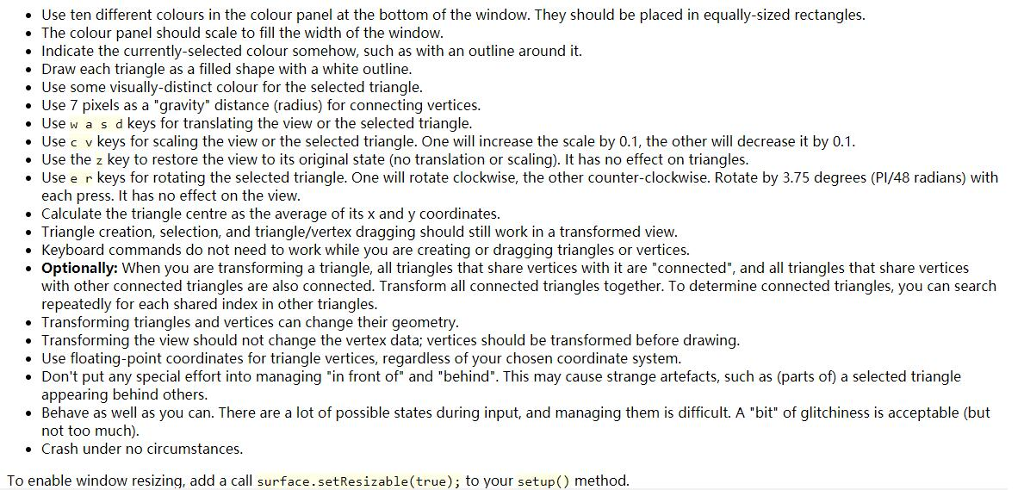
Write an interactive OpenGL program that will allow you to create and edit 2D triangles, which can be connected by shared vertices. When you first start your program, it should display a colour selection panel and an empty drawing area. One colour will be selected by default. Clicking in the colour selection panel will select a different colour. Clicking in the drawing area will specify the first vertex for a triangle. The next two clicks will specify the remaining two vertices and close the triangle, drawing it as a filled shape using the currently selected colour. This process can be repeated to draw additional triangles. If you click on or close enough to an existing vertex (gravity), the triangle can share one or more vertices with existing triangles. You can also click in an existing triangle to select it. The selected triangle will be drawn distinctively (e.g. thicker outline, vertices drawn as circles). Clicking and dragging the triangle will move it. Clicking and dragging a vertex of the selected triangle will move it. The vertex will be moved for all triangles that share the vertex. If a triangle is selected, clicking in an empty space in the drawing area will deselect it. It is also possible to transform the view. You can use the keyboard to translate and scale the view (not the vertices!). If a triangle is selected, the same keyboard keys will translate and scale the selected triangle around its centre. You can also use the keyboard to rotate the selected triangle around its centre. The rotation transformation does not apply to the view Write an interactive OpenGL program that will allow you to create and edit 2D triangles, which can be connected by shared vertices. When you first start your program, it should display a colour selection panel and an empty drawing area. One colour will be selected by default. Clicking in the colour selection panel will select a different colour. Clicking in the drawing area will specify the first vertex for a triangle. The next two clicks will specify the remaining two vertices and close the triangle, drawing it as a filled shape using the currently selected colour. This process can be repeated to draw additional triangles. If you click on or close enough to an existing vertex (gravity), the triangle can share one or more vertices with existing triangles. You can also click in an existing triangle to select it. The selected triangle will be drawn distinctively (e.g. thicker outline, vertices drawn as circles). Clicking and dragging the triangle will move it. Clicking and dragging a vertex of the selected triangle will move it. The vertex will be moved for all triangles that share the vertex. If a triangle is selected, clicking in an empty space in the drawing area will deselect it. It is also possible to transform the view. You can use the keyboard to translate and scale the view (not the vertices!). If a triangle is selected, the same keyboard keys will translate and scale the selected triangle around its centre. You can also use the keyboard to rotate the selected triangle around its centre. The rotation transformation does not apply to the view
Step by Step Solution
There are 3 Steps involved in it

Get step-by-step solutions from verified subject matter experts
 Study Help