







Question: write HTML code for below: Pls check the below link to see the sample http://omega.uta.edu/~clb1126 1.Create an HTML file, index.html, in your omega account under
write HTML code for below:
Pls check the below link to see the sample
http://omega.uta.edu/~clb1126
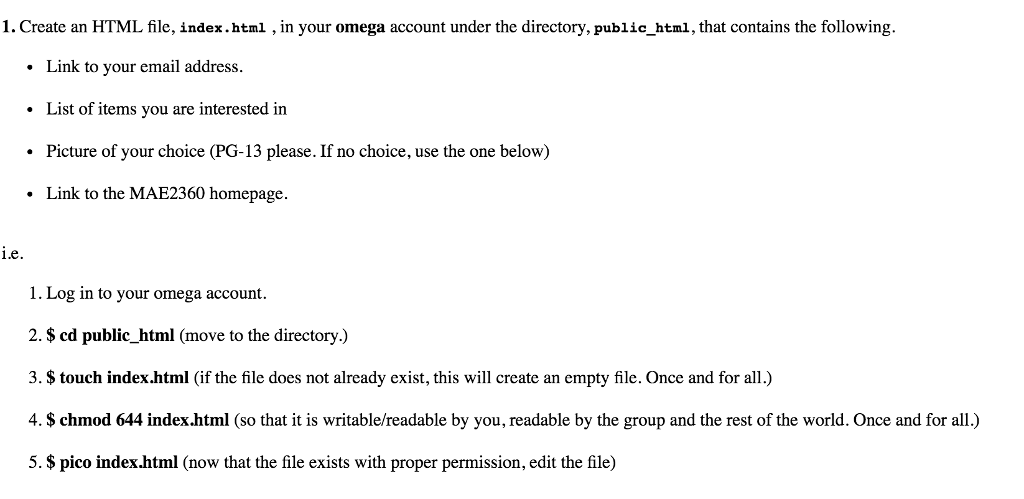
1.Create an HTML file, index.html, in your omega account under the directory, public html, that contains the following. Link to your email address List of items you are interested in Picture of your choice (PG-13 please. If no choice, use the one below) Link to the MAE2360 homepage. ie. 1. Log in to your omega account. 2.$ cd public_html (move to the directory.) 3.$ touch index.html (if the file does not already exist, this will create an empty file. Once and for all.) 4. $ chmod 644 index.html (so that it is writable/readable by you, readable by the group and the rest of the world. Once and for all.) 5. $ pico index.html (now that the file exists with proper permission, edit the file)
Step by Step Solution
There are 3 Steps involved in it

Get step-by-step solutions from verified subject matter experts
 Study Help