







Question: Write in C# Windows form app please and answer all 4 steps not half thank you. Create a Windows Form Application named YourLastName CE2. This
Write in C# Windows form app please and answer all 4 steps not half thank you.
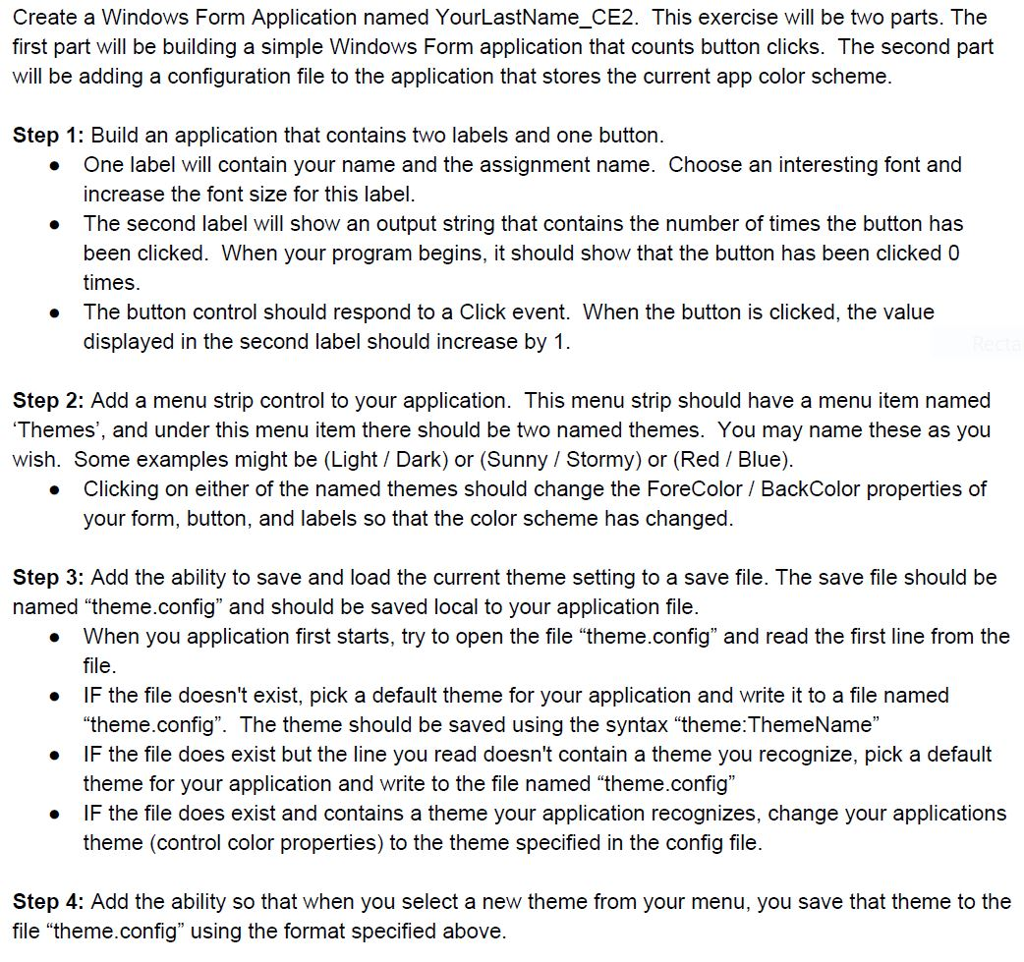
Create a Windows Form Application named YourLastName CE2. This exercise will be two parts. The first part will be building a simple Windows Form application that counts button clicks. The second part will be adding a configuration file to the application that stores the current app color scheme. Step 1: Build an application that contains two labels and one button One label will contain your name and the assignment name. Choose an interesting font and increase the font size for this label The second label will show an output string that contains the number of times the button has been clicked. When your program begins, it should show that the button has been clicked 0 times. The button control should respond to a Click event. When the button is clicked, the value displayed in the second label should increase by 1 . . . Step 2: Add a menu strip control to your application. This menu strip should have a menu item named Themes', and under this menu item there should be two named themes. You may name these as you wish. Some examples might be (Light Dark) or (Sunny I Stormy) or (Red / Blue) Clicking on either of the named themes should change the ForeColor / BackColor properties of your form, button, and labels so that the color scheme has changed. . Step 3: Add the ability to save and load the current theme setting to a save file. The save file should be named "theme.config" and should be saved local to your application file . When you application first starts, try to open the file "theme.config" and read the first line from the IF the file doesn't exist, pick a default theme for your application and write it to a file namec e F the file does exist but the line you read doesn't contain a theme you recognize, pick a default e IF the file does exist and contains a theme your application recognizes, change your applications file "theme.config". The theme should be saved using the syntax "theme: ThemeName theme for your application and write to the file named "theme.config" theme (control color properties) to the theme specified in the config file. Step 4: Add the ability so that when you select a new theme from your menu, you save that theme to the file "theme.config" using the format specified above. Create a Windows Form Application named YourLastName CE2. This exercise will be two parts. The first part will be building a simple Windows Form application that counts button clicks. The second part will be adding a configuration file to the application that stores the current app color scheme. Step 1: Build an application that contains two labels and one button One label will contain your name and the assignment name. Choose an interesting font and increase the font size for this label The second label will show an output string that contains the number of times the button has been clicked. When your program begins, it should show that the button has been clicked 0 times. The button control should respond to a Click event. When the button is clicked, the value displayed in the second label should increase by 1 . . . Step 2: Add a menu strip control to your application. This menu strip should have a menu item named Themes', and under this menu item there should be two named themes. You may name these as you wish. Some examples might be (Light Dark) or (Sunny I Stormy) or (Red / Blue) Clicking on either of the named themes should change the ForeColor / BackColor properties of your form, button, and labels so that the color scheme has changed. . Step 3: Add the ability to save and load the current theme setting to a save file. The save file should be named "theme.config" and should be saved local to your application file . When you application first starts, try to open the file "theme.config" and read the first line from the IF the file doesn't exist, pick a default theme for your application and write it to a file namec e F the file does exist but the line you read doesn't contain a theme you recognize, pick a default e IF the file does exist and contains a theme your application recognizes, change your applications file "theme.config". The theme should be saved using the syntax "theme: ThemeName theme for your application and write to the file named "theme.config" theme (control color properties) to the theme specified in the config file. Step 4: Add the ability so that when you select a new theme from your menu, you save that theme to the file "theme.config" using the format specified above
Step by Step Solution
There are 3 Steps involved in it

Get step-by-step solutions from verified subject matter experts
 Study Help