







Question: WRITE OUT THE OUTPUT FROM THE SQL QUERY! Tables Customers ID Name Street City Zip email 1 Emily 101 Anza St San Francisco 94118 emily@g-mail.com
WRITE OUT THE OUTPUT FROM THE SQL QUERY!
Tables
| Customers | |||||
| ID | Name | Street | City | Zip | |
| 1 | Emily | 101 Anza St | San Francisco | 94118 | emily@g-mail.com |
| 2 | Amy | 1 Houston Ave | New York | 12111 | amy@g-mail.com |
| 3 | John | 29 Sunset Blvd | Los Angeles | 45643 | john@yahoo.com |
| 4 | Pam | 800 Market St | San Francisco | 94080 | pam@msn.com |
| 5 | Sue | 400 Muir Ave | Redwood City | 94598 | sue@g-mail.com |
| 6 | Chris | 987 A Ave | New York | 13111 | chris@aol.com |
| 7 | Todd | 788 Harrison St | San Francisco | 94117 | todd@g-mail.com |
| Products | |||
| ID | Product_name | Price | Quantity |
| 1 | Metal pen | 5.99 | 20 |
| 2 | Surge protector | 25.99 | 0 |
| 3 | pencil | 7.25 | 59 |
| 4 | Replacement screen | 75.25 | 54 |
| 5 | PC monitor | 200.5 | 6 |
| 6 | Magic mouse | 125.99 | 0 |
| 7 | iphone charger | 101.99 | 0 |
| orders | |||||
| ID | Customer_id | Products_id | Order_number | Order_date | Delivery |
| 1 | 5 | 5 | 101 | 2017-10-01 | Shipping |
| 2 | 3 | 3 | 102 | 2017-10-02 | Pickup |
| 3 | 3 | 4 | 102 | 2017-10-02 | Pickup |
| 4 | 2 | 1 | 103 | 2017-10-04 | Shipping |
| 5 | 2 | 2 | 103 | 2017-10-04 | Pickup |
Given the data in the tables and the SQL query, what would the output look like?
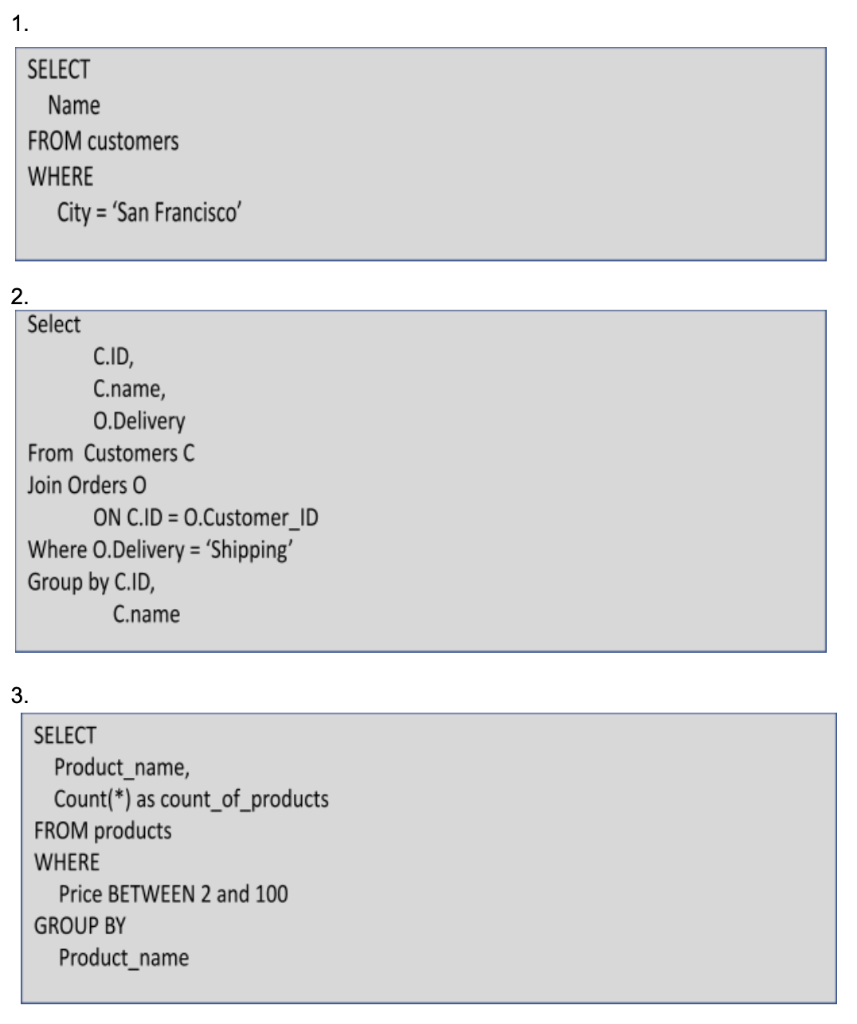
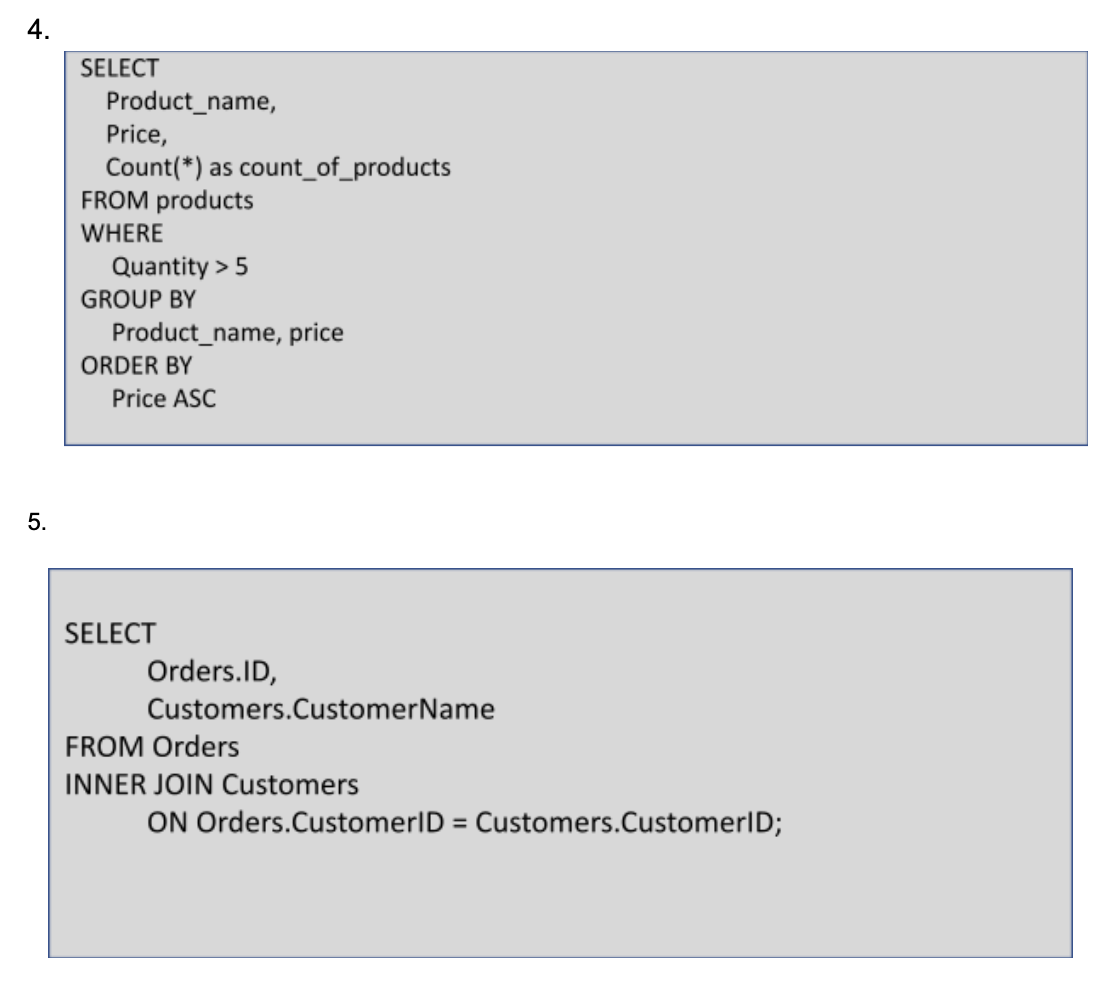
Step by Step Solution
There are 3 Steps involved in it

Get step-by-step solutions from verified subject matter experts
 Study Help