







Question: Write the code in assembly language for an elementary decimal number calculator. It will be capable only of multiplying 2-digit integer numbers: Please use the
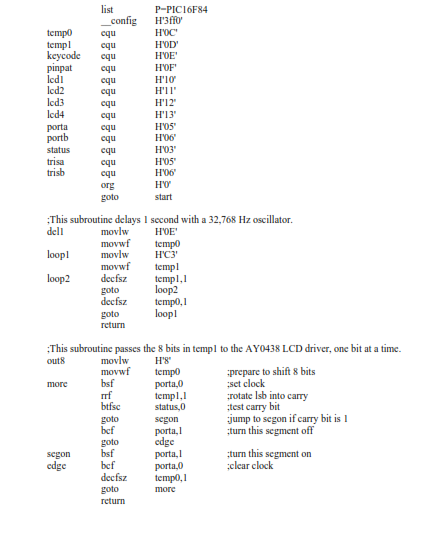
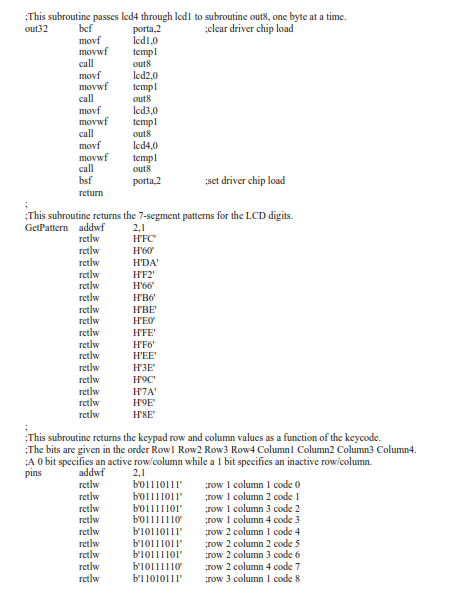
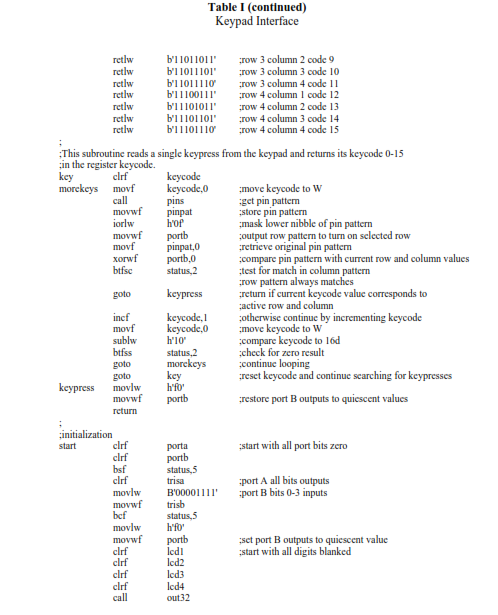
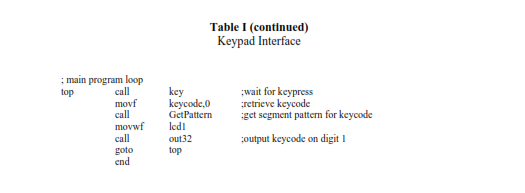
Write the code in assembly language for an elementary decimal number calculator. It will be capable only of multiplying 2-digit integer numbers: Please use the code below for an example. Needs to be writting the same way as the code below.
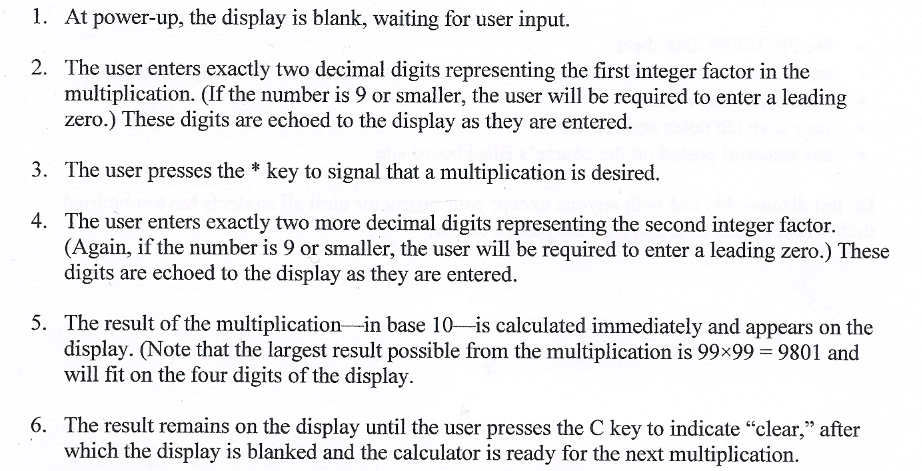
1. At power-up, the display is blank, waiting for user input 2. The user enters exactly two decimal digits representing the first integer factor in the multiplication. (f e number is 9 or smaller, the user will be required to enter a leading zero. These digits are echoed to the display as they are entered. 3. The user presses the key to signal that a multiplication is desired. 4. The user enters exactly two more decimal digits representing the second integer factor. (Again, if the number is 9 or smaller, the user will be required to enter a leading zero.) These digits are echoed to the display as they are entered. 5. The result of the multiplication in base 10 is calculated immediately and appears on the display. Note that the largest result possible from the multiplication is 99x99 9801 and will fit on the four digits of the display. 6. The result remains on the display until the user presses the C key to indicate "clear," after which the display is blanked and the calculator is ready for the next multiplication. 1. At power-up, the display is blank, waiting for user input 2. The user enters exactly two decimal digits representing the first integer factor in the multiplication. (f e number is 9 or smaller, the user will be required to enter a leading zero. These digits are echoed to the display as they are entered. 3. The user presses the key to signal that a multiplication is desired. 4. The user enters exactly two more decimal digits representing the second integer factor. (Again, if the number is 9 or smaller, the user will be required to enter a leading zero.) These digits are echoed to the display as they are entered. 5. The result of the multiplication in base 10 is calculated immediately and appears on the display. Note that the largest result possible from the multiplication is 99x99 9801 and will fit on the four digits of the display. 6. The result remains on the display until the user presses the C key to indicate "clear," after which the display is blanked and the calculator is ready for the next multiplication
Step by Step Solution
There are 3 Steps involved in it

Get step-by-step solutions from verified subject matter experts
 Study Help