







Question: Write the code of this assignment using visual Studio, windows Forms App (. Net Framework) C# We should do 2 form only as required from
Write the code of this assignment using visual Studio, windows Forms App (. Net Framework) C#
We should do 2 form only as required from the question
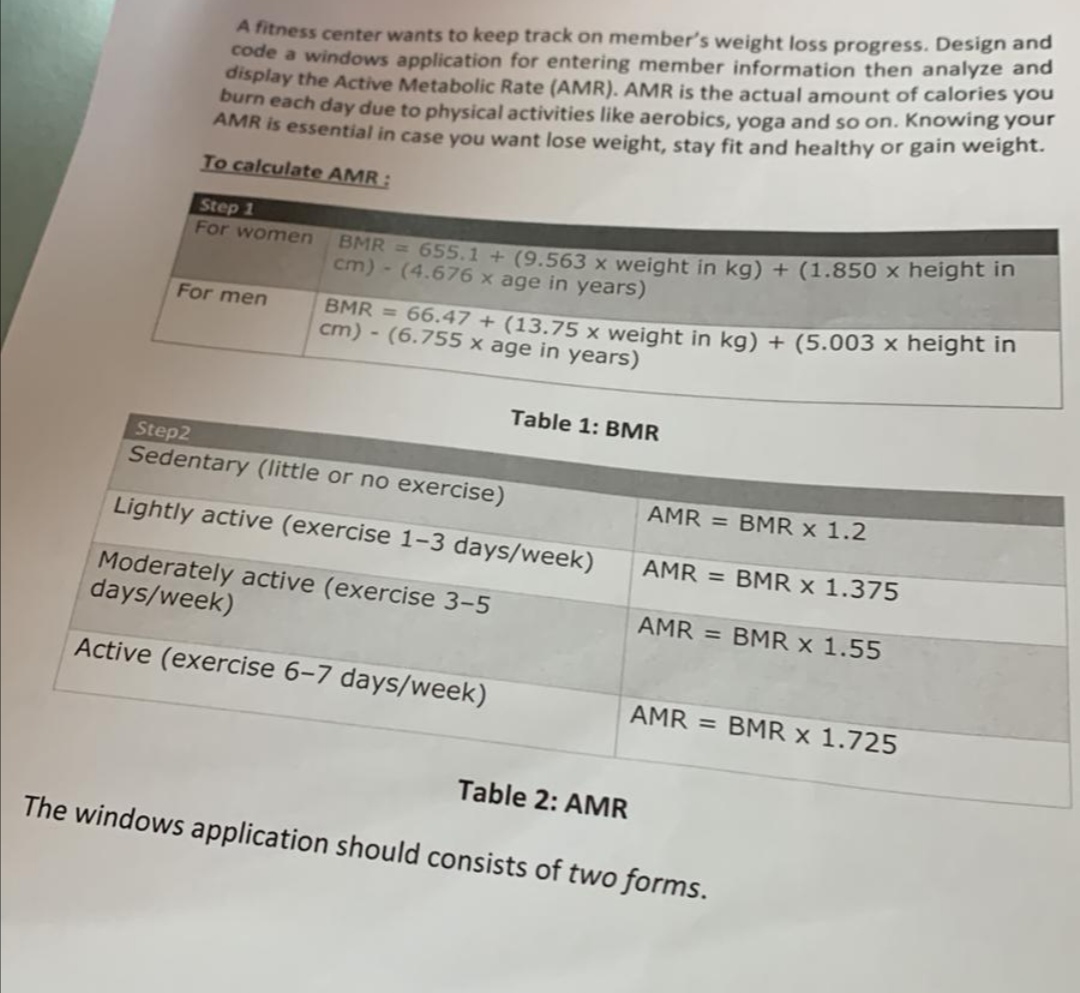
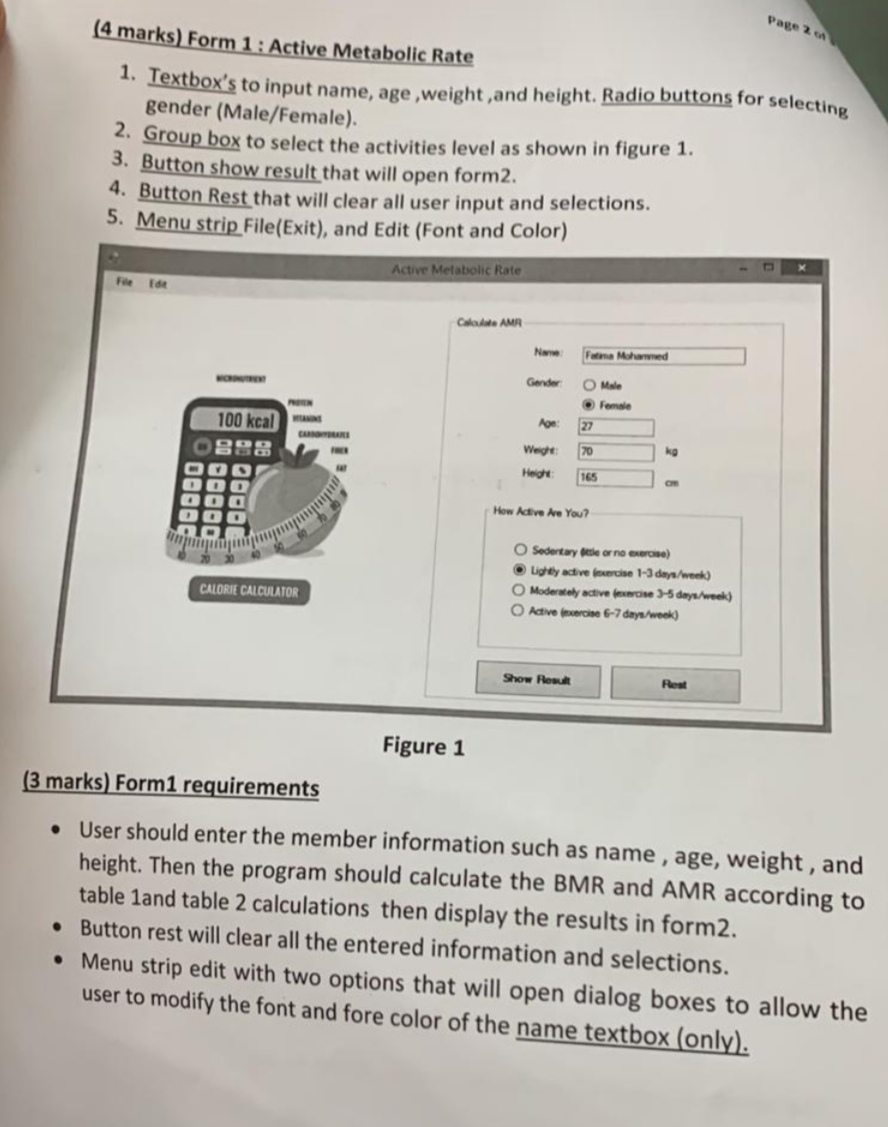
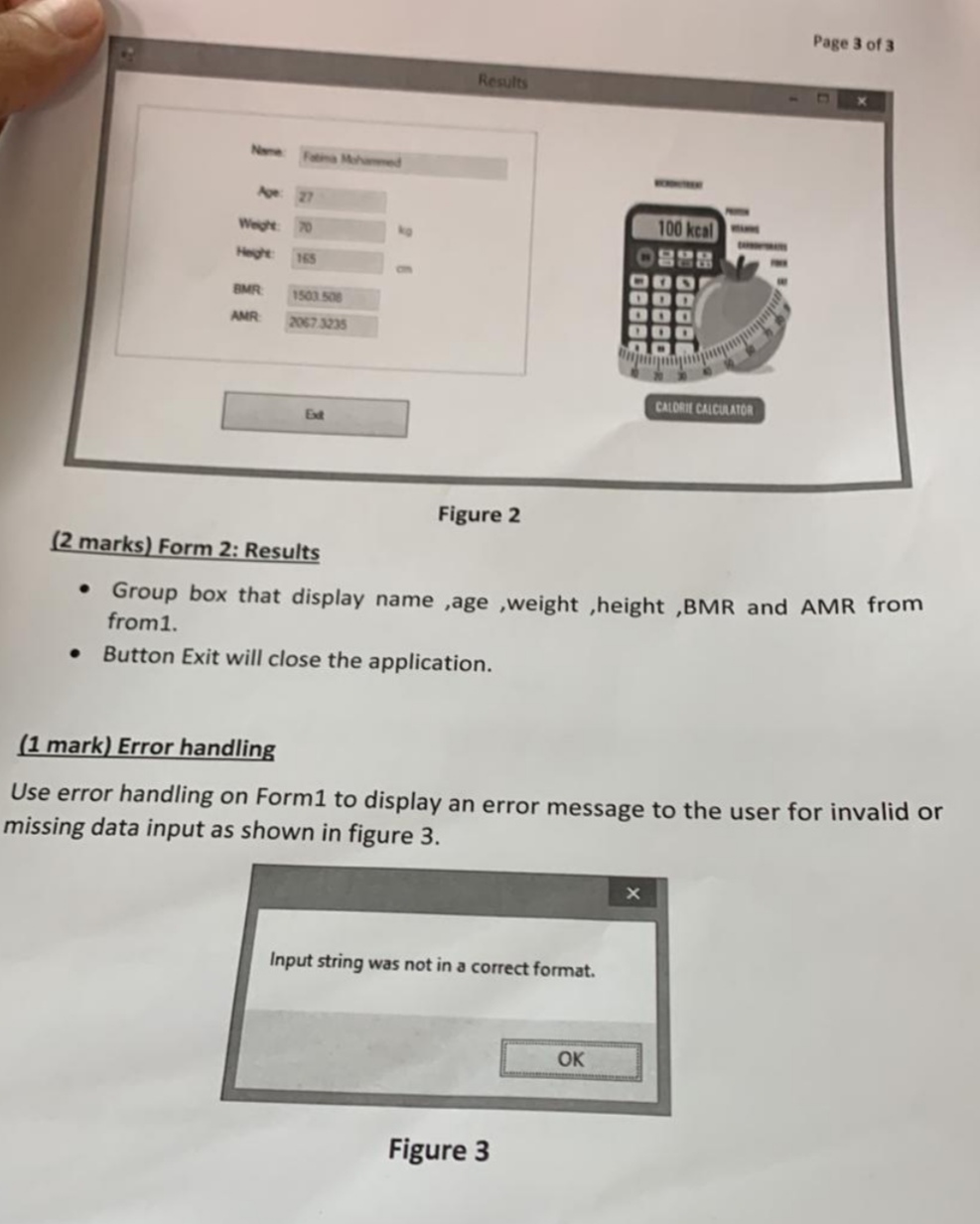
A fitness center wants to keep track on member's weight loss progress. Design and code a windows application for entering member information then analyze and display the Active Metabolic Rate (AMR). AMR is the actual amount of calories you burn each day due to physical activities like aerobics, yoga and so on. Knowing your AMR is essential in case you want lose weight, stay fit and healthy or gain weight. To calculate AMR : Table 2: AMR The windows application should consists of two forms. (4 marks) Form 1: Active Metabolic Rate 1. Textbox's to input name, age, weight, and height. Radio buttons for selecting gender (Male/Female). 2. Group box to select the activities level as shown in figure 1. 3. Button show result that will open form2. 4. Button Rest that will clear all user input and selections. 5. Menu strip File(Exit), and Edit (Font and Color) Figure 1 (3 marks) Form 1 requirements - User should enter the member information such as name, age, weight, and height. Then the program should calculate the BMR and AMR according to table 1and table 2 calculations then display the results in form 2. - Button rest will clear all the entered information and selections. - Menu strip edit with two options that will open dialog boxes to allow the user to modify the font and fore color of the name textbox (only). (2 marks) Form 2: Results - Group box that display name ,age ,weight ,height ,BMR and AMR from from 1 . - Button Exit will close the application. (1 mark) Error handling Use error handling on Form1 to display an error message to the user for invalid or missing data input as shown in figure 3. Input string was not in a correct format. Figure 3
Step by Step Solution
There are 3 Steps involved in it

Get step-by-step solutions from verified subject matter experts
 Study Help