







Question: Write the code using python and import pygame! template: http://programarcadegames.com/python_examples/f.php?file=pygame_base_template.py pygame template code: pygame basetemplate.py Use nested for loops to draw small green rectangles. Make
Write the code using python and import pygame!
template: http://programarcadegames.com/python_examples/f.php?file=pygame_base_template.py
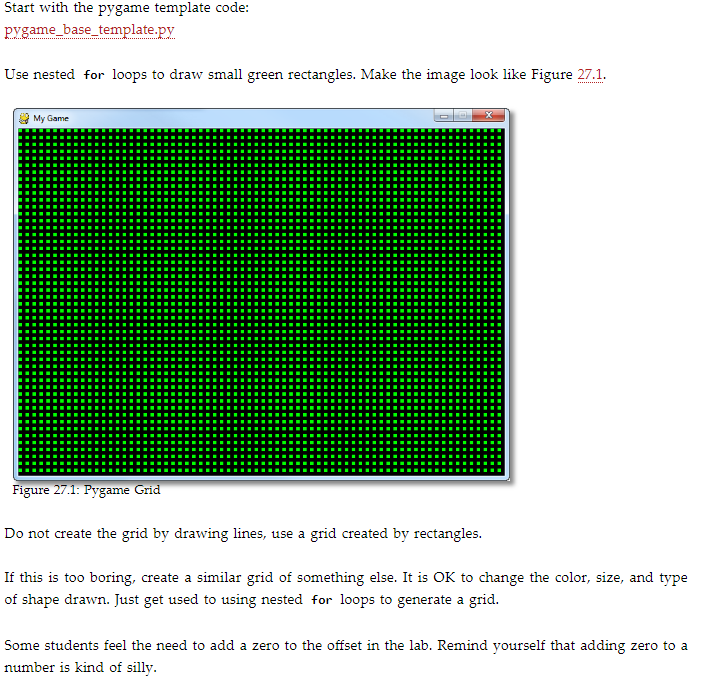
pygame template code: pygame basetemplate.py Use nested for loops to draw small green rectangles. Make the image look like Figure 27.1 My Game Figure 27.1: Pygame Grid Do not create the grid by drawing lines, use a grid created by rectangles. If this is too boring, create a similar grid of something else. It is OK to change the color, size, and type of shape drawn. Just get used to using nested for loops to generate a grid Some students feel the need to add a zero to the offset in the lab. Remind yourself that adding zero to a number is kind of silly. pygame template code: pygame basetemplate.py Use nested for loops to draw small green rectangles. Make the image look like Figure 27.1 My Game Figure 27.1: Pygame Grid Do not create the grid by drawing lines, use a grid created by rectangles. If this is too boring, create a similar grid of something else. It is OK to change the color, size, and type of shape drawn. Just get used to using nested for loops to generate a grid Some students feel the need to add a zero to the offset in the lab. Remind yourself that adding zero to a number is kind of silly
Step by Step Solution
There are 3 Steps involved in it

Get step-by-step solutions from verified subject matter experts
 Study Help