







Question: Write the Script in Python. courseCategories = [Mathematics,Computer Science,Business,Economics,Literature,Art,Music] Sample of the output. It should look same as the output. 'SR' - Sort a. b.
Write the Script in Python.
courseCategories = ["Mathematics","Computer Science","Business","Economics","Literature","Art","Music"]
![Write the Script in Python. courseCategories = ["Mathematics","Computer Science","Business","Economics","Literature","Art","Music"] Sample of the](https://dsd5zvtm8ll6.cloudfront.net/si.experts.images/questions/2024/09/66f07963aa6ed_74766f079631649e.jpg)
Sample of the output. It should look same as the output.
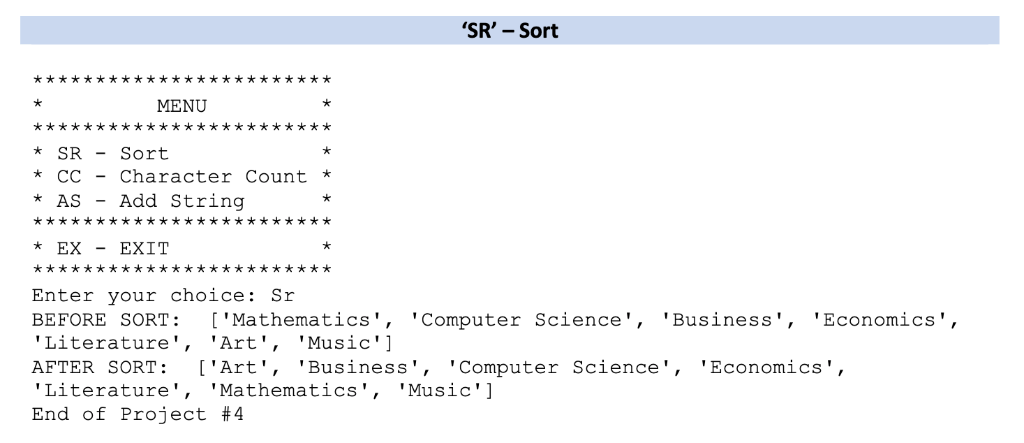
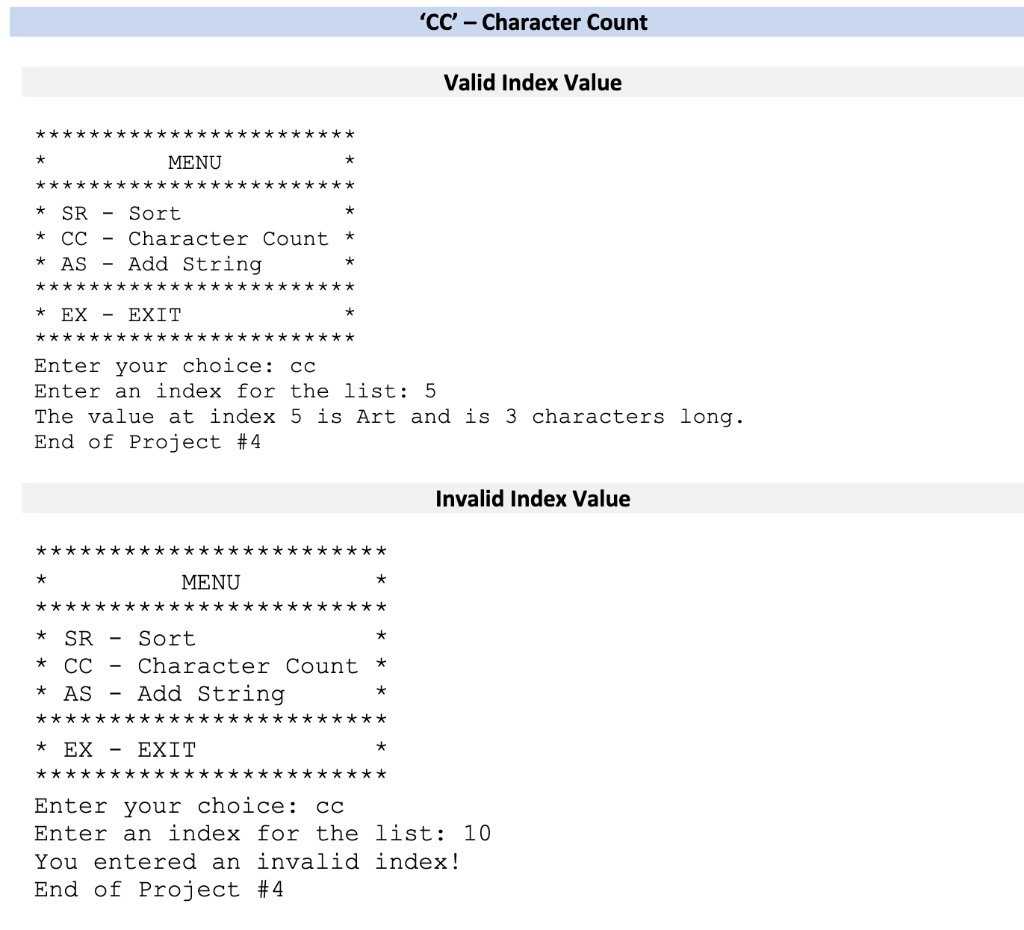
'SR' - Sort a. b. 1. This operation will display the list before being sorted Display the list to the user after being sorted 2. 'CC-Character Count This operation will prompt the user for an index as an integer that will be the location to reference in the list If the integer is less than 0 or greater than the last possible index in the list, display the following error message: a. b. i. "You entered an invalid index!" If the integer is a valid index value, display the value in the list at that index along with its associated length using the following message: c. i. "The value at index
Step by Step Solution
There are 3 Steps involved in it

Get step-by-step solutions from verified subject matter experts
 Study Help