







Question: write the testing of the program Screensnot Rate answer here. #Function to print torus sqaure in well f N CAWINDOWSisystem32cmd.exe Idef printArray (torusSquare): bisplay Torus
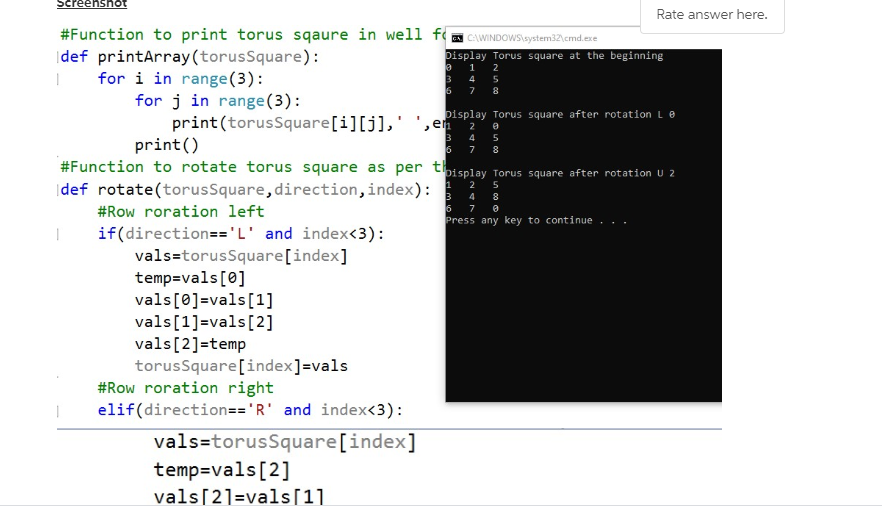
![in range(3): print(torusSquare[i][j],' print() pisplay Torus square after rotation Le #Function to](https://dsd5zvtm8ll6.cloudfront.net/si.experts.images/questions/2024/09/66f32881f105a_64966f328815d6c9.jpg)
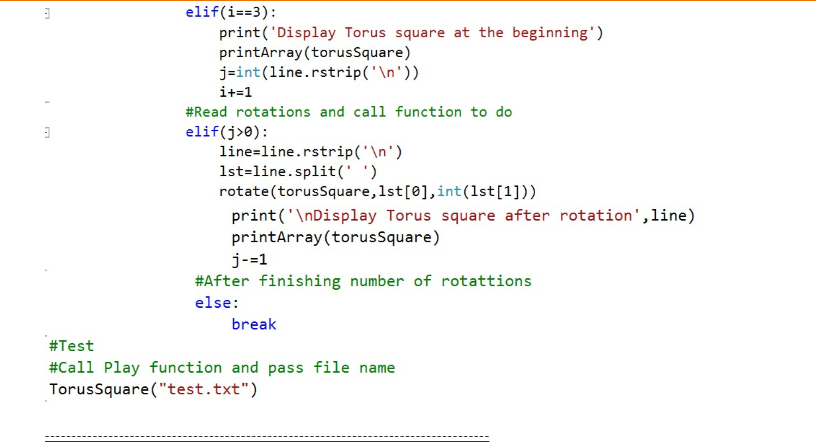
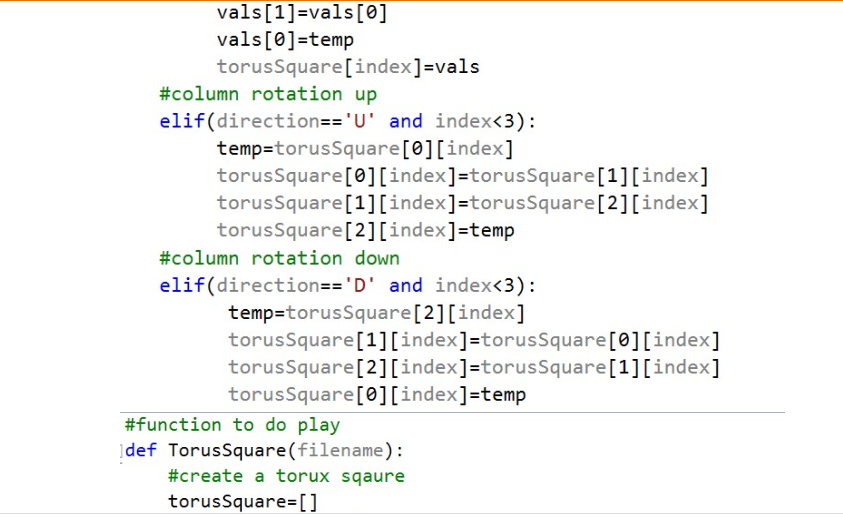
write the testing of the program Screensnot Rate answer here. #Function to print torus sqaure in well f N CAWINDOWSisystem32\cmd.exe Idef printArray (torusSquare): bisplay Torus square at the beginning for i in range(3): for j in range(3): print(torusSquare[i][j],' print() pisplay Torus square after rotation Le #Function to rotate torus square as per tisplay Torus square after rotation U 2 |def rotate(torusSquare, direction, index): 16 #Row roration left Press any key to continue if(direction=='L' and index3): vals=torusSquare[index] temp=vals[0] vals[0]=vals[1] vals[1]=vals[2] vals[2]=temp torusSquare[index]=vals #Row roration right elif(direction=='R' and index0): line=line.rstrip(' ') 1st=line.split(' ') rotate(torusSquare,lst[0],int(1st[1])) print(' Display Torus square after rotation',line) printArray (torusSquare) j-=1 #After finishing number of rotattions else: break #Test #Call Play function and pass file name TorusSquare("test.txt") write the testing of the program Screensnot Rate answer here. #Function to print torus sqaure in well f N CAWINDOWSisystem32\cmd.exe Idef printArray (torusSquare): bisplay Torus square at the beginning for i in range(3): for j in range(3): print(torusSquare[i][j],' print() pisplay Torus square after rotation Le #Function to rotate torus square as per tisplay Torus square after rotation U 2 |def rotate(torusSquare, direction, index): 16 #Row roration left Press any key to continue if(direction=='L' and index3): vals=torusSquare[index] temp=vals[0] vals[0]=vals[1] vals[1]=vals[2] vals[2]=temp torusSquare[index]=vals #Row roration right elif(direction=='R' and index0): line=line.rstrip(' ') 1st=line.split(' ') rotate(torusSquare,lst[0],int(1st[1])) print(' Display Torus square after rotation',line) printArray (torusSquare) j-=1 #After finishing number of rotattions else: break #Test #Call Play function and pass file name TorusSquare("test.txt")
Step by Step Solution
There are 3 Steps involved in it

Get step-by-step solutions from verified subject matter experts
 Study Help