Question: Yes I'm learning C Objectives: Build your own shell. Background: This project consists of modifying a C program which serves as a shell interface that
Yes I'm learning C
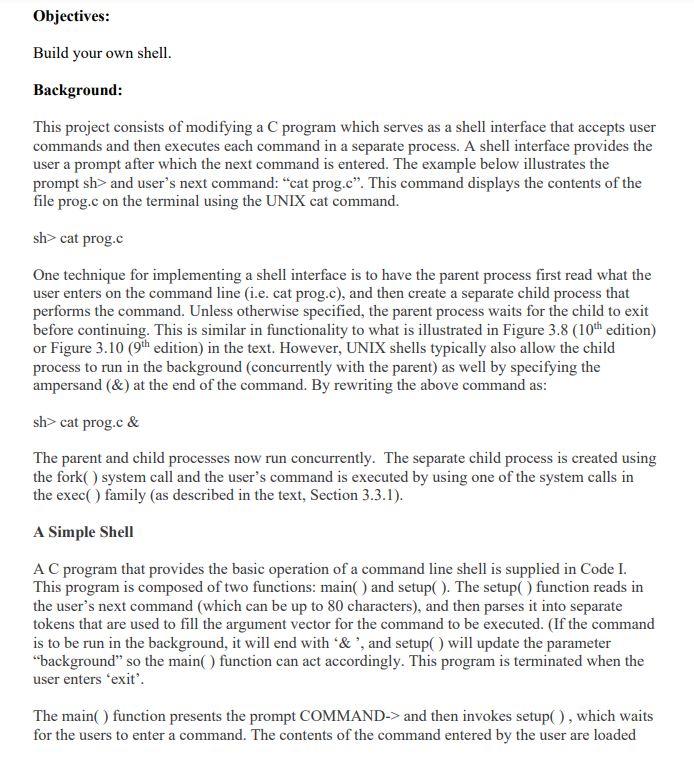
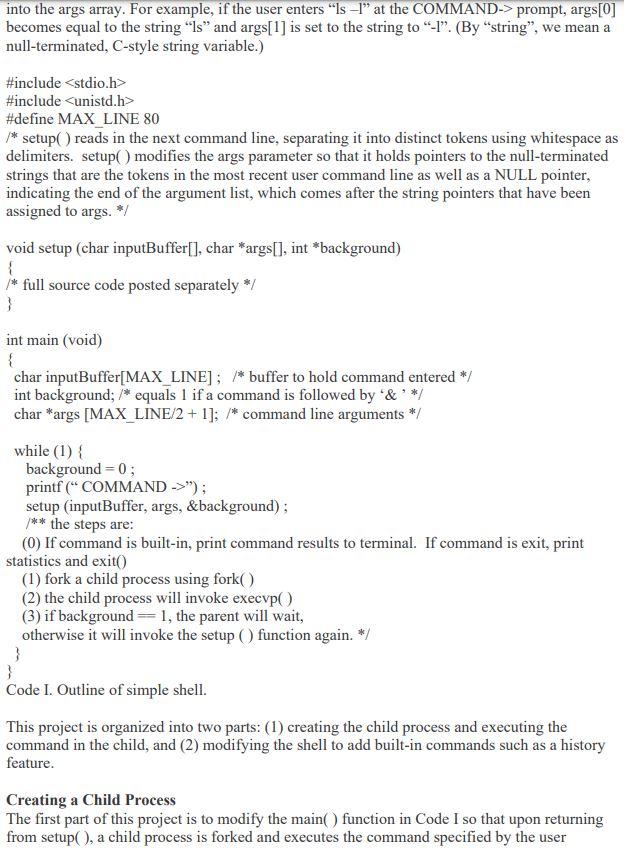
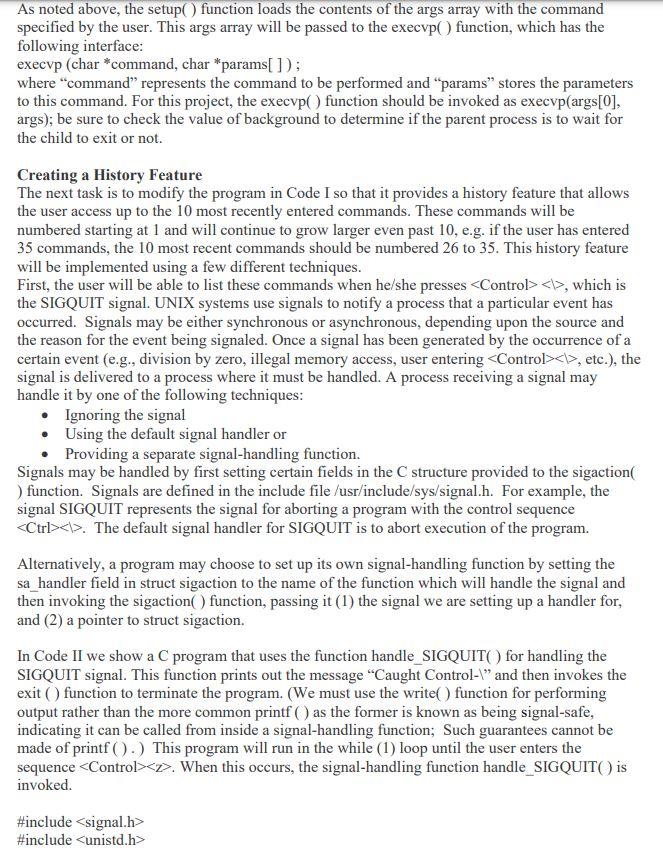
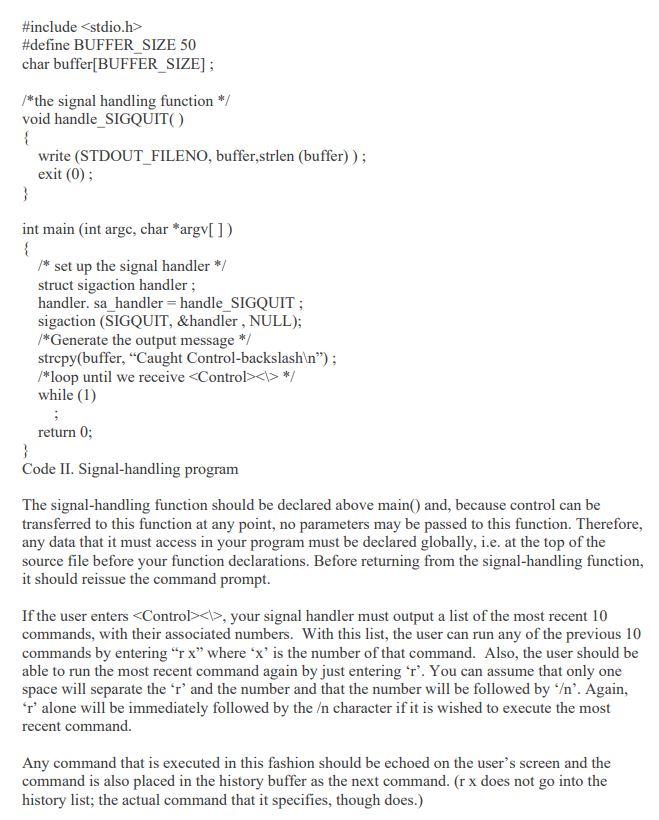
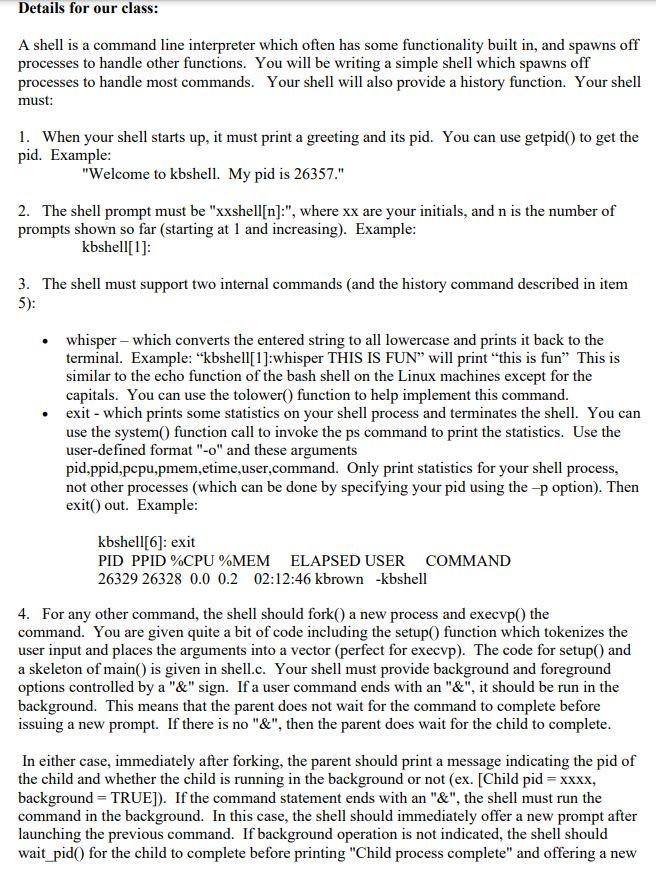
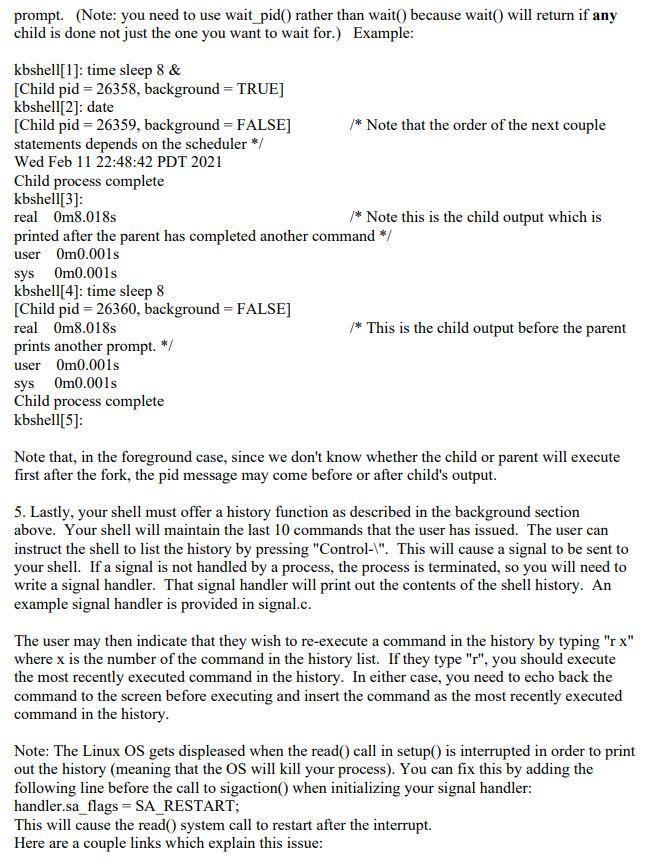
Objectives: Build your own shell. Background: This project consists of modifying a C program which serves as a shell interface that accepts user commands and then executes each command in a separate process. A shell interface provides the user a prompt after which the next command is entered. The example below illustrates the prompt sh> and user's next command: cat prog.c. This command displays the contents of the file prog.c on the terminal using the UNIX cat command. sh> cat prog.c One technique for implementing a shell interface is to have the parent process first read what the user enters on the command line (i.e. cat prog.c), and then create a separate child process that performs the command. Unless otherwise specified, the parent process waits for the child to exit before continuing. This is similar in functionality to what is illustrated in Figure 3.8 (10th edition) or Figure 3.10 (9th edition) in the text. However, UNIX shells typically also allow the child process to run in the background (concurrently with the parent) as well by specifying the ampersand (&) at the end of the command. By rewriting the above command as: sh> cat prog.c & The parent and child processes now run concurrently. The separate child process is created using the fork() system call and the user's command is executed by using one of the system calls in the exec() family (as described in the text, Section 3.3.1). A Simple Shell A C program that provides the basic operation of a command line shell is supplied in Code I. This program is composed of two functions: main() and setup(). The setup() function reads in the user's next command (which can be up to 80 characters), and then parses it into separate tokens that are used to fill the argument vector for the command to be executed. (If the command is to be run in the background, it will end with '&', and setup will update the parameter "background" so the main() function can act accordingly. This program is terminated when the user enters 'exit'. The main() function presents the prompt COMMAND-> and then invokes setup(), which waits for the users to enter a command. The contents of the command entered by the user are loaded into the args array. For example, if the user enters "ls -l" at the COMMAND-> prompt, args[0] becomes equal to the string "Is and args[1] is set to the string to "-1" (By "string", we mean a null-terminated, C-style string variable.) #include #include #define MAX_LINE 80 /* setup() reads in the next command line, separating it into distinct tokens using whitespace as delimiters, setup() modifies the args parameter so that it holds pointers to the null-terminated strings that are the tokens in the most recent user command line as well as a NULL pointer, indicating the end of the argument list, which comes after the string pointers that have been assigned to args. */ void setup (char inputBuffer[], char *args[], int *background) { /* full source code posted separately */ } int main (void) { char inputBuffer[MAX_LINE] ; /* buffer to hold command entered */ int background; /* equals 1 if a command is followed by '& '*/ char *args [MAX_LINE/2 + 1]; /* command line arguments */ while (1) { background=0; printf ("COMMAND ->"); setup (inputBuffer, args, &background); /** the steps are: (0) If command is built-in, print command results to terminal. If command is exit, print statistics and exito (1) fork a child process using fork() (2) the child process will invoke execvpO (3) if background=1, the parent will wait, otherwise it will invoke the setup() function again. */ } } Code I. Outline of simple shell. This project is organized into two parts: (1) creating the child process and executing the command in the child, and (2) modifying the shell to add built-in commands such as a history feature. Creating a Child Process The first part of this project is to modify the main() function in Code I so that upon returning from setup(), a child process is forked and executes the command specified by the user As noted above, the setup() function loads the contents of the args array with the command specified by the user. This args array will be passed to the execvp function, which has the following interface: execvp (char *command, char *params[]); where "command" represents the command to be performed and params" stores the parameters to this command. For this project, the execup() function should be invoked as execvp(args[0], args); be sure to check the value of background to determine if the parent process is to wait for the child to exit or not. Creating a History Feature The next task is to modify the program in Code I so that it provides a history feature that allows the user access up to the 10 most recently entered commands. These commands will be numbered starting at 1 and will continue to grow larger even past 10, e.g. if the user has entered 35 commands, the 10 most recent commands should be numbered 26 to 35. This history feature will be implemented using a few different techniques. First, the user will be able to list these commands when he/she presses , which is the SIGQUIT signal. UNIX systems use signals to notify a process that a particular event has occurred. Signals may be either synchronous or asynchronous, depending upon the source and the reason for the event being signaled. Once a signal has been generated by the occurrence of a certain event (e.g., division by zero, illegal memory access, user entering Control>, etc.), the signal is delivered to a process where it must be handled. A process receiving a signal may handle it by one of the following techniques: Ignoring the signal Using the default signal handler or Providing a separate signal-handling function. Signals may be handled by first setting certain fields in the structure provided to the sigaction ) function. Signals are defined in the include file /usr/include/sys/signal.h. For example, the signal SIGQUIT represents the signal for aborting a program with the control sequence . The default signal handler for SIGQUIT is to abort execution of the program. Alternatively, a program may choose to set up its own signal-handling function by setting the sa_handler field in struct sigaction to the name of the function which will handle the signal and then invoking the sigaction() function, passing it (1) the signal we are setting up a handler for, and (2) a pointer to struct sigaction. In Code II we show a C program that uses the function handle_SIGQUIT for handling the SIGQUIT signal. This function prints out the message "Caught Control-" and then invokes the exit() function to terminate the program. (We must use the write() function for performing output rather than the more common printf( as the former is known as being signal-safe, indicating it can be called from inside a signal-handling function; Such guarantees cannot be made of printf( ).) This program will run in the while (1) loop until the user enters the sequence #include #include #define BUFFER SIZE 50 char buffer[BUFFER_SIZE]: /*the signal handling function */ void handle_SIGQUITO { write (STDOUT_FILENO, buffer,strlen (buffer)); exit(0); } int main (int arge, char *argv[]) { /* set up the signal handler */ struct sigaction handler ; handler.sa_handler = handle_SIGQUIT ; sigaction (SIGQUIT, &handler , NULL); /*Generate the output message */ strcpy(buffer, Caught Control-backslash "); /*loop until we receive */ while (1) return 0; } Code II. Signal-handling program The signal-handling function should be declared above main() and, because control can be transferred to this function at any point, no parameters may be passed to this function. Therefore, any data that it must access in your program must be declared globally, i.e. at the top of the source file before your function declarations. Before returning from the signal-handling function, it should reissue the command prompt. If the user enters , your signal handler must output a list of the most recent 10 commands, with their associated numbers. With this list, the user can run any of the previous 10 commands by entering r x" where 'x' is the number of that command. Also, the user should be able to run the most recent command again by just entering 'r'. You can assume that only one space will separate the 'r' and the number and that the number will be followed by '. Again, r' alone will be immediately followed by the character if it is wished to execute the most recent command Any command that is executed in this fashion should be echoed on the user's screen and the command is also placed in the history buffer as the next command. (r x does not go into the history list; the actual command that it specifies, though does.) Details for our class: A shell is a command line interpreter which often has some functionality built in, and spawns off processes to handle other functions. You will be writing a simple shell which spawns off processes to handle most commands. Your shell will also provide a history function. Your shell must: 1. When your shell starts up, it must print a greeting and its pid. You can use getpid() to get the pid. Example: "Welcome to kbshell. My pid is 26357." 2. The shell prompt must be "xxshell[n]:", where xx are your initials, and n is the number of prompts shown so far (starting at 1 and increasing). Example: kbshell[1]: 3. The shell must support two internal commands (and the history command described in item 5): whisper - which converts the entered string to all lowercase and prints it back to the terminal. Example: "kbshell[1]:whisper THIS IS FUN will print this is fun This is similar to the echo function of the bash shell on the Linux machines except for the capitals. You can use the tolower() function to help implement this command. exit - which prints some statistics on your shell process and terminates the shell. You can use the system() function call to invoke the ps command to print the statistics. Use the user-defined format"-o" and these arguments pid,ppid,pcpu,pmem,etime,user,command. Only print statistics for your shell process, not other processes (which can be done by specifying your pid using the -p option). Then exit() out. Example: kbshell[6]: exit PID PPID%CPU%MEM ELAPSED USER COMMAND 26329 26328 0.0 0.2 02:12:46 kbrown -kbshell 4. For any other command, the shell should fork() a new process and execvp() the command. You are given quite a bit of code including the setup() function which tokenizes the user input and places the arguments into a vector (perfect for execvp). The code for setup() and a skeleton of main() is given in shell.c. Your shell must provide background and foreground options controlled by a "&" sign. If a user command ends with an "&", it should be run in the background. This means that the parent does not wait for the command to complete before issuing a new prompt. If there is no "&", then the parent does wait for the child to complete. In either case, immediately after forking, the parent should print a message indicating the pid of the child and whether the child is running in the background or not (ex. (Child pid = xxxx, background = TRUE]). If the command statement ends with an "&", the shell must run the command in the background. In this case, the shell should immediately offer a new prompt after launching the previous command. If background operation is not indicated, the shell should wait_pid() for the child to complete before printing "Child process complete" and offering a new prompt. (Note: you need to use wait_pid() rather than wait() because wait() will return if any child is done not just the one you want to wait for.) Example: kbshell[1]: time sleep 8 & [Child pid=26358, background = TRUE] kbshell[2]: date [Child pid=26359, background = FALSE] /* Note that the order of the next couple statements depends on the scheduler */ Wed Feb 11 22:48:42 PDT 2021 Child process complete kbshell[3]: real Om8.018 /* Note this is the child output which is printed after the parent has completed another command */ user Om0.001s sys Om0.001s kbshell[4]: time sleep 8 [Child pid = 26360, background = FALSE] real Om8.018 /* This is the child output before the parent prints another prompt. */ user Om0.001s sys Om0.001s Child process complete kbshell[5]: Note that, in the foreground case, since we don't know whether the child or parent will execute first after the fork, the pid message may come before or after child's output. 5. Lastly, your shell must offer a history function as described in the background section above. Your shell will maintain the last 10 commands that the user has issued. The user can instruct the shell to list the history by pressing "Control-1". This will cause a signal to be sent to your shell. If a signal is not handled by a process, the process is terminated, so you will need to write a signal handler. That signal handler will print out the contents of the shell history. An example signal handler is provided in signal.c. The user may then indicate that they wish to re-execute a command in the history by typing "rx" where x is the number of the command in the history list. If they type "r", you should execute the most recently executed command in the history. In either case, you need to echo back the command to the screen before executing and insert the command as the most recently executed command in the history. Note: The Linux OS gets displeased when the read() call in setup() is interrupted in order to print out the history (meaning that the OS will kill your process). You can fix this by adding the following line before the call to sigaction() when initializing your signal handler: handler.sa_flags = SA RESTART; This will cause the read() system call to restart after the interrupt. Here are a couple links which explain this issue









 Study Help