







Question: YO 2 2 _ Excel _ Ch 0 5 _ Assessment _ Music _ Lessons Project Description: A local music studio, Fiddlers, has a large
YOExcelChAssessmentMusicLessons
Project Description:
A local music studio, Fiddlers, has a large number of clients who take lessons on a regular basis. Additionally, some students are members of Fiddlers' competition band, which travels throughout the country and competes with some of the best musicians in the world. The owners need to be able to calculate the revenue generated through lessons and specific students. Additionally, they need to be able to calculate how much each member of the competition band will have to pay toward the next trip. The owners also need to be able to keep track of the cost of competition band uniforms, permission slips, and attendees. You have been asked to help construct a workbook that the owners can use to help manage their data.
Steps to Perform:
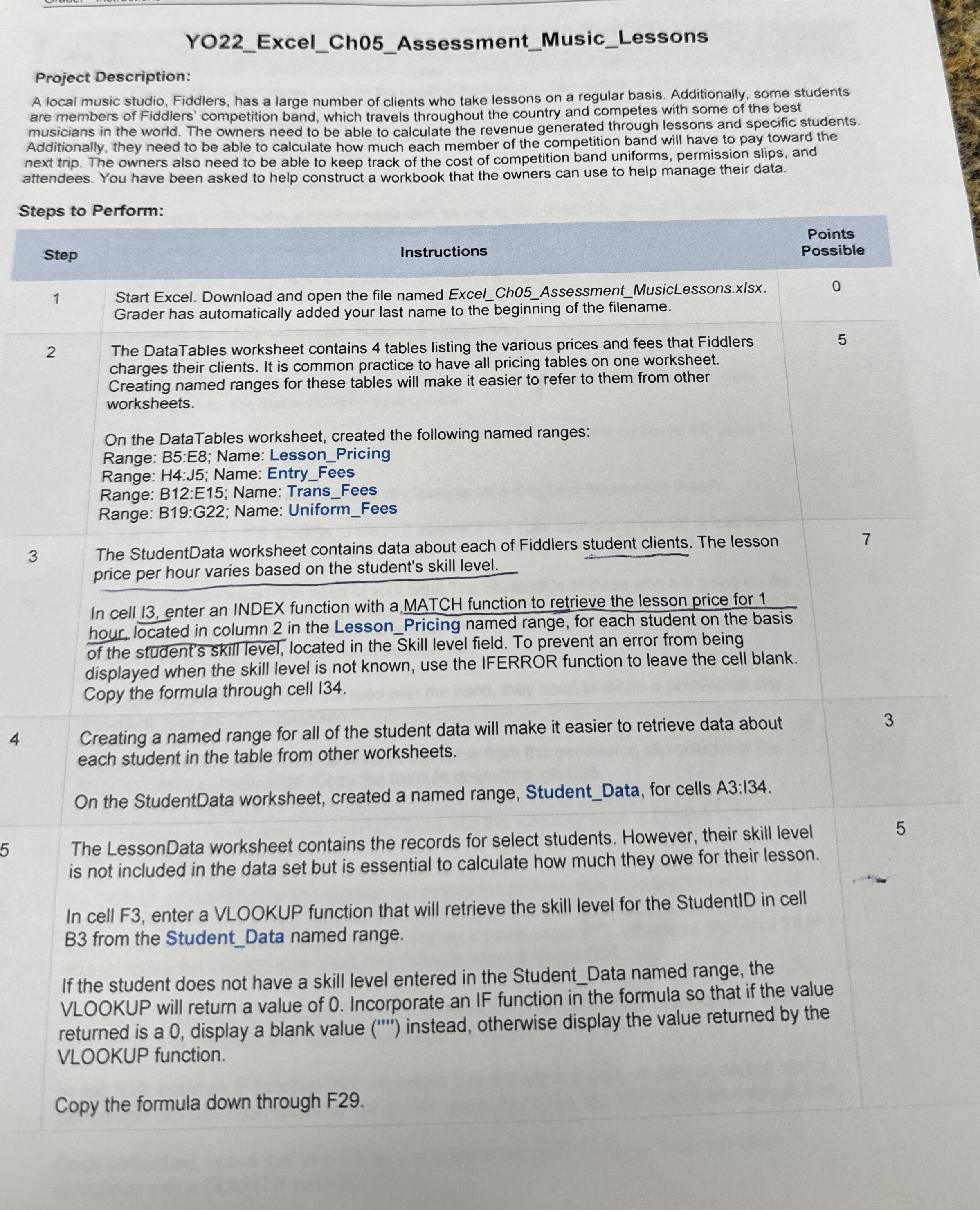
tableStepInstructions,tablePointsPossibletableStart Excel. Download and open the file named ExcelChAssessmentMusicLessons.xlsxGrader has automatically added your last name to the beginning of the filename.tableThe DataTables worksheet contains tables listing the various prices and fees that Fiddlerscharges their clients. It is common practice to have all pricing tables on one worksheet.Creating named ranges for these tables will make it easier to refer to them from otherworksheetsOn the DataTables worksheet, created the following named ranges:Range: B:E; Name: LessonPricingRange: H:J; Name: EntryFeesRange: B:E; Name: TransFeesRange: B:G; Name: UniformFeestableThe StudentData worksheet contains data about each of Fiddlers student clients. The lessonprice per hour varies based on the student's skill level.
In cell enter an INDEX function with aMATCH function to retrieve the lesson price for hour, located in column in the LessonPricing named range, for each student on the basis of the student's skill level, located in the Skill level field. To prevent an error from being displayed when the skill level is not known, use the IFERROR function to leave the cell blank. Copy the formula through cell
Creating a named range for all of the student data will make it easier to retrieve data about
each student in the table from other worksheets.
On the StudentData worksheet, created a named range, StudentData, for cells A:I
The LessonData worksheet contains the records for select students. However, their skill level
is not included in the data set but is essential to calculate how much they owe for their lesson.
In cell F enter a VLOOKUP function that will retrieve the skill level for the StudentID in cell B from the StudentData named range.
If the student does not have a skill level entered in the StudentData named range, the VLOOKUP will return a value of Incorporate an IF function in the formula so that if the value returned is a display a blank value I instead, otherwise display the value returned by the VLOOKUP function.
Copy the formula down through F
Step by Step Solution
There are 3 Steps involved in it
1 Expert Approved Answer
Step: 1 Unlock

Question Has Been Solved by an Expert!
Get step-by-step solutions from verified subject matter experts
Step: 2 Unlock
Step: 3 Unlock
 Study Help