







Question: You, as a network admin, are going to set up your Ubuntu VM as a gateway to provide Internet access to another client Ubuntu
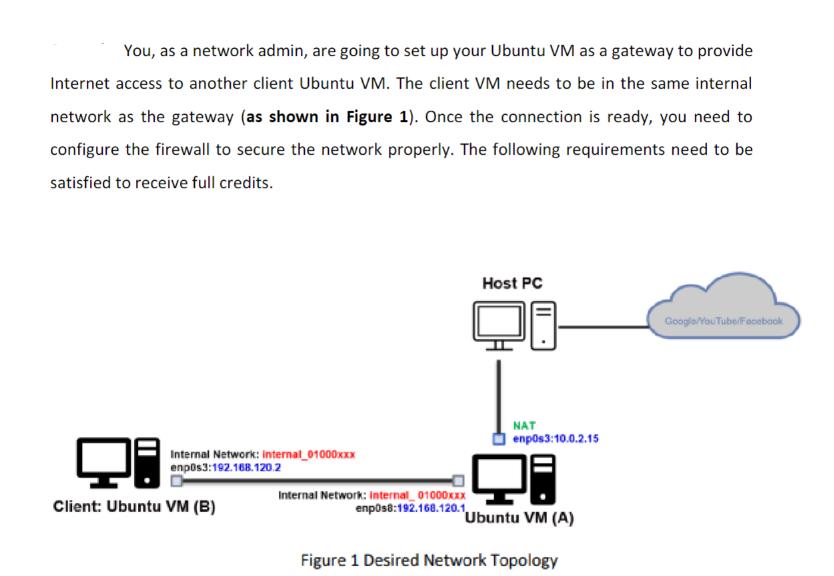
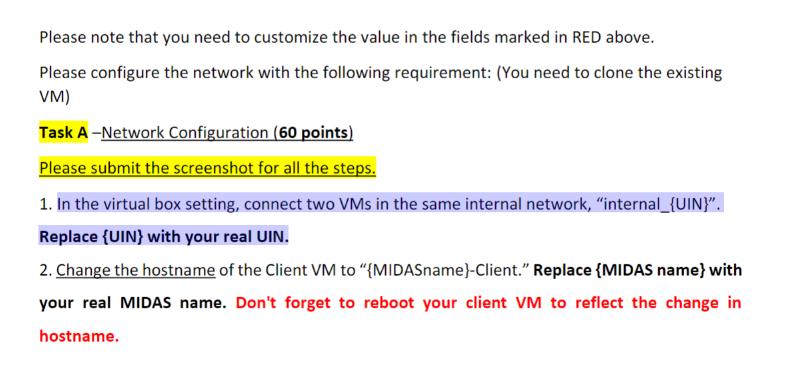
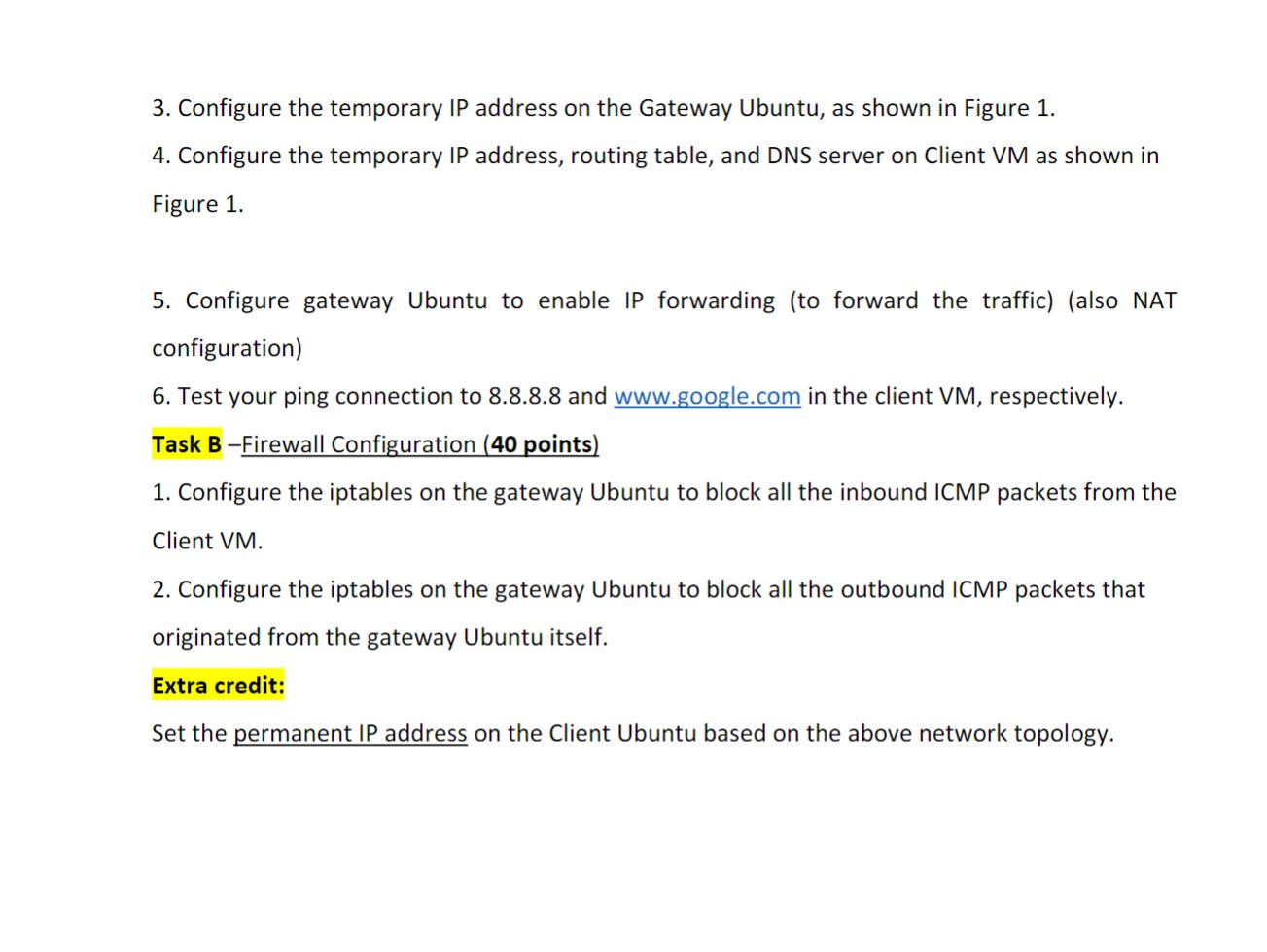
You, as a network admin, are going to set up your Ubuntu VM as a gateway to provide Internet access to another client Ubuntu VM. The client VM needs to be in the same internal network as the gateway (as shown in Figure 1). Once the connection is ready, you need to configure the firewall to secure the network properly. The following requirements need to be satisfied to receive full credits. Internal Network: Internal_01000xxx enpos3:192.168.120.2 Client: Ubuntu VM (B) Internal Network: Internal_01000xxx enp0s8:192.168.120.1, Host PC NAT enp0s3:10.0.2.15 Ubuntu VM (A) Figure 1 Desired Network Topology Google/YouTube Facebook Please note that you need to customize the value in the fields marked in RED above. Please configure the network with the following requirement: (You need to clone the existing VM) Task A-Network Configuration (60 points) Please submit the screenshot for all the steps. 1. In the virtual box setting, connect two VMs in the same internal network, "internal_{UIN}". Replace (UIN) with your real UIN. 2. Change the hostname of the Client VM to "{MIDASname}-Client." Replace {MIDAS name} with your real MIDAS name. Don't forget to reboot your client VM to reflect the change in hostname. 3. Configure the temporary IP address on the Gateway Ubuntu, as shown in Figure 1. 4. Configure the temporary IP address, routing table, and DNS server on Client VM as shown in Figure 1. 5. Configure gateway Ubuntu to enable IP forwarding (to forward the traffic) (also NAT configuration) 6. Test your ping connection to 8.8.8.8 and www.google.com in the client VM, respectively. Task B -Firewall Configuration (40 points) 1. Configure the iptables on the gateway Ubuntu to block all the inbound ICMP packets from the Client VM. 2. Configure the iptables on the gateway Ubuntu to block all the outbound ICMP packets that originated from the gateway Ubuntu itself. Extra credit: Set the permanent IP address on the Client Ubuntu based on the above network topology.
Step by Step Solution
3.34 Rating (163 Votes )
There are 3 Steps involved in it
Answer Flush existing rules sudo iptables F sudo iptables t nat F Default policies sudo ip... View full answer

Get step-by-step solutions from verified subject matter experts
 Study Help