







Question: You can use the code for the App.java program that has been uploaded as a starting point to save time on developing the GUI. Please
You can use the code for the App.java program that has been uploaded as a starting point to save time on developing the GUI. Please watch the video available on the Canvas assignment link that demonstrates the completed program and the layout of the GUI.
This program will practice with queues to manage waiting lists for two seminars.
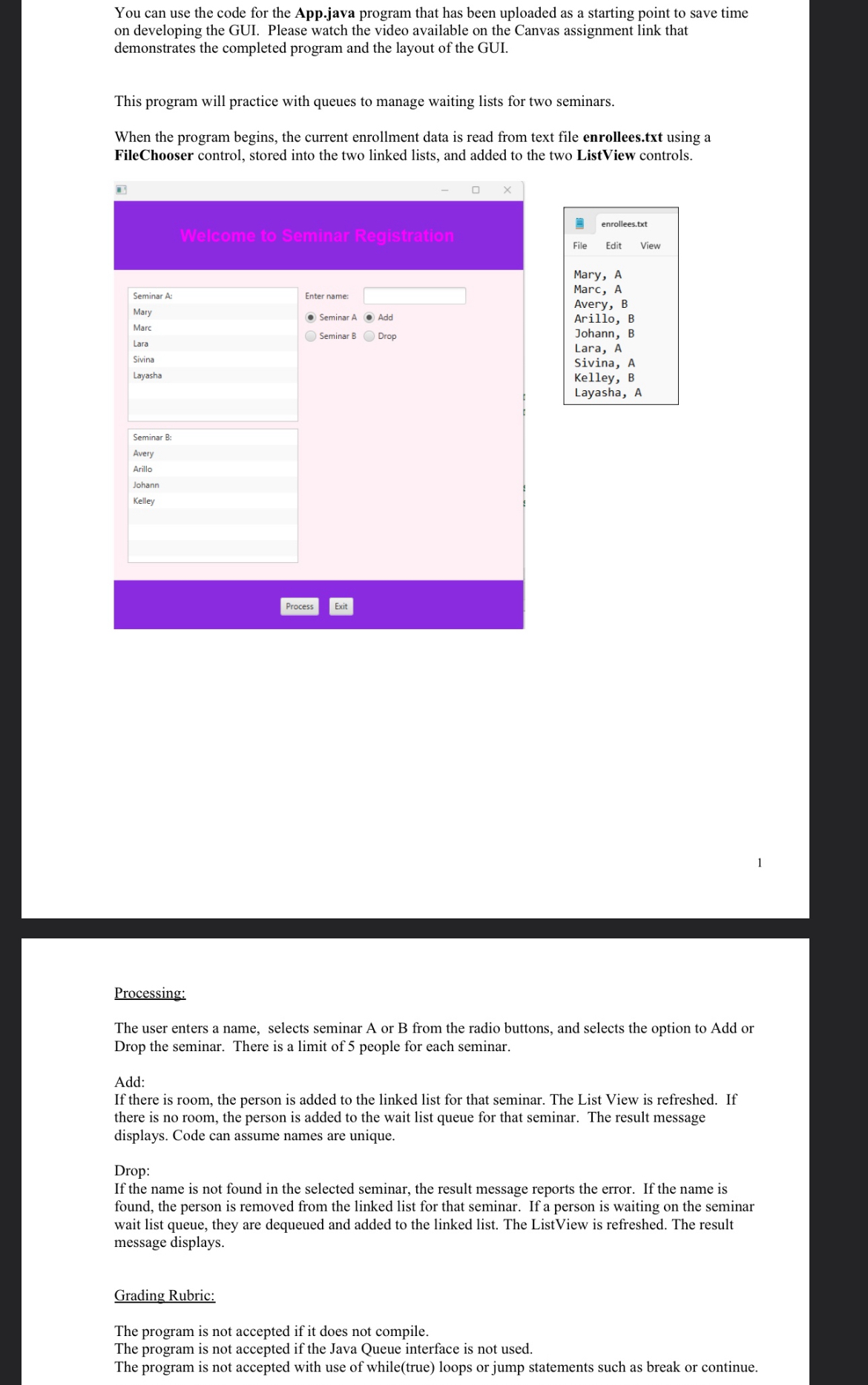
When the program begins, the current enrollment data is read from text file enrollees.txt using a FileChooser control, stored into the two linked lists, and added to the two ListView controls.
tableenrolleestxtFile Edit ViewMary AMarc AAvery BArillo BJohann BLara ASivina AKelley BLayasha A
Process
Exit
Processing:
The user enters a name, selects seminar A or B from the radio buttons, and selects the option to Add or Drop the seminar. There is a limit of people for each seminar.
Add:
If there is room, the person is added to the linked list for that seminar. The List View is refreshed. If there is no room, the person is added to the wait list queue for that seminar. The result message displays. Code can assume names are unique.
Drop:
If the name is not found in the selected seminar, the result message reports the error. If the name is found, the person is removed from the linked list for that seminar. If a person is waiting on the seminar wait list queue, they are dequeued and added to the linked list. The ListView is refreshed. The result message displays.
Grading Rubric:
The program is not accepted if it does not compile.
The program is not accepted if the Java Queue interface is not used.
The program is not accepted with use of whiletrue loops or jump statements such as break or continue.
Step by Step Solution
There are 3 Steps involved in it
1 Expert Approved Answer
Step: 1 Unlock

Question Has Been Solved by an Expert!
Get step-by-step solutions from verified subject matter experts
Step: 2 Unlock
Step: 3 Unlock
 Study Help