







Question: You can use the code for the BorderPane program available in the weekly resources. However, you need to edit the content to use your own
You can use the code for the BorderPane program available in the weekly resources. However, you need to edit the content to use your own colors and fonts for a unique look versus using all the same settings as done in the example. You can select whatever inner pane types you wish.
Initial Form:
A BorderPane is established.
Top Pane:
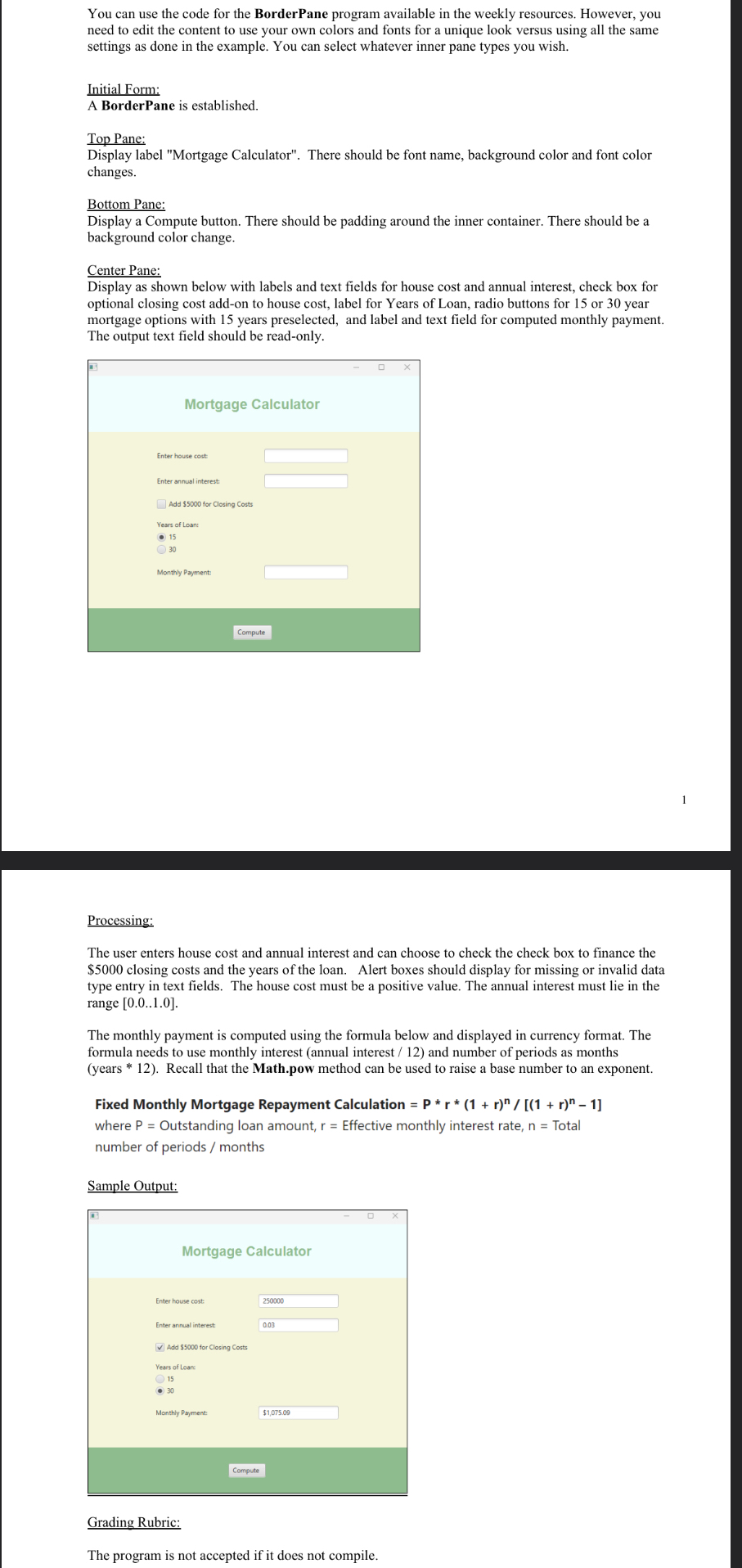
Display label "Mortgage Calculator". There should be font name, background color and font color changes.
Bottom Pane:
Display a Compute button. There should be padding around the inner container. There should be a background color change.
Center Pane:
Display as shown below with labels and text fields for house cost and annual interest, check box for optional closing cost addon to house cost, label for Years of Loan, radio buttons for or year mortgage options with years preselected, and label and text field for computed monthly payment. The output text field should be readonly.
Processing:
The user enters house cost and annual interest and can choose to check the check box to finance the $ closing costs and the years of the loan. Alert boxes should display for missing or invalid data type entry in text fields. The house cost must be a positive value. The annual interest must lie in the range
The monthly payment is computed using the formula below and displayed in currency format. The formula needs to use monthly interest annual interest and number of periods as months years Recall that the Math.pow method can be used to raise a base number to an exponent.
Fixed Monthly Mortgage Repayment Calculation where Outstanding loan amount, Effective monthly interest rate, Total number of periods months
Sample Output:
Grading Rubric:
The program is not accepted if it does not compile.
Step by Step Solution
There are 3 Steps involved in it
1 Expert Approved Answer
Step: 1 Unlock

Question Has Been Solved by an Expert!
Get step-by-step solutions from verified subject matter experts
Step: 2 Unlock
Step: 3 Unlock
 Study Help