







Question: You will need to open the PhET Simulation Forces and Motion, Basics at the link below:. https://phet.colorado.edu/sims/html/forces-and-motion-basics/latest/forces-and-motion-basics_en.html Navigate to the 4 th window labeled Acceleration
You will need to open the PhET Simulation Forces and Motion, Basics at the link below:.
https://phet.colorado.edu/sims/html/forces-and-motion-basics/latest/forces-and-motion-basics_en.html
Navigate to the 4th window labeled Accelerationand click on it twice to open it. Once you are in the simulation, apply the following settings:
- Leave Friction setting at the default position.
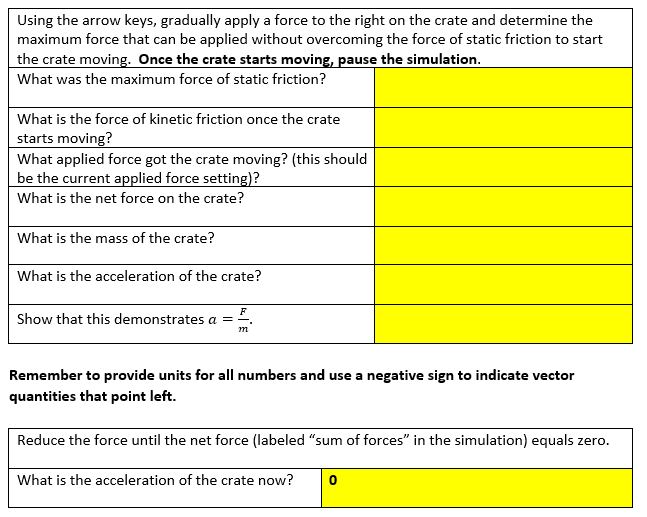
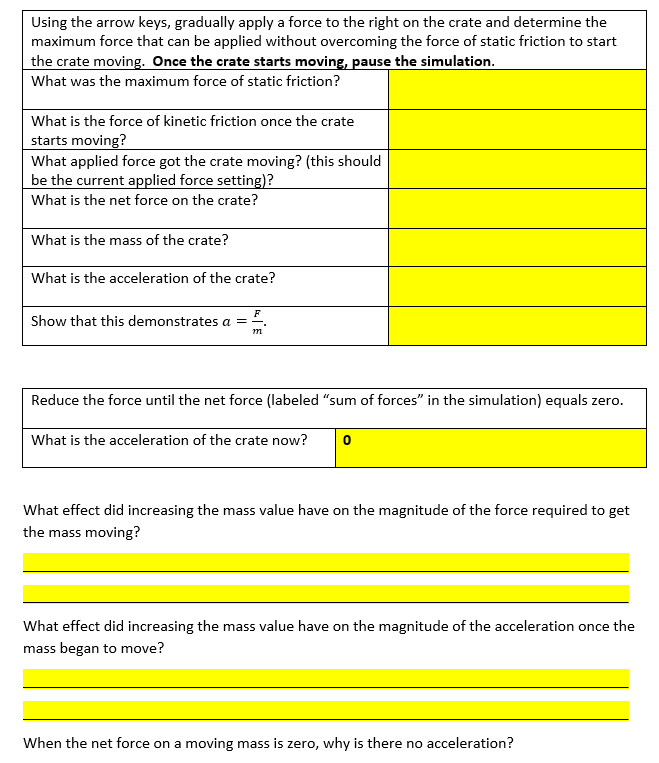
Using the arrow keys, gradually apply a force to the right on the crate and determine the maximum force that can be applied without overcoming the force of static friction to start the crate moving. Once the crate starts moving, pause the simulation. What was the maximum force of static friction? What is the force of kinetic friction once the crate starts moving? What applied force got the crate moving? (this should be the current applied force setting)? What is the net force on the crate? What is the mass of the crate? What is the acceleration of the crate? Show that this demonstrates a = F m Remember to provide units for all numbers and use a negative sign to indicate vector quantities that point left. Reduce the force until the net force (labeled "sum of forces" in the simulation) equals zero. What is the acceleration of the crate now?
Step by Step Solution
There are 3 Steps involved in it

Get step-by-step solutions from verified subject matter experts
 Study Help