







Question: You will write Java programs in Eclipse to solve 2 word problems Read these instructions on how to name and submit the Java files. Please
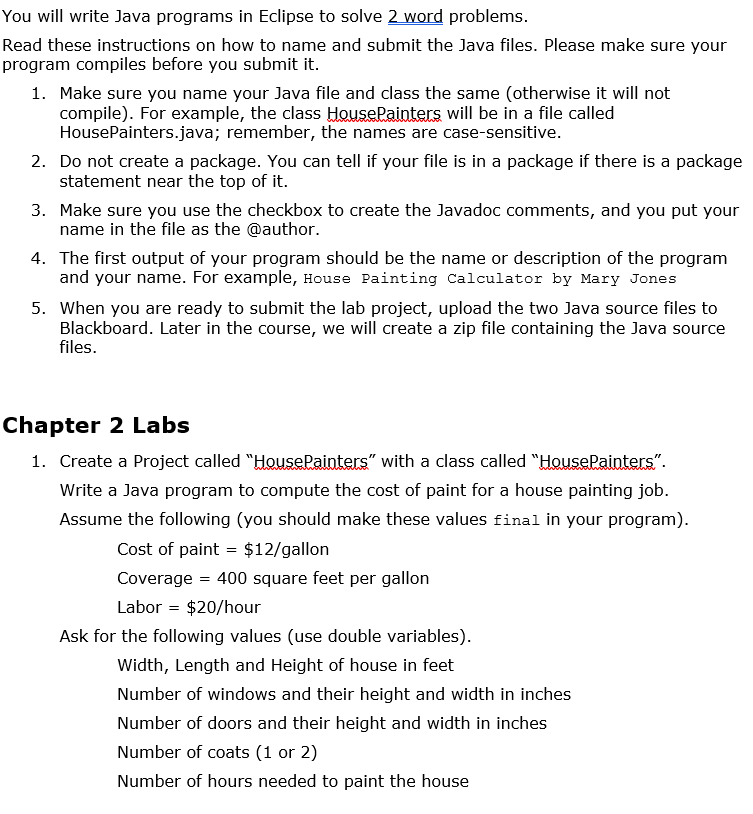
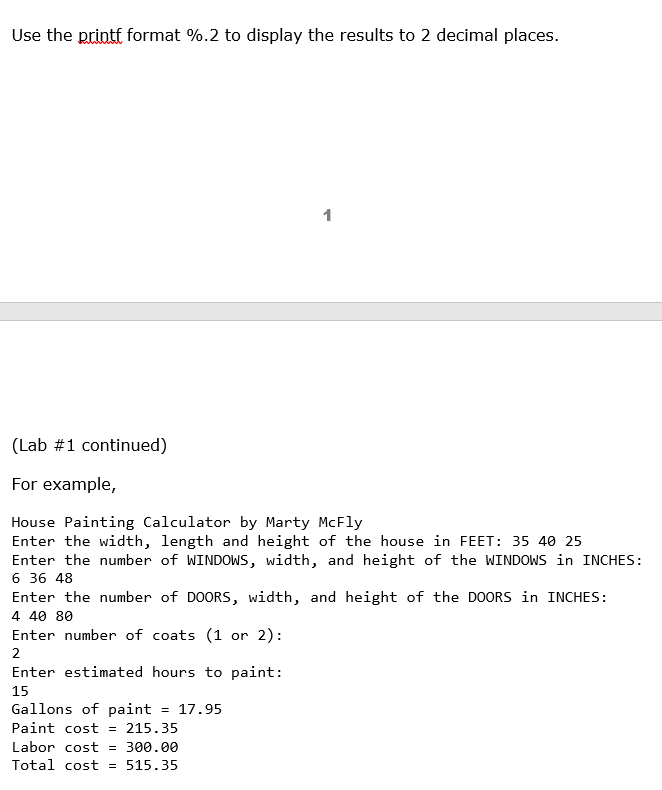
You will write Java programs in Eclipse to solve 2 word problems Read these instructions on how to name and submit the Java files. Please make sure your program compiles before you submit it 1. Make sure you name your Java file and class the same (otherwise it will not compile). For example, the class HousePainters will be in a file called 2. Do not create a package. You can tell if your file is in a package if there is a package 3. Make sure you use the checkbox to create the Javadoc comments, and you put your 4. The first output of your program should be the name or description of the program 5. When you are ready to submit the lab project, upload the two Java source files to HousePainters.java; remember, the names are case-sensitive. statement near the top of it. name in the file as the @author. and your name. For example, House Painting calculator by Mary Jones Blackboard. Later in the course, we will create a zip file containing the Java source files Chapter 2 Labs 1. Create a Project called "HousePainters" with a class called "HousePainters" Write a Java program to compute the cost of paint for a house painting job. Assume the following (you should make these values final in your program) Cost of paint- $12/gallon Coverage-400 square feet per gallon Labor $20/hour Ask for the following values (use double variables) Width, Length and Height of house in feet Number of windows and their height and width in inches Number of doors and their height and width in inches Number of coats (1 or 2) Number of hours needed to paint the house
Step by Step Solution
There are 3 Steps involved in it

Get step-by-step solutions from verified subject matter experts
 Study Help