







Question: You will write Java programs in Eclipse to solve these word problems Read these instructions on how to name and submit the Java files. Please
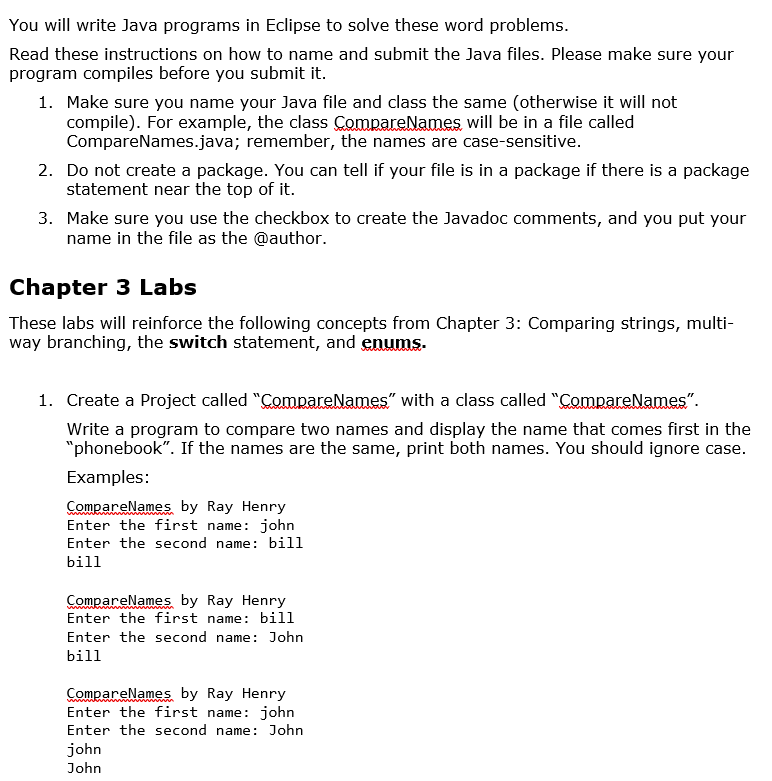
You will write Java programs in Eclipse to solve these word problems Read these instructions on how to name and submit the Java files. Please make sure your program compiles before you submit it. 1. Make sure you name your Java file and class the same (otherwise it will not compile). For example, the class ompareNames WIll be in a Tile called CompareNames.java; remember, the names are case-sensitive statement near the top of it. name in the file as the @author. 2. Do not create a package. You can tell if your file is in a package if there is a package 3. Make sure you use the checkbox to create the Javadoc comments, and you put your Chapter 3 Labs These labs will reinforce the following concepts from Chapter 3: Comparing strings, multi- way branching, the switch statement, and enums 1. Create a Project called "ComnareNames" with a class called "CompareNames". Write a program to compare two names and display the name that comes first in the phonebook". If the names are the same, print both names. You should ignore case. Examples: CompareNames by Ray Henry Enter the first name: john Enter the second name: bill bill ompareName by Ray Henry Enter the first name: bil1 Enter the second name: John bill ompareName by Ray Henry Enter the Tirst name: John Enter the second name: John john John
Step by Step Solution
There are 3 Steps involved in it

Get step-by-step solutions from verified subject matter experts
 Study Help