







Question: Your script must accept 3 command-line arguments provided when the script is run: Argument 1 - the local source directory containing the files to be
Your script must accept 3 command-line arguments provided when the script is run:
Argument 1 - the local source directory containing the files to be processed
Argument 2 - the local destination directory that will be used to copy invalid
filenames to
Argument 3 - the file extension (without a leading dot) to be used for valid source
files (eg grf)
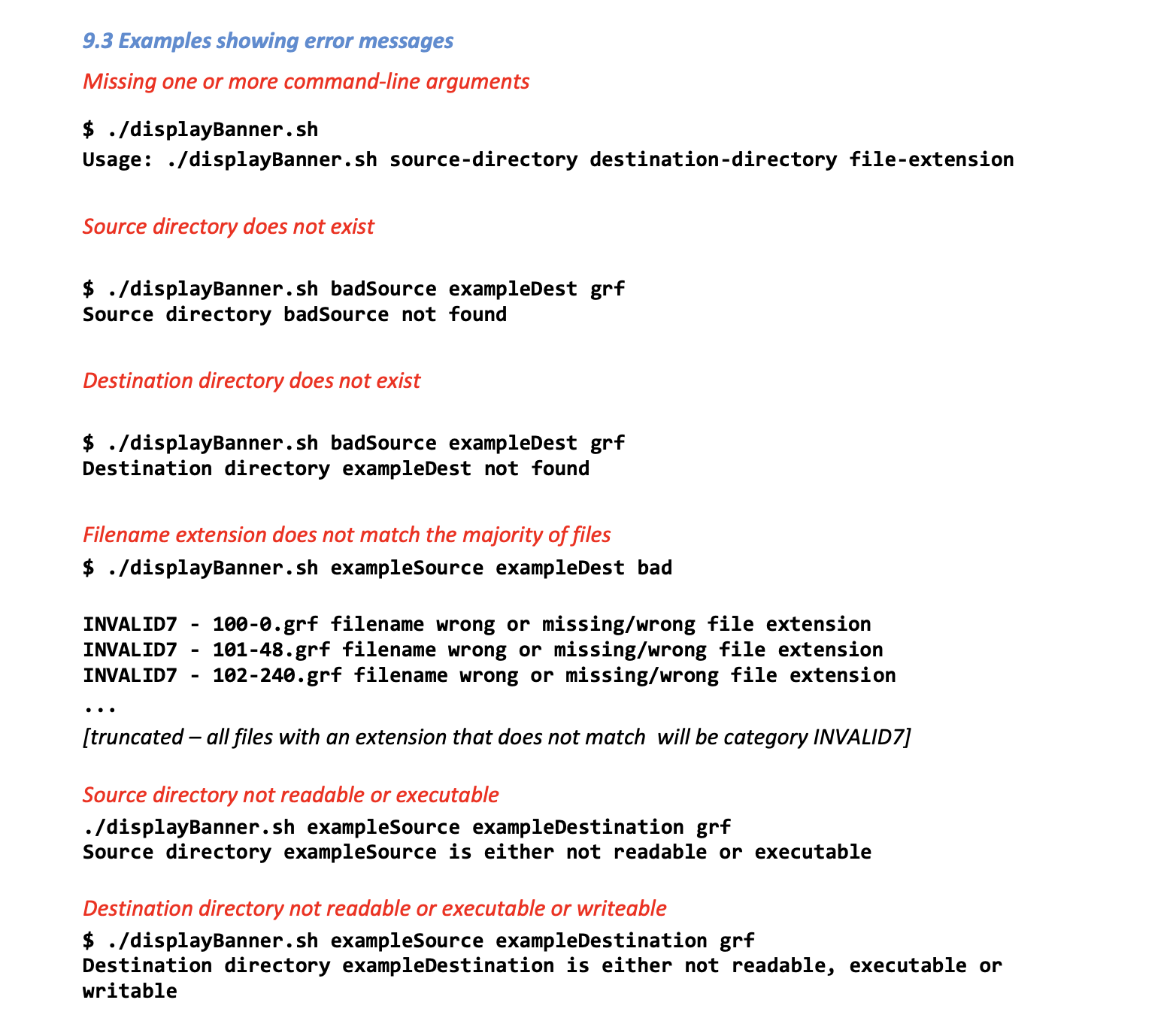
The directory names and the file extension that are provided by arguments 1,2 and 3 must not be 'hardcoded' (specified literally) in your script, i.e., their value must come from the command line arguments. If any of the 3 arguments are missing, the script should provide a usage warning message and then exit - the user must not be prompted to enter missing values when the script is running. See Example Output.
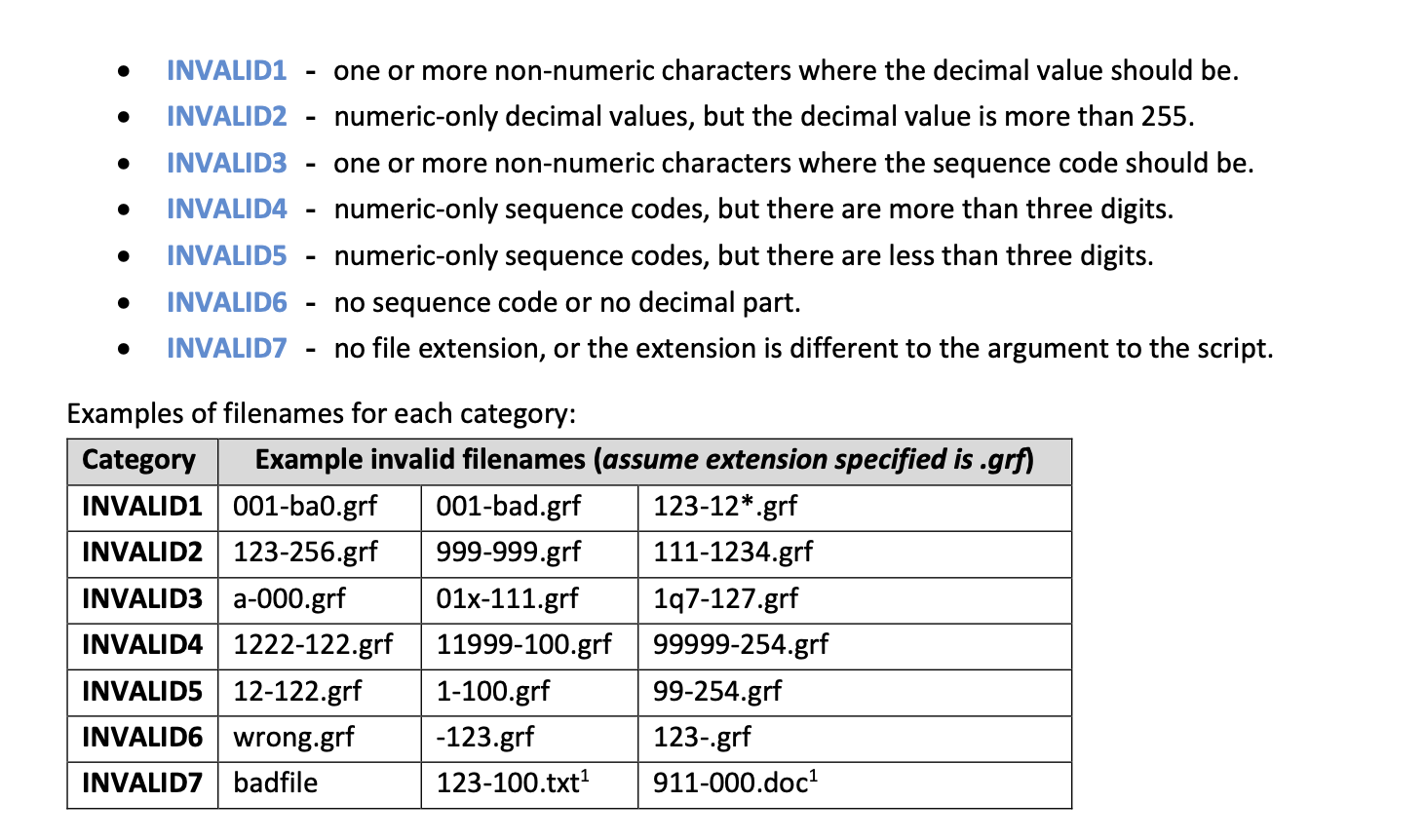

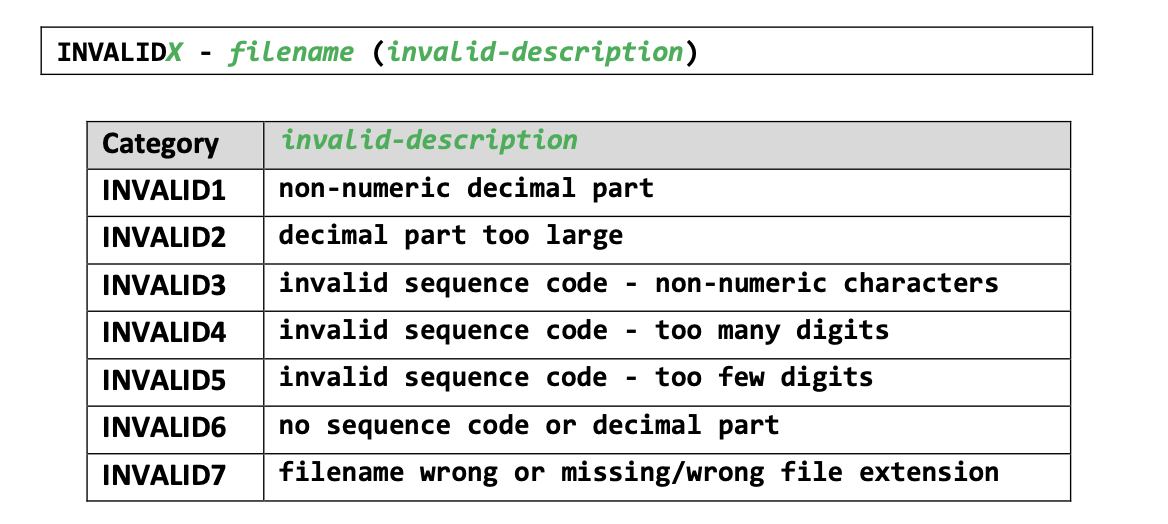
INVALID1 one or more non-numeric characters where the decimal value should be. INVALID2 numeric-only decimal values, but the decimal value is more than 255. INVALID3 one or more non-numeric characters where the sequence code should be. INVALID4 numeric-only sequence codes, but there are more than three digits. INVALID5 numeric-only sequence codes, but there are less than three digits. INVALID6 no sequence code or no decimal part. INVALID7 no file extension, or the extension is different to the argument to the script. Examples of filenames for each category: Category Example invalid filenames (assume extension specified is.grf) INVALID1 001-ba0.grf 001-bad.grf INVALID2 123-256.grf 999-999.grf INVALID3 a-000.grf 01x-111.grf INVALID4 1222-122.grf 11999-100.grf INVALIDS 12-122.grf INVALID6 wrong.grf INVALID7 badfile 1-100.grf -123.grf 123-100.txt 123-12*.grf 111-1234.grf 1q7-127.grf 99999-254.grf 99-254.grf 123-.grf 911-000.doc
Step by Step Solution
There are 3 Steps involved in it

Get step-by-step solutions from verified subject matter experts
 Study Help