







Question: Youre greatly appreciated! Instructions 1. Create (insert a table) in TIP Issuer Portfolio worksheet 2. Calculate the mean, min, max, count, standard deviation for Transaction
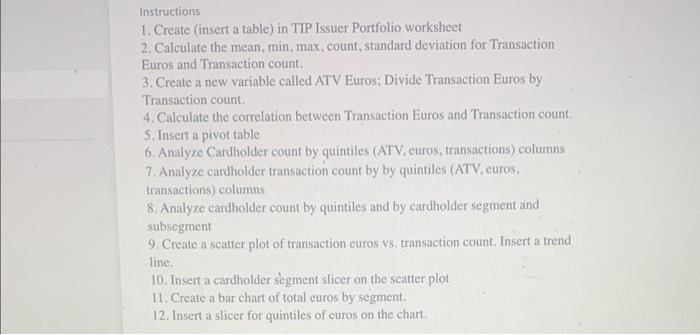
Instructions 1. Create (insert a table) in TIP Issuer Portfolio worksheet 2. Calculate the mean, min, max, count, standard deviation for Transaction Euros and Transaction count. 3. Create a new variable called ATV Euros: Divide Transaction Euros by Transaction count. 4. Calculate the correlation between Transaction Euros and Transaction count. 5. Insert a pivot table 6. Analyze Cardholder count by quintiles (ATV, euros, transactions) columns 7. Analyze cardholder transaction count by by quintiles (ATV, curos, transactions) columns 8. Analyze cardholder count by quintiles and by cardholder segment and subsegment 9. Create a scatter plot of transaction curos vs. transaction count. Insert a trend line. 10. Insert a cardholder segment slicer on the scatter plot 11. Create a bar chart of total euros by segment. 12. Insert a slicer for quintiles of euros on the chart. Instructions 1. Create (insert a table) in TIP Issuer Portfolio worksheet 2. Calculate the mean, min, max, count, standard deviation for Transaction Euros and Transaction count. 3. Create a new variable called ATV Euros: Divide Transaction Euros by Transaction count. 4. Calculate the correlation between Transaction Euros and Transaction count. 5. Insert a pivot table 6. Analyze Cardholder count by quintiles (ATV, euros, transactions) columns 7. Analyze cardholder transaction count by by quintiles (ATV, curos, transactions) columns 8. Analyze cardholder count by quintiles and by cardholder segment and subsegment 9. Create a scatter plot of transaction curos vs. transaction count. Insert a trend line. 10. Insert a cardholder segment slicer on the scatter plot 11. Create a bar chart of total euros by segment. 12. Insert a slicer for quintiles of euros on the chart
Step by Step Solution
There are 3 Steps involved in it

Get step-by-step solutions from verified subject matter experts
 Study Help